Web apps & extensions77 stars on GitHub
Streaming Player
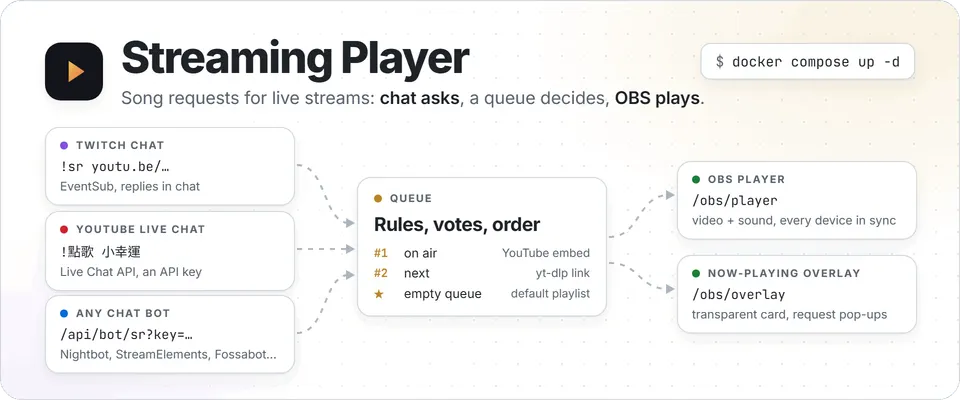
Twitch, YouTube live chat and chat bots share one song queue. A Rust backend keeps the OBS player, overlay and moderator dashboard in sync.
2023Completed
Productivity Tools
Word-style Editor Plugin for Obsidian
An Obsidian plugin for editing Markdown notes like a Word document, with a ribbon toolbar, tables and images, while the file on disk stays clean Markdown. For people who know Markdown and would still rather click Bold.
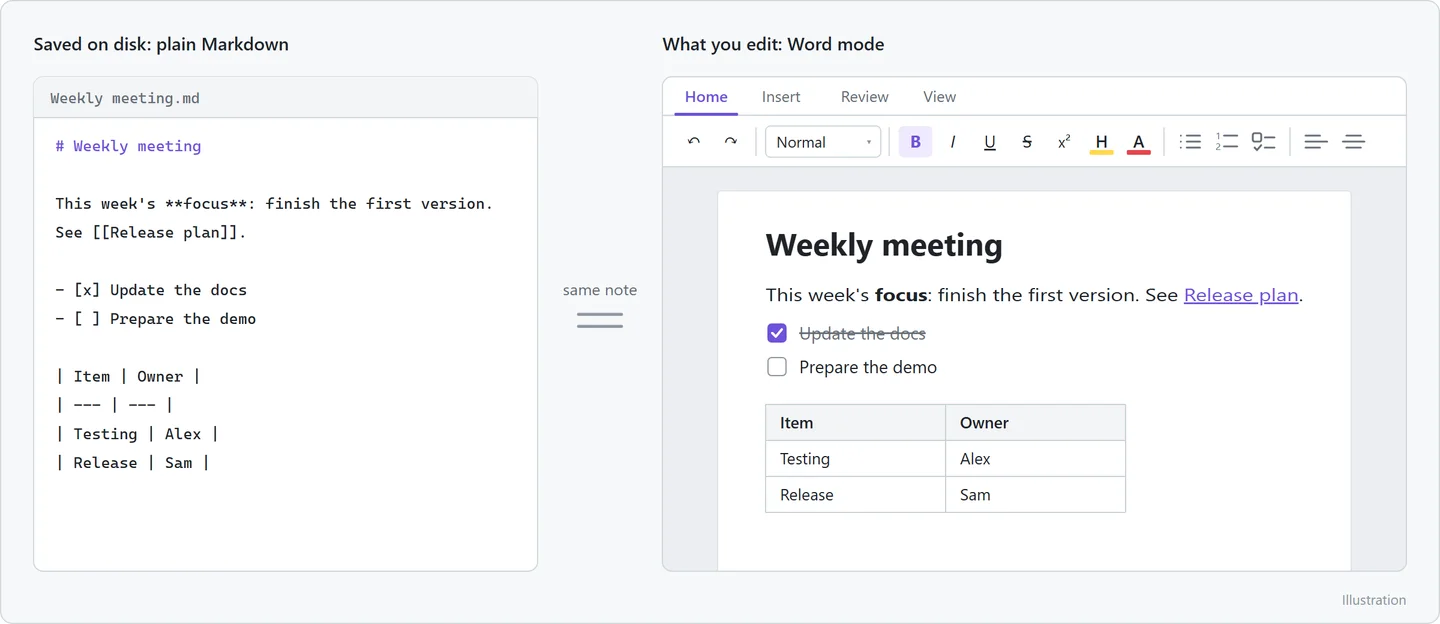
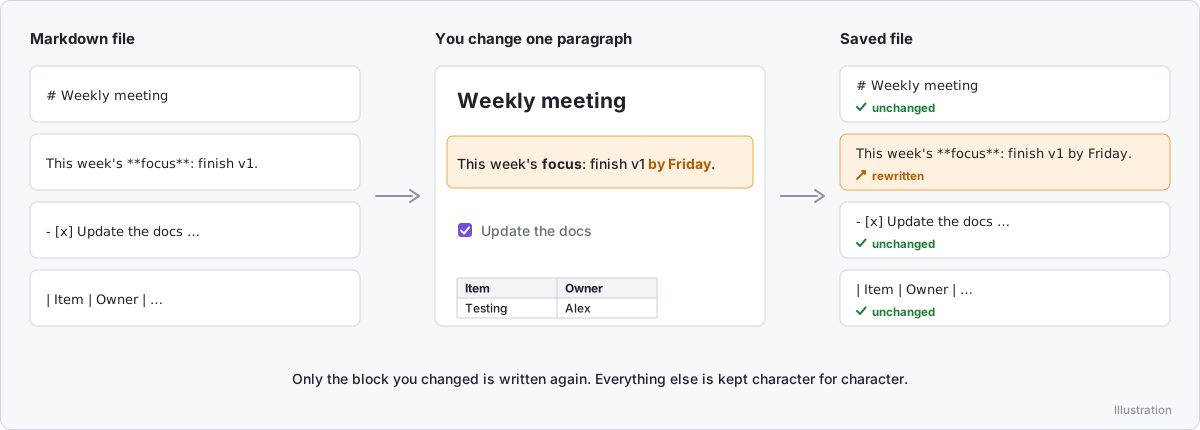
Word Mode adds a second editor for Markdown notes in Obsidian: you see formatted text instead of Markdown syntax and format with toolbar buttons and familiar word-processor shortcuts. Files stay plain Markdown. When a note is edited, only the changed blocks are written again and everything else is kept character for character; anything it cannot edit visually, such as HTML blocks, is shown as a raw block and saved unchanged. It covers a ribbon toolbar with Home, Insert, Review and View tabs, in-place tables, a properties form, images, links, find and replace, an outline sidebar, formatting as you type, Mermaid diagrams with a diagram editor, a visual equation editor, embeds, footnotes, callouts and task lists, plus a choice of versions when a note changes on disk during unsaved edits. The interface comes in Traditional Chinese, English, Japanese and Korean. It is written in TypeScript on ProseMirror and markdown-it, bundled with esbuild, and tested with editing tests that simulate Obsidian in jsdom and a read-only round trip over a real vault. No telemetry, and it never touches files outside the vault.
In Obsidian, formatting a note still means Markdown syntax; even the shortcuts just type the symbols for you. Word Mode lets you work with toolbar buttons and word-processor shortcuts on the same .md files, and writes back only the blocks you changed, so fixing one typo doesn't turn into a diff of the whole note.
Someone who has never typed a Markdown asterisk can work in the same vault: tables, properties, images, diagrams and equations all have buttons. The files stay ordinary .md, so sync and other tools never learn that someone switched editors.
Simplified on purpose. The real thing has more arrows and at least one config file nobody understands.

Twitch, YouTube live chat and chat bots share one song queue. A Rust backend keeps the OBS player, overlay and moderator dashboard in sync.
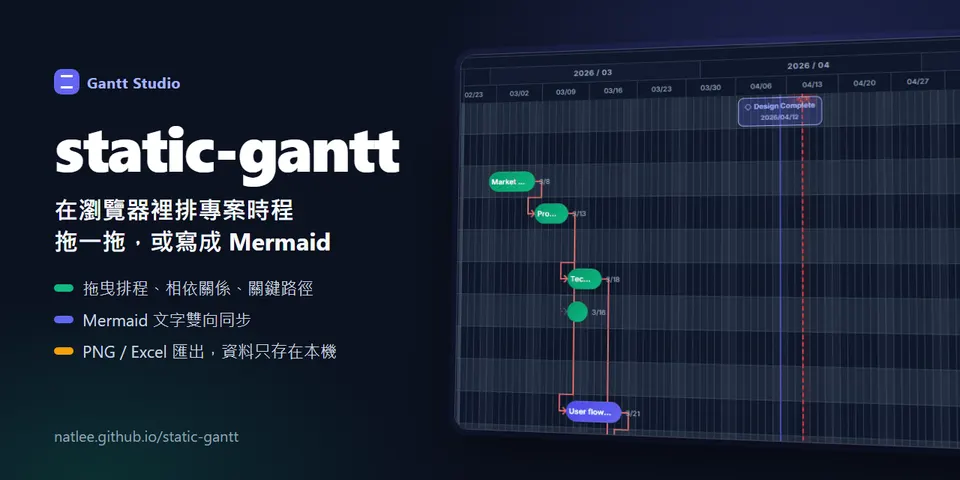
Drag a schedule into place, draw dependencies and see the critical path. Switch to Mermaid text without losing the plan. Everything stays in your browser.
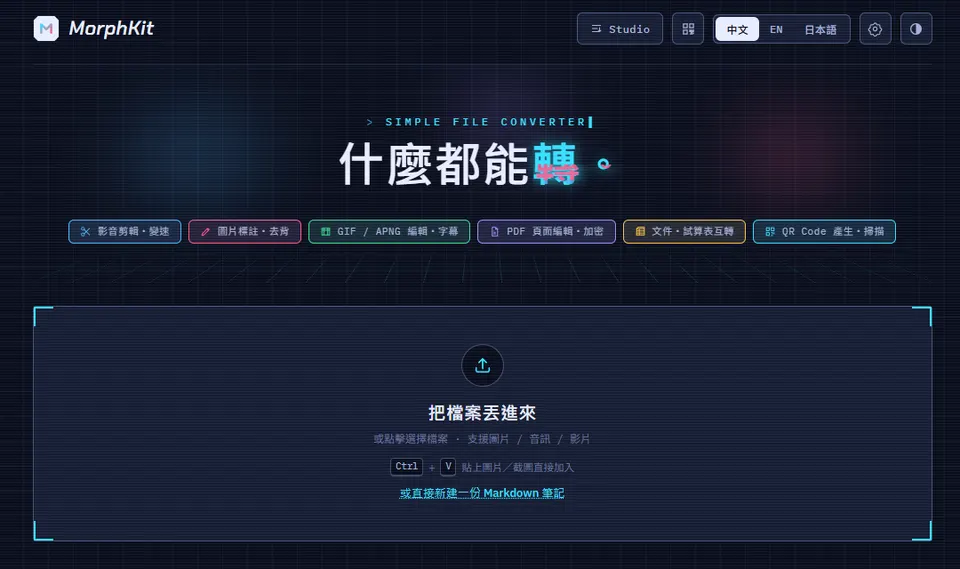
Converts and edits images, audio, video, PDFs and documents entirely in the browser. Nothing gets uploaded, mostly because there is nowhere to upload it to.