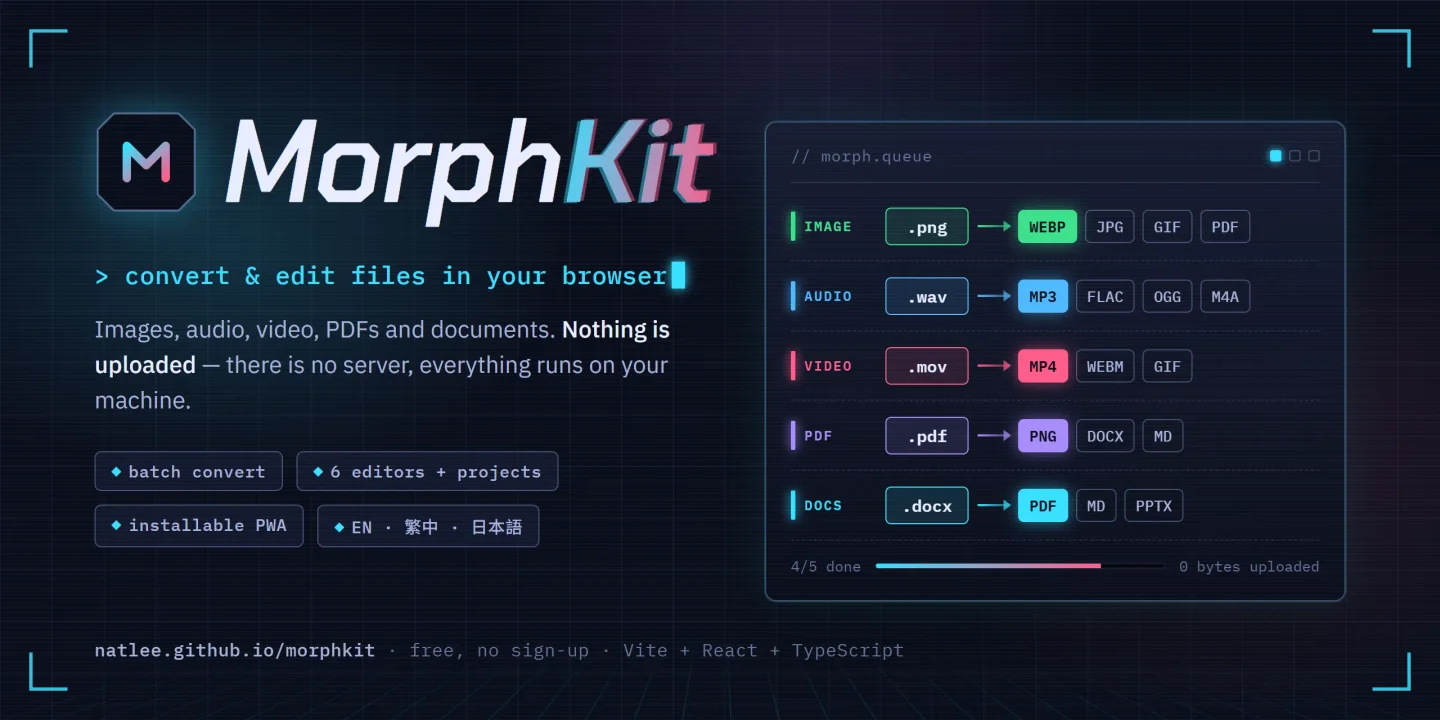
Converts and edits images, audio, video, PDFs and documents entirely in the browser. Nothing gets uploaded, mostly because there is nowhere to upload it to.
MorphKit is a file converter with a set of small editors and no backend at all: every file is processed in the browser, so nothing leaves the user's machine. Images go through the Canvas API, audio and video through ffmpeg.wasm, PDFs through pdf.js and pdf-lib, and Word, PowerPoint, Markdown, HTML, CSV, Excel and JSON through one sanitised-HTML pipeline. On top of plain conversion it can squeeze images and videos under a target file size, turn any image into an ICO icon, pull the audio out of a video, even out loudness across files, and read text from photos and scanned PDF pages with OCR, whose engine downloads only after the user agrees. Six editors cover image layers, GIF/APNG frames, PDF pages, documents, spreadsheets and audio/video trimming; Projects keep longer work, such as a multi-track audio mix, in the browser's IndexedDB; a QR tool makes and reads codes. It is a static Vite + React + TypeScript site, installable as a PWA, in English, Traditional Chinese and Japanese, deployed to GitHub Pages by GitHub Actions and released under the MIT license.
What it's good for
Handy when an upload form says "max 500 KB", this podcast episode is quieter than the last, or a scanned PDF needs its text back. Size targets count in decimal bytes, so a 500 KB result passes the limit however the site counts.
Diagrams
Main paths only. The edge cases stayed in the code.
Tesseract reads transparent as black. Black text on black is hard for anyone.
Point at a box to see what it connects to.
Drop an image, pick a target100 KB to 5 MB
Browser decodes it directly?the fast path first
Decode it with libheifdownloaded on first use
Load it through an <img>Chrome and Edge refuse SVG
Encode at your quality settingat the current size
Under the target?1 KB means 1,000 bytes
Try the lowest quality40 percent
Fits at the lowest quality?
Shrink the dimensions√(target ÷ size), 10% margin
Shrunk six times already?
Report that it cannot fitthe file wins; try bigger
Binary-search the best qualitynarrows to a 2% window
Download the result
Drop an image, pick a target(100 KB to 5 MB) → Browser decodes it directly?
Browser decodes it directly?(the fast path first) → yes: Encode at your quality setting → no, HEIC: Decode it with libheif → no, e.g. SVG: Load it through an <img>
Decode it with libheif(downloaded on first use) → Encode at your quality setting
Load it through an <img>(Chrome and Edge refuse SVG) → Encode at your quality setting
Encode at your quality setting(at the current size) → Under the target?
Under the target?(1 KB means 1,000 bytes) → yes: Download the result → no: Try the lowest quality → no, PNG: Shrink the dimensions
Try the lowest quality(40 percent) → Fits at the lowest quality?
Fits at the lowest quality? → yes: Binary-search the best quality → no: Shrink the dimensions
Shrink the dimensions(√(target ÷ size), 10% margin) → Shrunk six times already?
Shrunk six times already? → yes: Report that it cannot fit → no, again: Encode at your quality setting
Report that it cannot fit(the file wins; try bigger)
Binary-search the best quality(narrows to a 2% window) → Download the result
Download the result
Features
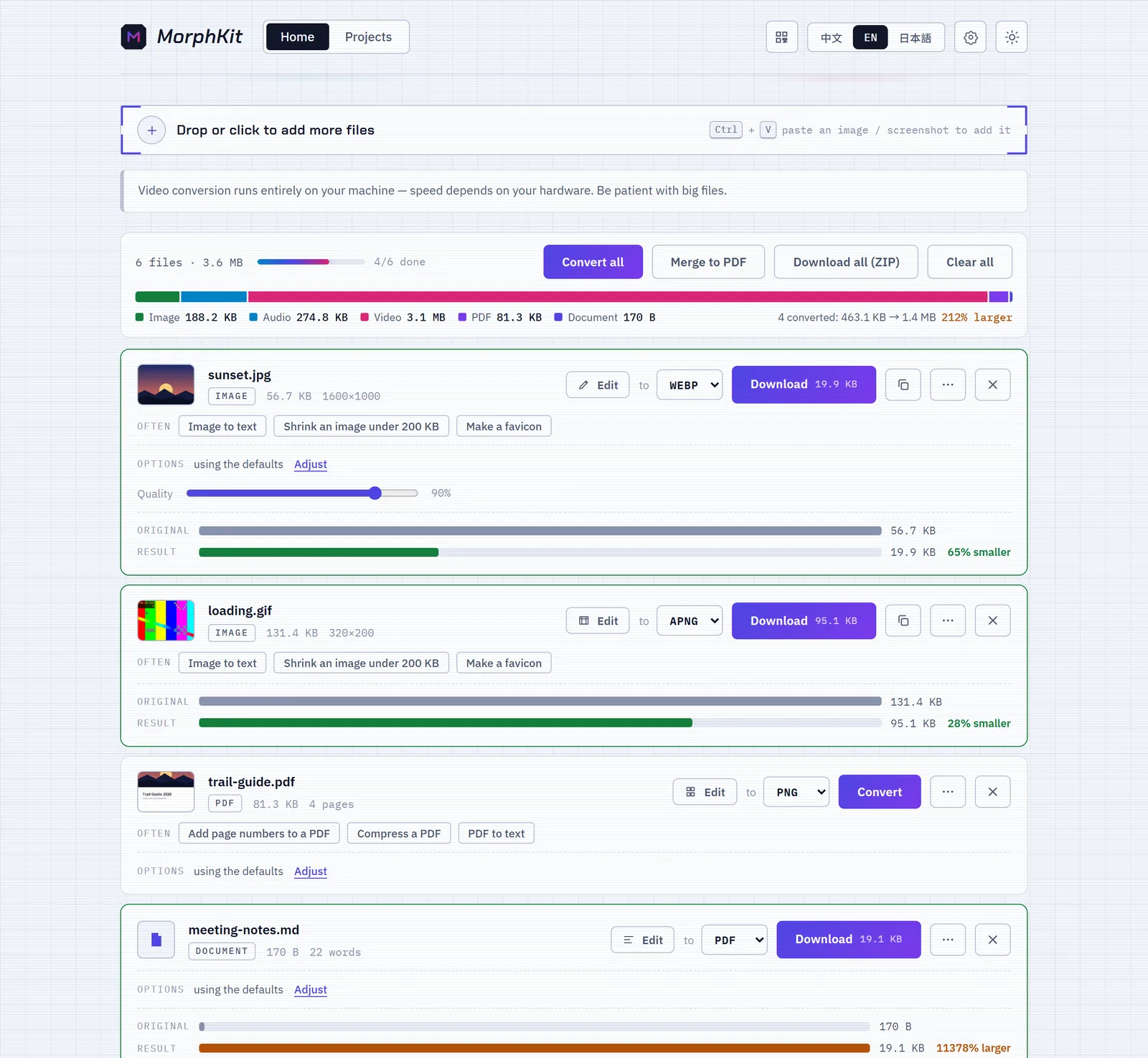
Batch conversion for images, audio, video, PDFs and documents, with Download all (ZIP) and Merge to PDF
Fit images and videos under a target file size (100 KB – 5 MB for images, 10 – 100 MB for video)
Text recognition (OCR) for photos, screenshots and scanned PDF pages in Chinese, Japanese, Korean and English
Even loudness across files at −14, −16 or −23 LUFS, measured first and adjusted once
ICO icons from any image, and any audio format from a video
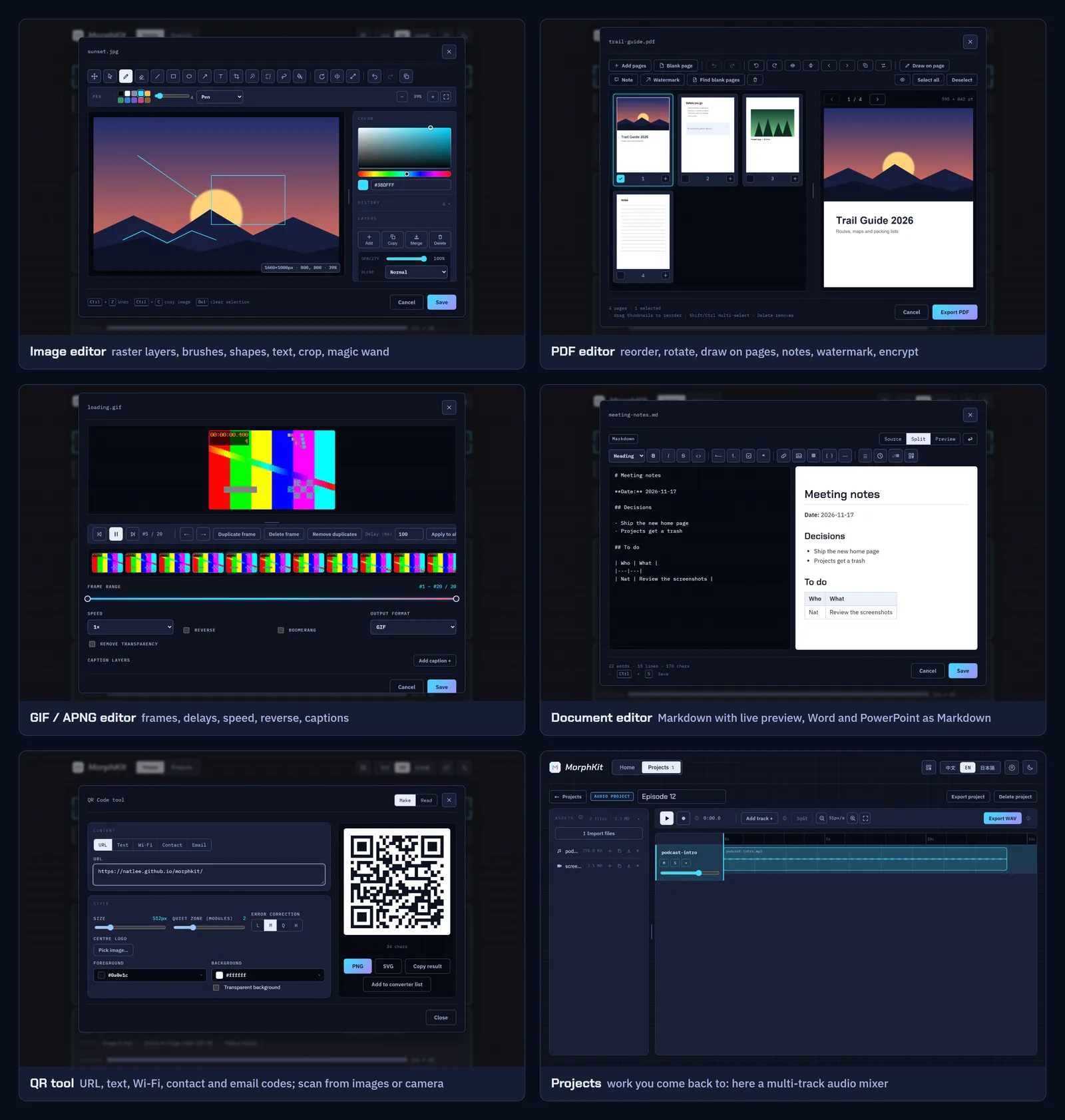
Six editors: layered images, GIF/APNG frames, PDF pages, documents, spreadsheets and audio/video trimming
PDF page tools: reorder, rotate, watermark, page numbers, smaller images, blank-page finder, split and AES-256 encryption
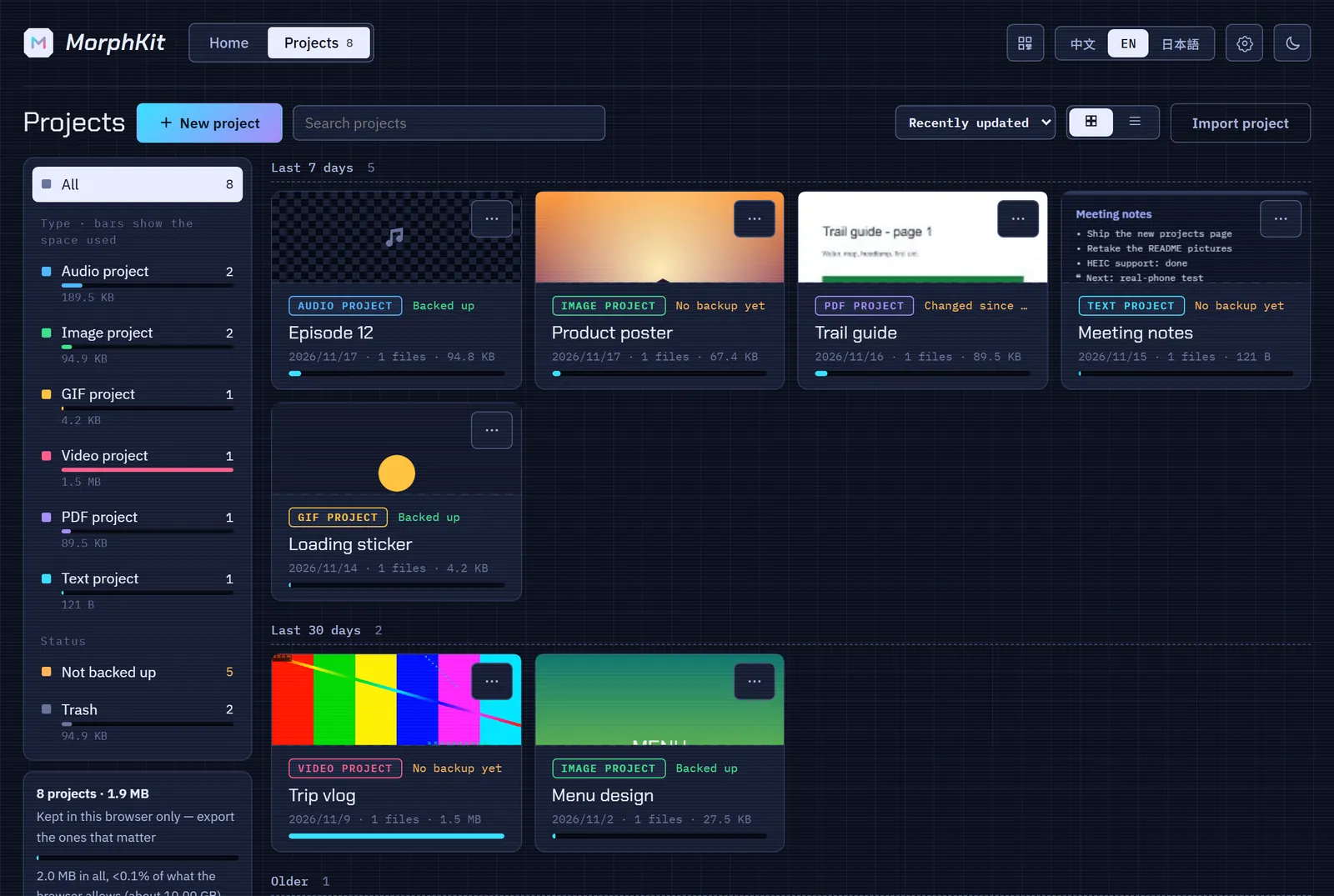
Projects kept in the browser, including a multi-track audio mixer and video projects that export MP4
QR code maker and reader
File details: EXIF with GPS, bitrate, duration, page and word counts, and QR codes found inside images
Installable PWA in English, Traditional Chinese and Japanese, with light and dark themes
100% static site — no server, no file uploads, privacy by design
The problem
Processing large media files entirely in the browser under its ~2 GB memory ceiling.
Supporting a wide matrix of image, audio, and video formats without any server-side help.
Editing animated formats (GIF/APNG) frame by frame while keeping the UI responsive.
Offering OCR without making every visitor download a multi-megabyte engine.
What I did
Used ffmpeg.wasm for audio and video, the Canvas API for images, and pdf.js and pdf-lib for PDFs, keeping every byte on the user's machine.
Combined specialized codecs (gifuct-js, gifenc, upng-js) for animation decoding and encoding, with a frame cap to stay within memory limits.
Built as a fully static Vite + React site deployed to GitHub Pages via GitHub Actions, so the whole tool ships without any infrastructure.
The OCR engine and language data (about 4–8 MB) download only after the user agrees, once, and then stay in the browser.
Results
A free, privacy-friendly converter and editor — files never leave the browser.
Covers conversion and editing for images, audio, video, animations, PDFs and documents in a single tool.
Runs entirely on GitHub Pages with zero hosting cost or server maintenance.
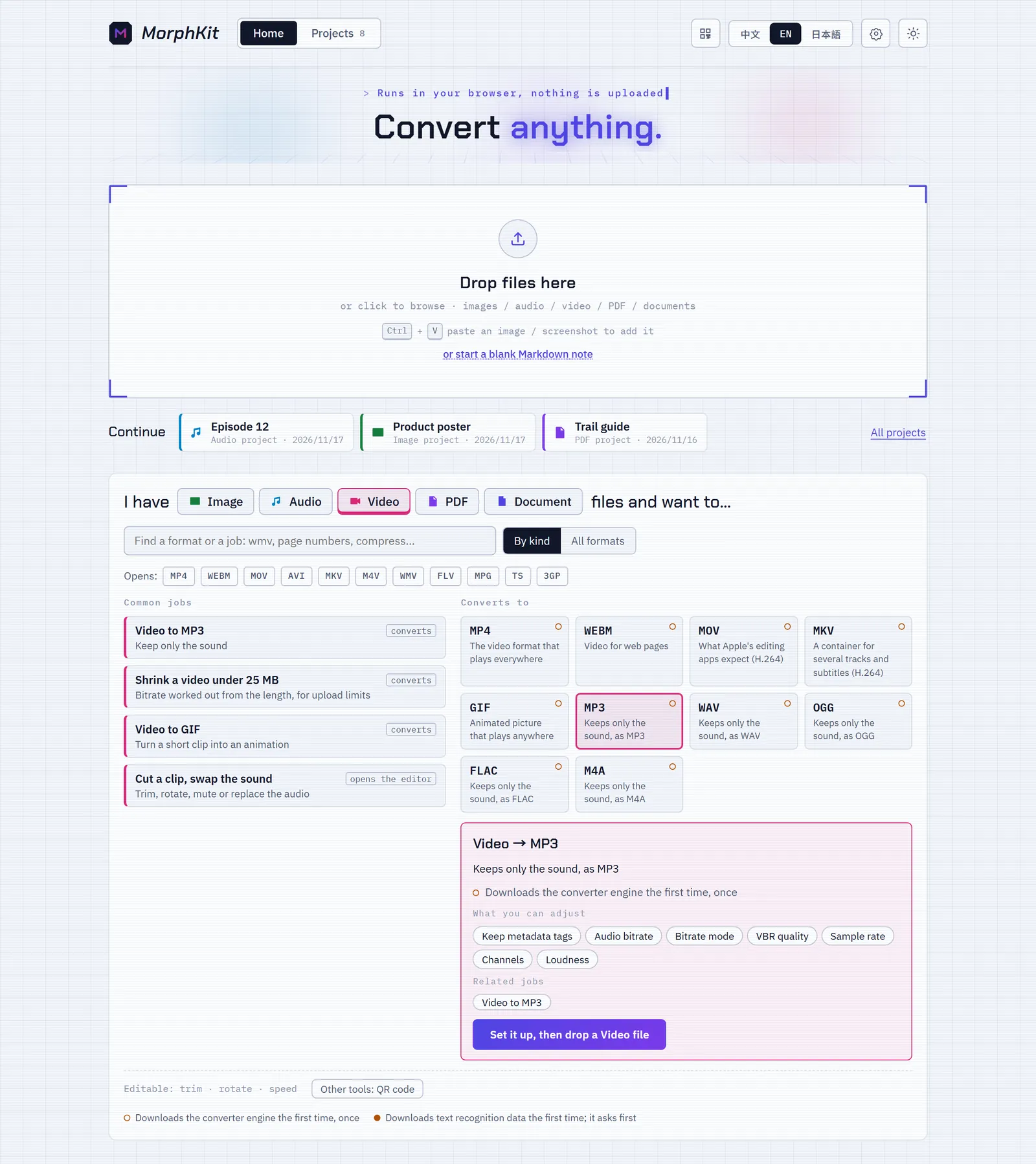
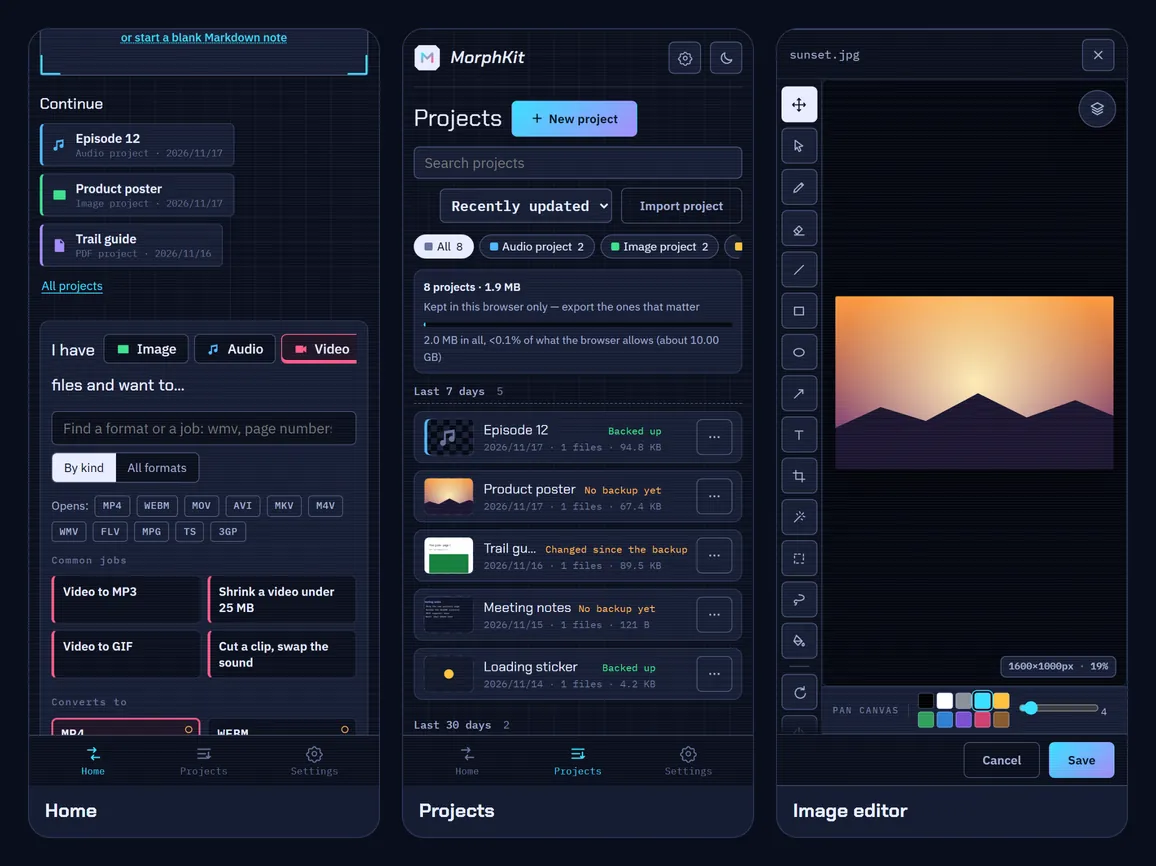
Home: a drop zone, projects to continue, and the "I have a ___ file and want to…" panel
What I learned
After a few dozen jobs in one visit the ffmpeg.wasm core can trap and fail every job after it; such a job now runs once more on a fresh instance.
Chrome and Edge refuse SVG in createImageBitmap, so every SVG conversion failed until all image decoding went through one helper with an <img> fallback.
Tesseract reads transparent pixels as black, so images are flattened onto white first: black text on black defeats even an OCR engine.
How it fits together
Simplified on purpose. The real thing has more arrows and at least one config file nobody understands.
Screenshots
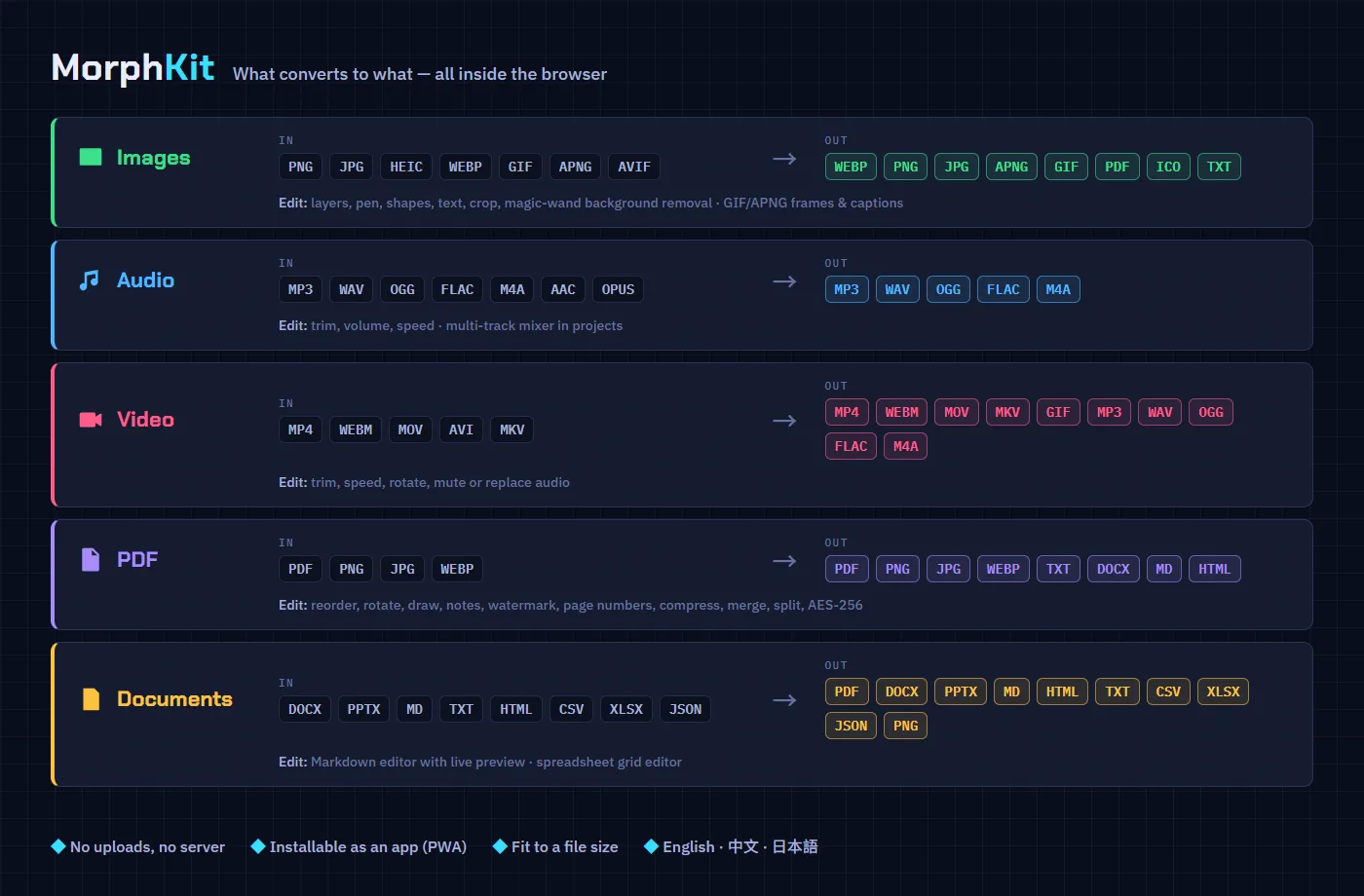
What converts to what: inputs and outputs for images, audio, video, PDFs and documents
The editors: image layers, PDF pages, GIF frames, documents, QR codes and projects
The file list: per-file options, size bars, and a 170 B note that became a 19 KB PDF
Projects page: kept in the browser, filtered by type, with backup state and a trash
On a phone: the home panel, the projects list and the image editor
Drag a schedule into place, draw dependencies and see the critical path. Switch to Mermaid text without losing the plan. Everything stays in your browser.