Streaming Player 2.0 is a self-hosted song request system rebuilt with Rust and React. Viewers request songs from Twitch, YouTube live chat or an HTTP API; moderators manage the same queue from a dashboard. Dedicated OBS browser sources provide playback and a transparent now-playing overlay. It replaces the earlier Flask players.
What it's good for
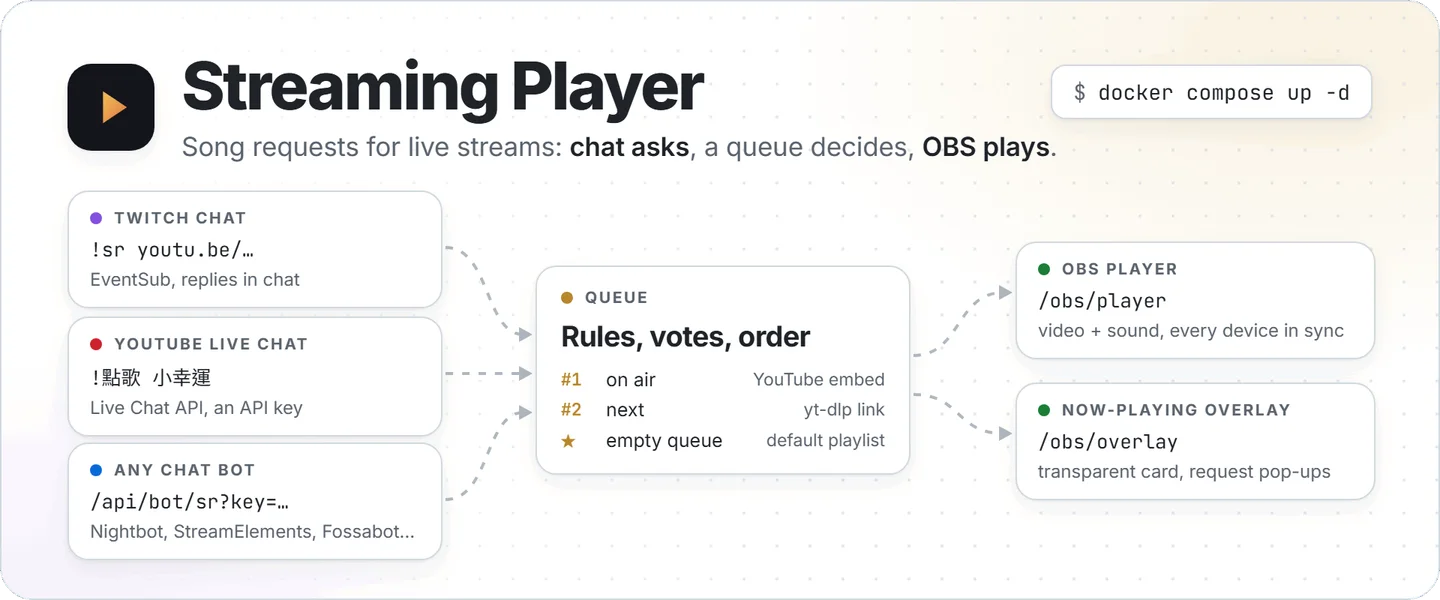
For a streamer taking requests from Twitch, YouTube and a chat bot at once: one queue, one set of rules, run from chat or the dashboard. When the queue runs dry, your starred songs take over, so dead air stops being part of the show.
Diagrams
Main paths only. The edge cases stayed in the code.
Version two has three fewer things that can break mid-stream.
Point at a box to see what it connects to.
Viewer types !sr and a link
Where was it typed?
Arrives over EventSublevel from chat badges
Polled from live chatold first page skipped
Bot calls the HTTP APIlevel from query or header
Split into who, command, wordsinvisible characters stripped
Allowed and off cooldown?enabled, level, per-person cooldown
Look up title and lengthskipped for songs it knows
Passes the queue rules?length, limits, block list
Join the queueevery page updates over WebSocket
Reply in chatplace and wait, or why not
Leader player plays itother pages follow its clock
Anything left in the queue?
Play a random starred songthe one just played comes last
Wait for the next requestdead air, by choice
Viewer types !sr and a link → Where was it typed?
Where was it typed? → Twitch: Arrives over EventSub → YouTube: Polled from live chat → chat bot: Bot calls the HTTP API
Arrives over EventSub(level from chat badges) → Split into who, command, words
Polled from live chat(old first page skipped) → Split into who, command, words
Bot calls the HTTP API(level from query or header) → Split into who, command, words
Split into who, command, words(invisible characters stripped) → Allowed and off cooldown?
Allowed and off cooldown?(enabled, level, per-person cooldown) → yes: Look up title and length → no: Reply in chat
Look up title and length(skipped for songs it knows) → Passes the queue rules?
Passes the queue rules?(length, limits, block list) → yes: Join the queue → no: Reply in chat
Join the queue(every page updates over WebSocket) → tell chat: Reply in chat → wait its turn: Leader player plays it
Reply in chat(place and wait, or why not)
Leader player plays it(other pages follow its clock) → Anything left in the queue?
Anything left in the queue? → yes: Leader player plays it → no: Play a random starred song → no, autoplay off: Wait for the next request
Play a random starred song(the one just played comes last) → Leader player plays it
Wait for the next request(dead air, by choice)
Features
Twitch, YouTube live chat and HTTP chat-bot requests
Queue limits, cooldowns, voting and block lists
OBS player and transparent now-playing overlay
Roles, permission points and personal API tokens
Settings backups and song-library export
Results
Version 2.0.0 released with a Rust backend and React dashboard
One Docker image for self-hosted deployment
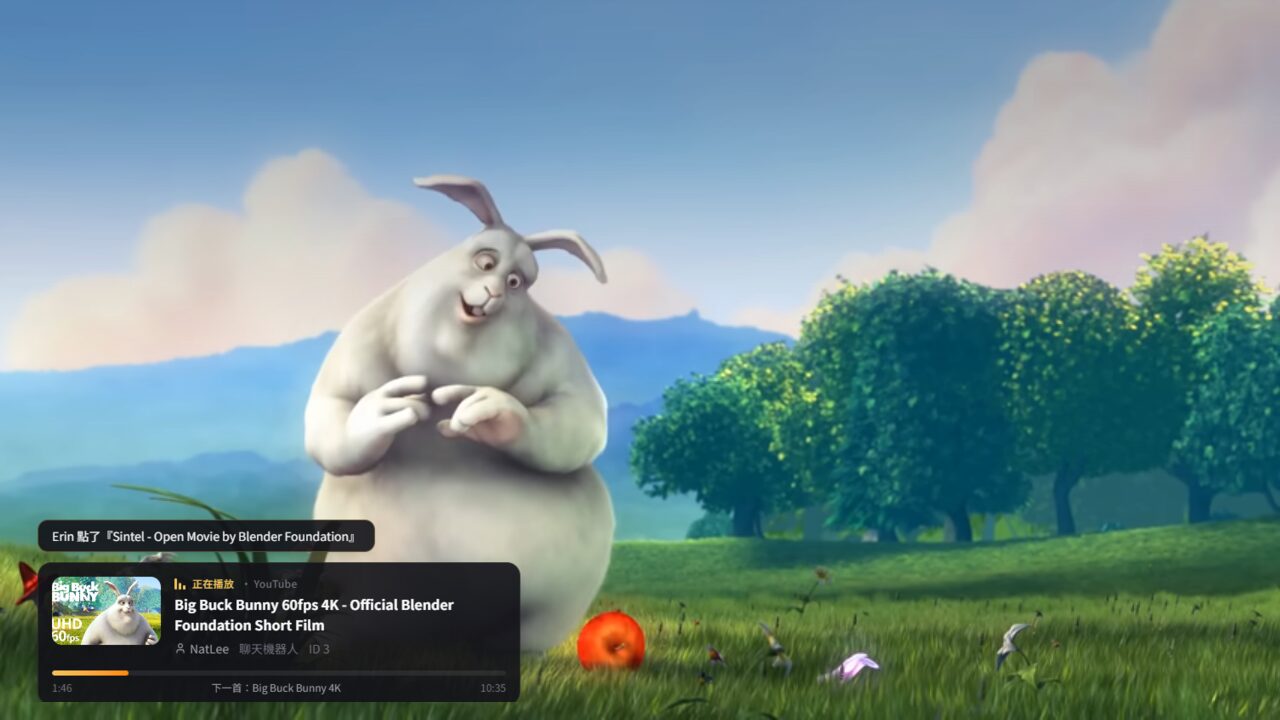
The OBS player with the now-playing overlay and a pop-up for a new request
What I learned
SQLite's plain BEGIN starts as a reader, so a read-then-write queue update could fail with "database is locked" at once; writes now use BEGIN IMMEDIATE.
Since 2025 YouTube's embedded player shows error 153 when the page sends no Referer, so a proxy's no-referrer "security" preset quietly breaks playback.
The first page of YouTube live chat is old chat. It is skipped, or every restart would replay old !sr requests.
How it fits together
Simplified on purpose. The real thing has more arrows and at least one config file nobody understands.
Screenshots
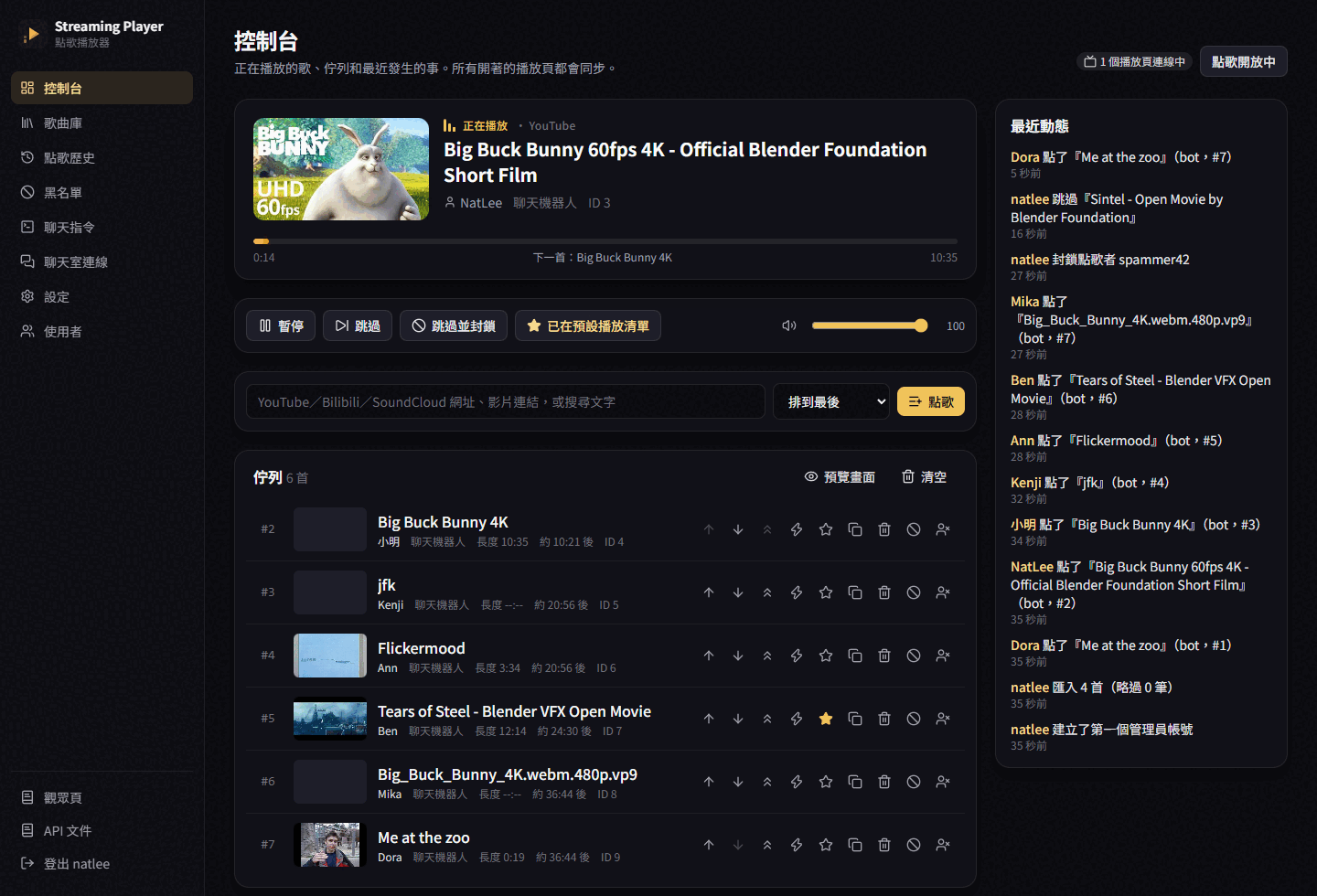
Dashboard: the song on air, playback controls, the request box, queue and activity
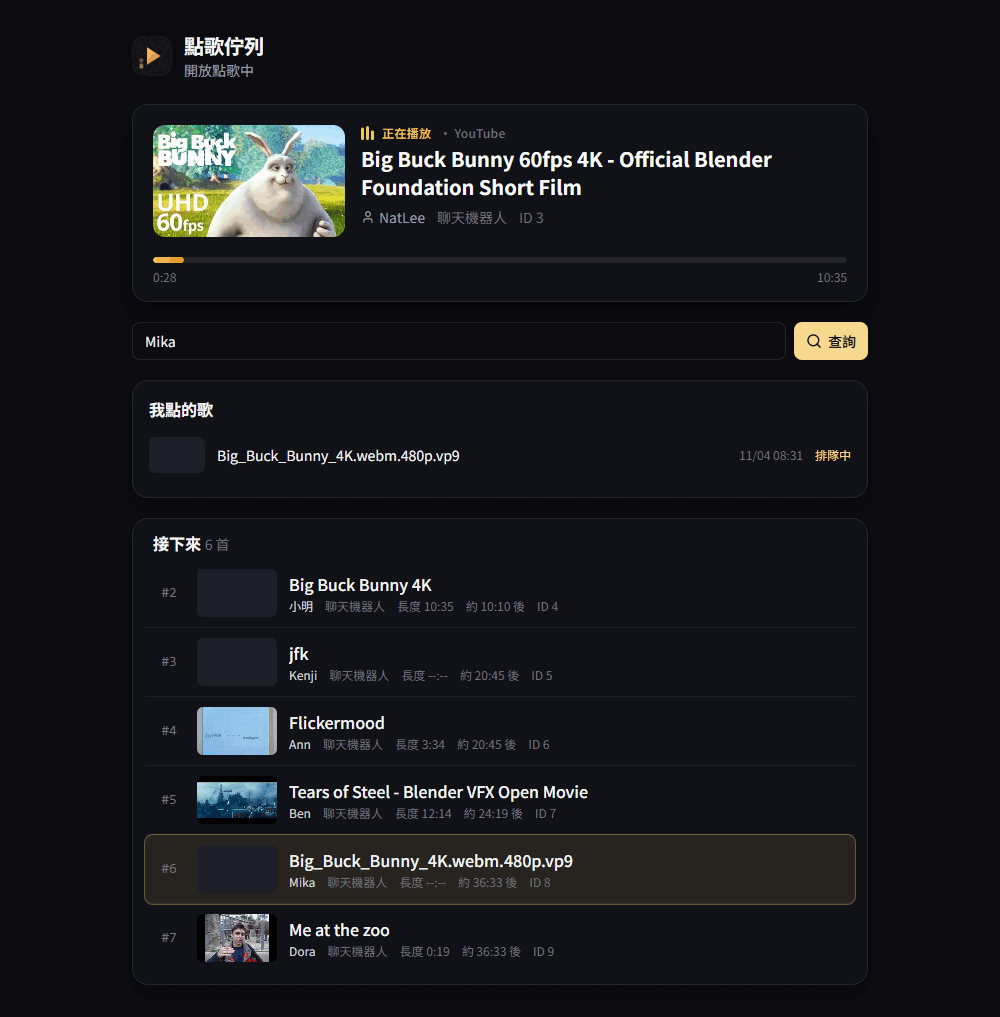
Viewer page: what is playing, your own requests, and how long each song still waits
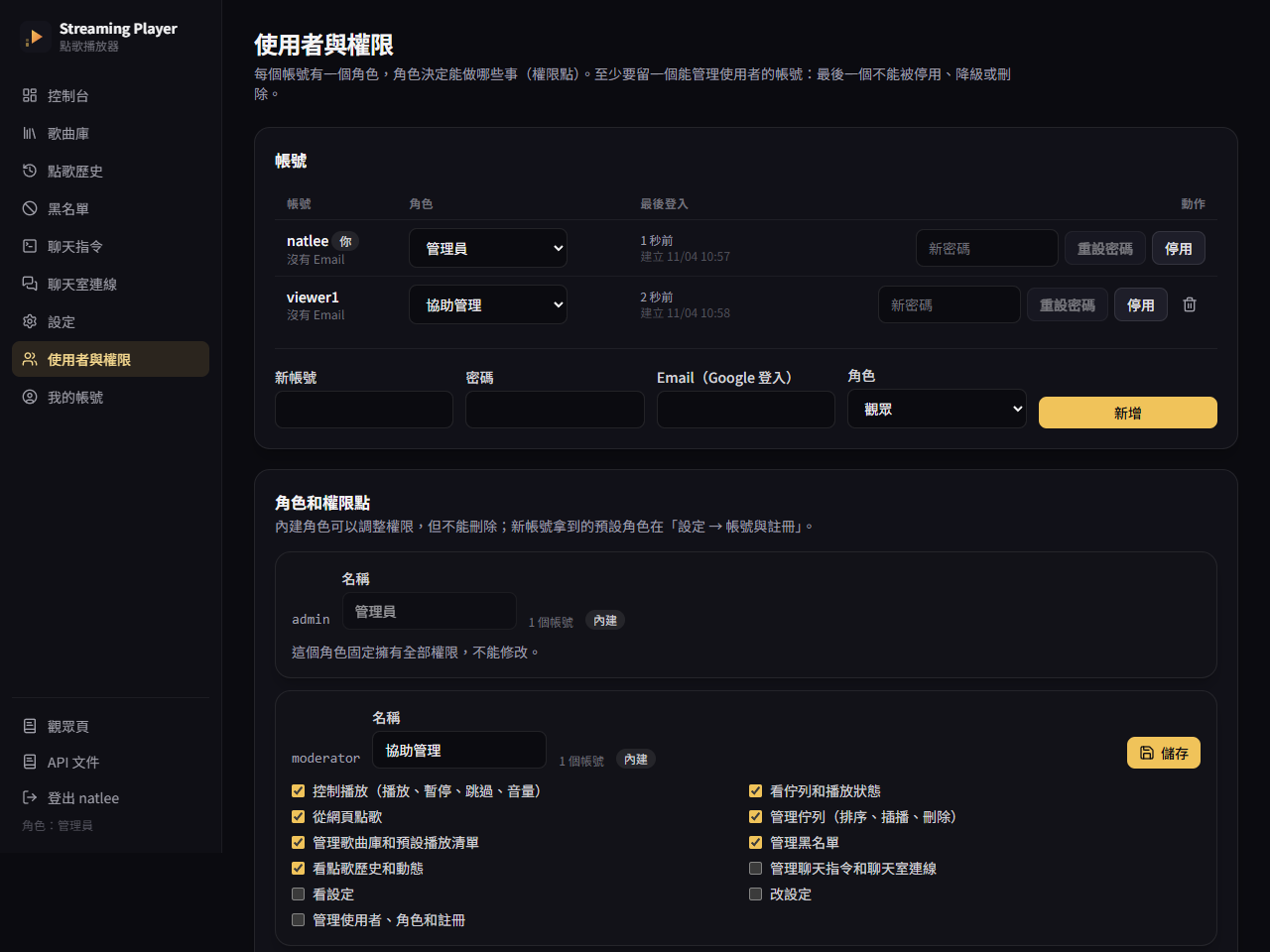
Users and roles, where the last account that manages users cannot demote itself
Drag a schedule into place, draw dependencies and see the critical path. Switch to Mermaid text without losing the plan. Everything stays in your browser.
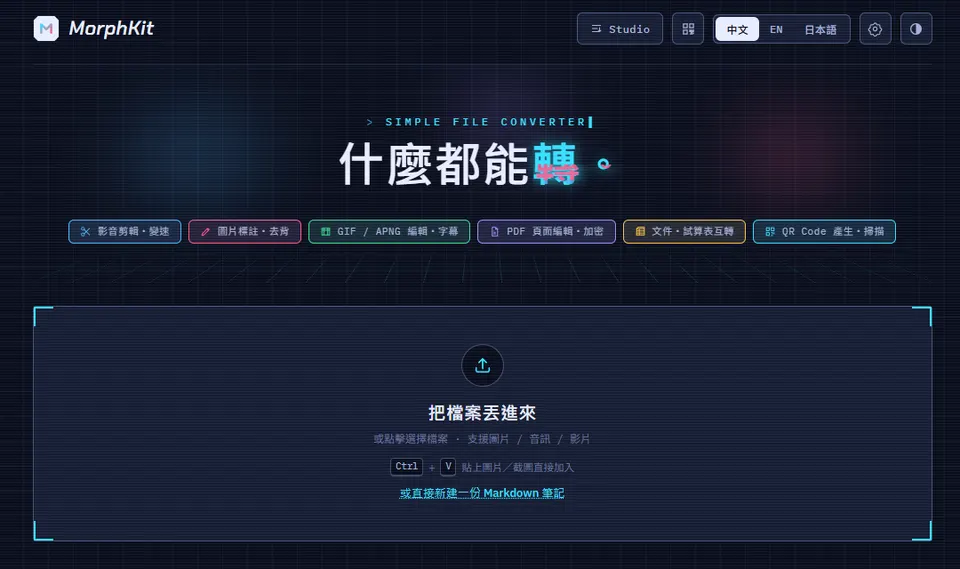
Converts and edits images, audio, video, PDFs and documents entirely in the browser. Nothing gets uploaded, mostly because there is nowhere to upload it to.