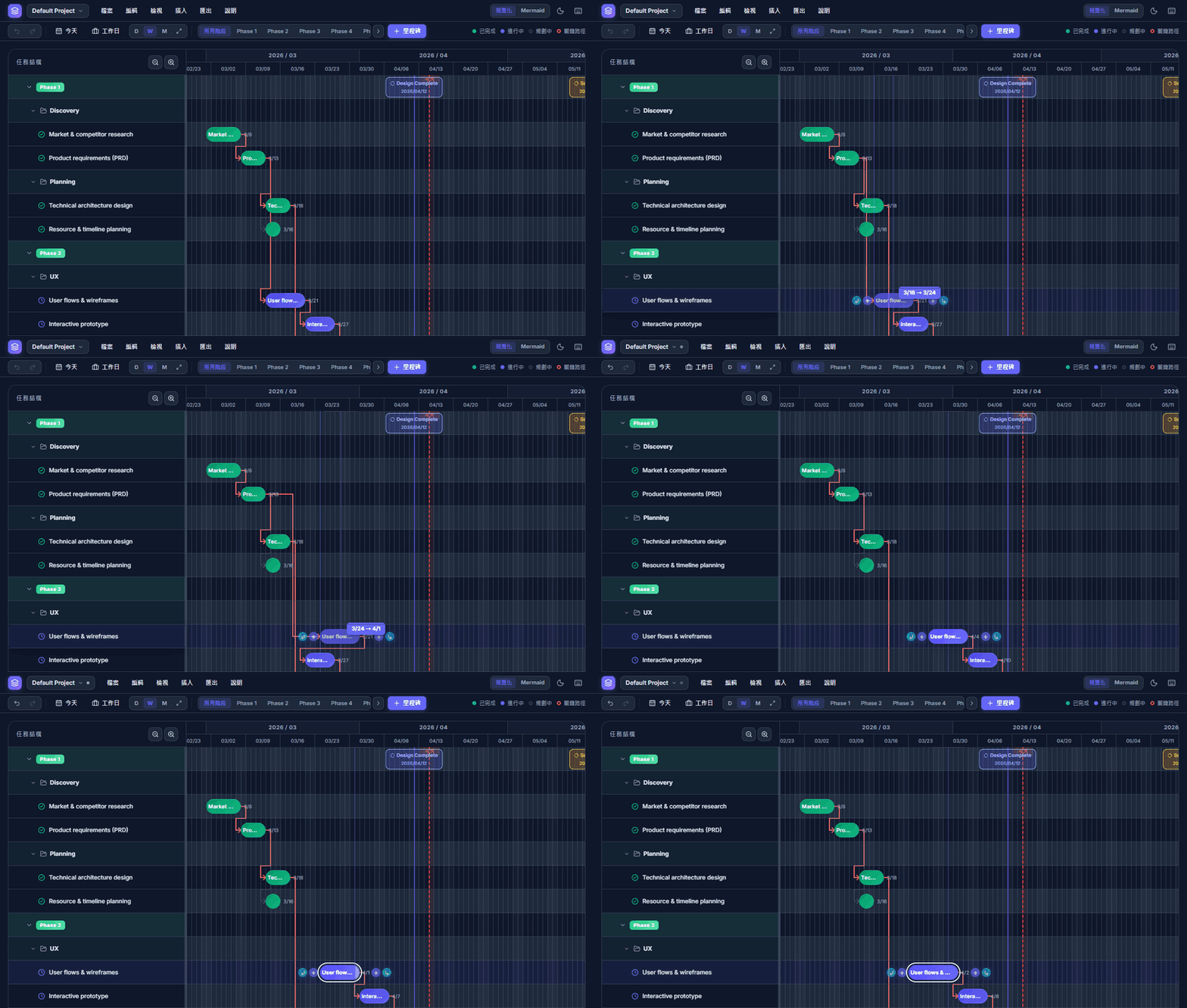
Drag a schedule into place, draw dependencies and see the critical path. Switch to Mermaid text without losing the plan. Everything stays in your browser.
A browser-only Gantt editor with visual scheduling and two-way Mermaid editing. Tasks, dependencies, baselines and working-day calendars live in localStorage. It needs no account or backend and exports PNG, Excel and JSON.
What it's good for
Handy for a small team planning without a project-management account. Dependencies push later tasks along by themselves, and a baseline shows how many days each task has drifted from the original plan: useful information, rarely good news.
Diagrams
Main paths only. The edge cases stayed in the code.
It warns you when one person is scheduled as three.
Point at a box to see what it connects to.
Drag a line from a barfrom the dot at either end
Which end?
This task goes firstthe target waits for it
The target goes firstthis task waits for it
Drop it on another task
Would it close a loop?the line turns red
Save the dependencythe task's fixed date goes
Walk tasks in dependency orderKahn's topological sort
Fixed start date?
Start on that date
Start after the latest predecessorweekends skipped if you choose
Work out its end day
Tasks still waiting?ready once predecessors are placed
Walk back for the critical pathtooltips show each task's float
Redraw and autosaveinto localStorage
Drag a line from a bar(from the dot at either end) → Which end?
Which end? → right end: This task goes first → left end: The target goes first
This task goes first(the target waits for it) → Drop it on another task
The target goes first(this task waits for it) → Drop it on another task
Drop it on another task → Would it close a loop?
Would it close a loop?(the line turns red) → yes, refused: Drag a line from a bar → no: Save the dependency
Save the dependency(the task's fixed date goes) → Walk tasks in dependency order
Walk tasks in dependency order(Kahn's topological sort) → Fixed start date?
Fixed start date? → yes: Start on that date → no: Start after the latest predecessor
Start on that date → Work out its end day
Start after the latest predecessor(weekends skipped if you choose) → Work out its end day
Work out its end day → Tasks still waiting?
Tasks still waiting?(ready once predecessors are placed) → yes, next: Fixed start date? → no: Walk back for the critical path
Walk back for the critical path(tooltips show each task's float) → Redraw and autosave
Redraw and autosave(into localStorage)
Features
Drag tasks, resize durations and draw dependencies
Two-way Mermaid editing with metadata preserved
Automatic scheduling, critical path and baselines
Keyboard controls and four interface languages
PNG, Excel and JSON export
Dragging a bar to change its dates, then nudging it with the arrow keys
What I learned
Dates stored at 00:00 UTC but read with local getters showed the day before anywhere west of UTC, and in Taipei "today" jumped to tomorrow at 20:00.
The scheduler gave up after 100 sweeps, so in big projects a chain stored backwards fell off the chart; it now walks the graph in topological order.
Exporting to Mermaid kept only each task's last predecessor, though Mermaid takes "after a b"; a round-trip test now expects the sample back unchanged.
How it fits together
Simplified on purpose. The real thing has more arrows and at least one config file nobody understands.
Screenshots
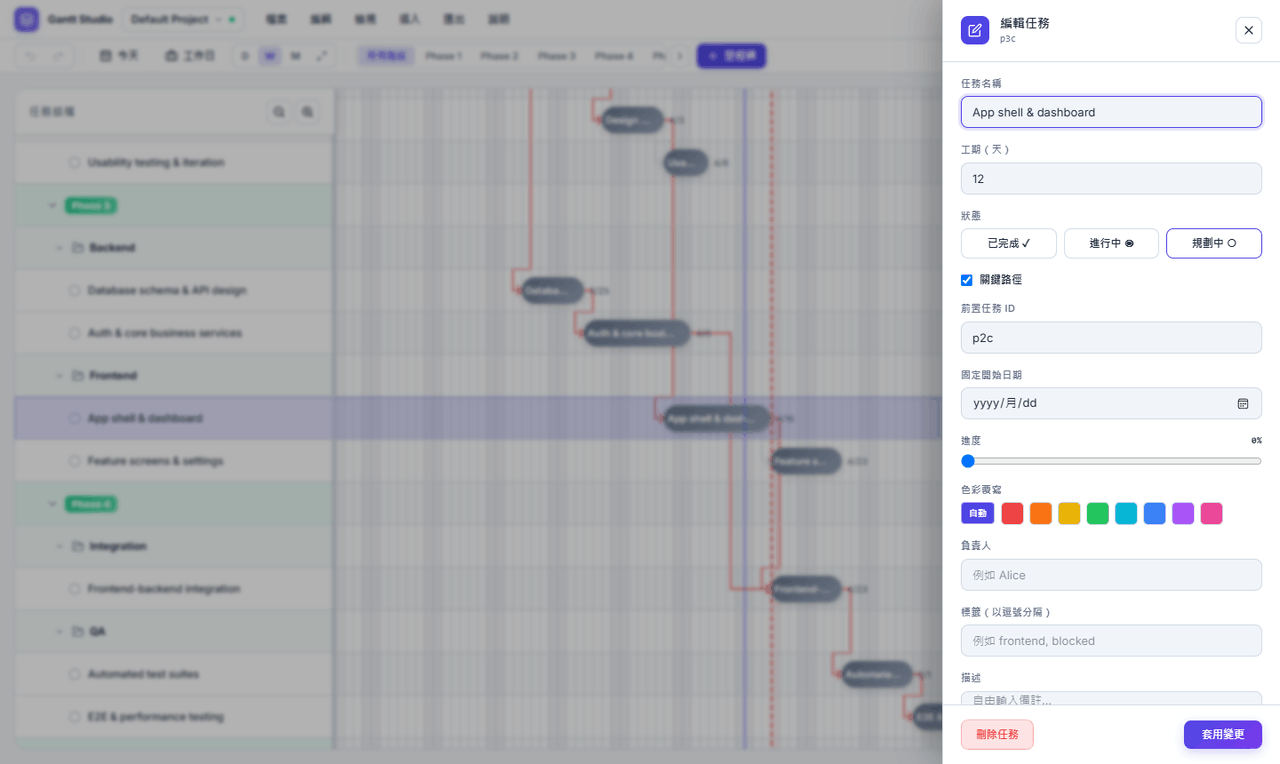
Light theme with the task panel open: duration, status, predecessor, progress, colour
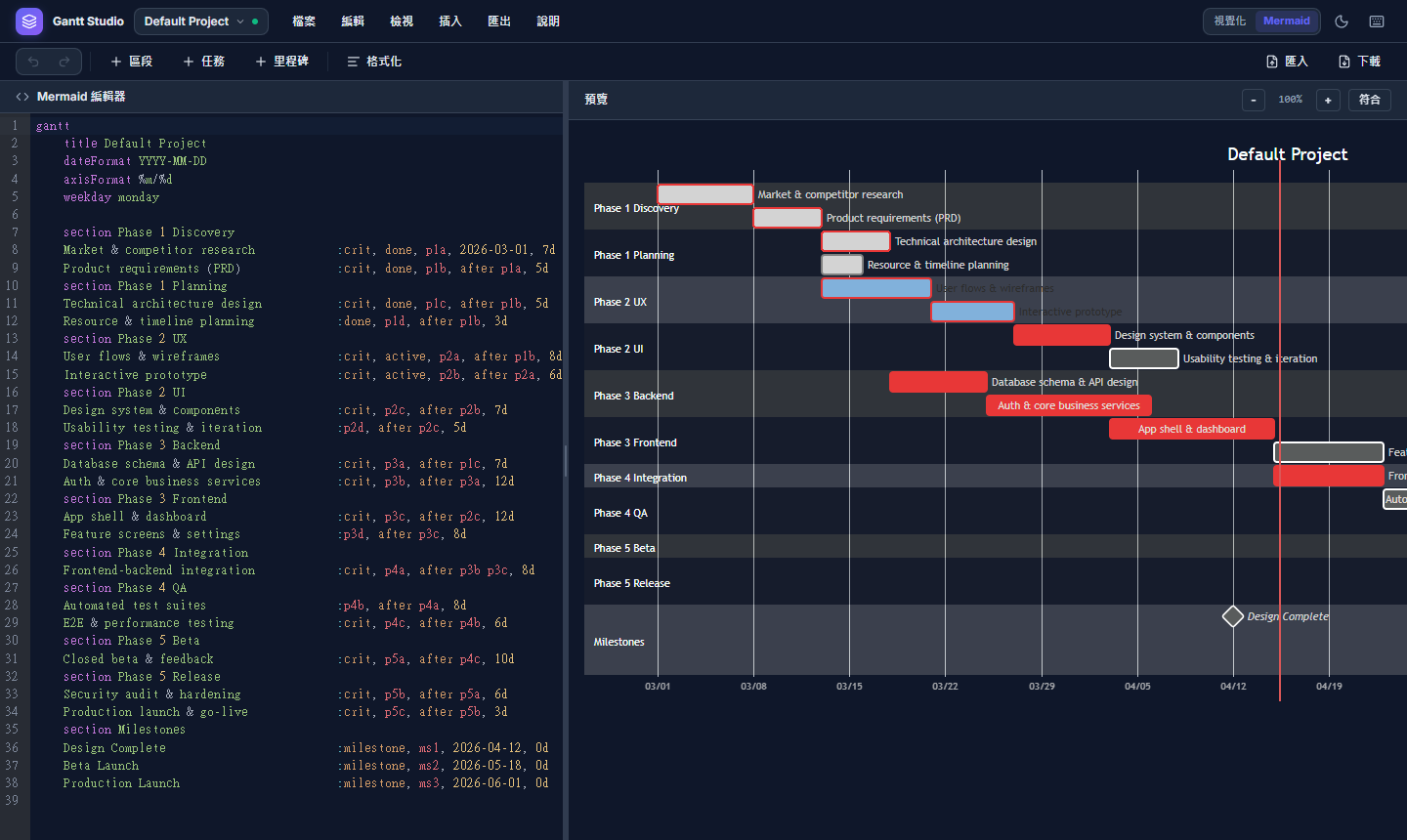
Mermaid mode: the same plan as text on the left, a live preview on the right
Converts and edits images, audio, video, PDFs and documents entirely in the browser. Nothing gets uploaded, mostly because there is nowhere to upload it to.