An Obsidian plugin that gives attachments per-note folders, downloads remote images and checks paths. For people whose notes have more images than notes.
A comprehensive Obsidian plugin designed to streamline attachment management. It enforces a per-note attachment folder structure, keeping your vault organized. Key capabilities include automatically moving pasted images to the correct folder, downloading remote images (including from Canvas) to local storage, and providing tools to check and repair broken attachment paths or clean up empty folders. It supports multiple languages and integrates seamlessly with Obsidian's file explorer.
What it's good for
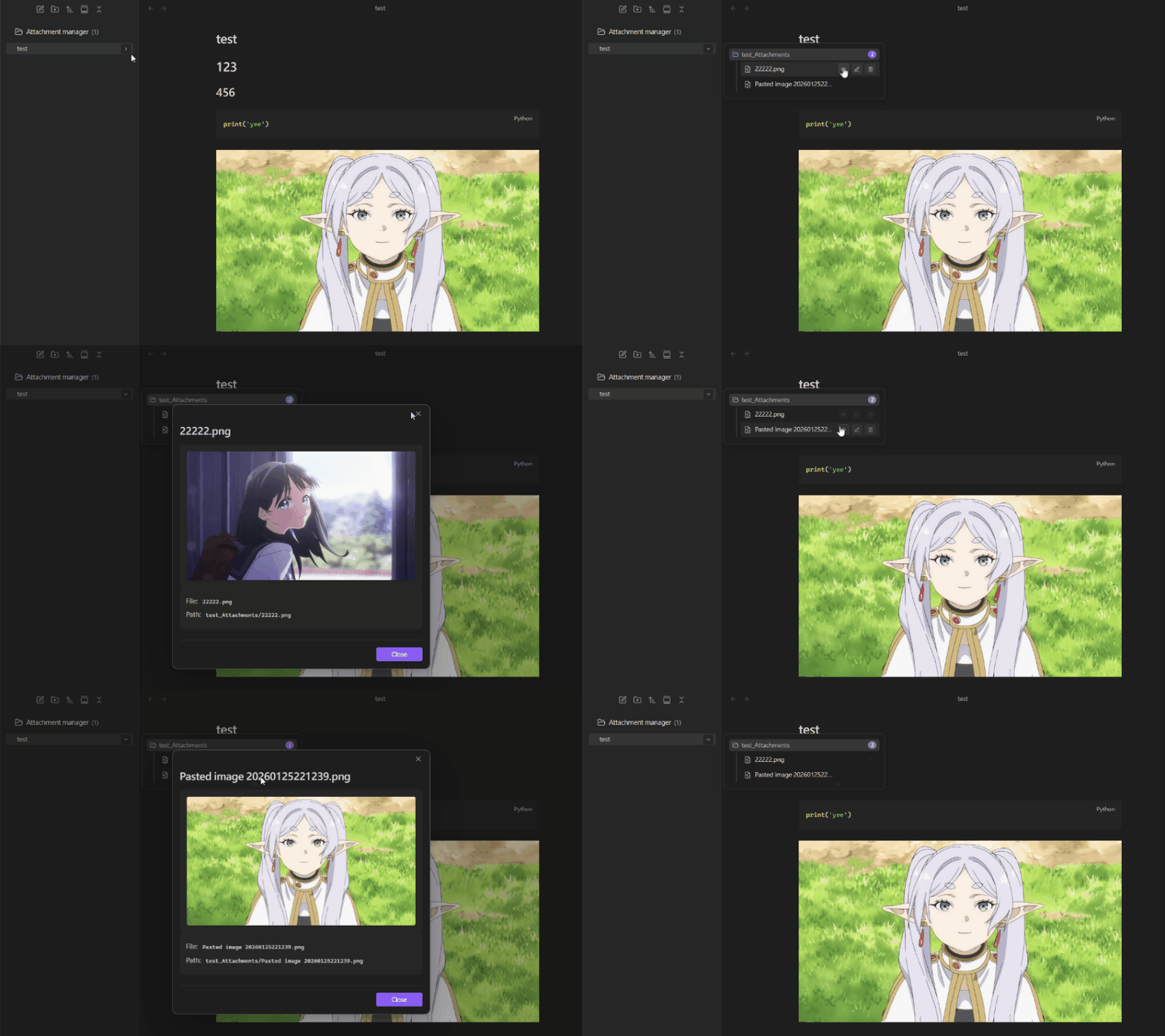
Pasted images stop arriving as 'Pasted image …' files: each one is renamed after its note and filed beside it. File Explorer also marks which notes still lean on remote images, and one click saves them locally.
Diagrams
Main paths only. The edge cases stayed in the code.
Pasted images stop being called "Pasted image". A small victory.
Point at a box to see what it connects to.
Ask to download remote imagesPalette, right-click or the tree
Create the note's folder if missingNote name plus a suffix
Markdown note or Canvas?
Find image links to URLsLocal paths are left alone
Find link cards with URLs
Download them all at once
Arrived as a real image?Content type, else URL ending
Save into the note's folderNamed after the note and date
Point the link at the copyAlt text kept; cards become files
Leave that link as it wasOther images still download
Anything replaced?
Update the note, report the count"Replaced N remote image(s)"
Say no remote images foundNothing to rescue today
Ask to download remote images(Palette, right-click or the tree) → Create the note's folder if missing
Create the note's folder if missing(Note name plus a suffix) → Markdown note or Canvas?
Markdown note or Canvas? → Markdown: Find image links to URLs → Canvas: Find link cards with URLs
Find image links to URLs(Local paths are left alone) → Download them all at once
Find link cards with URLs → Download them all at once
Download them all at once → Arrived as a real image?
Arrived as a real image?(Content type, else URL ending) → yes: Save into the note's folder → no: Leave that link as it was
Save into the note's folder(Named after the note and date) → Point the link at the copy
Point the link at the copy(Alt text kept; cards become files) → Anything replaced?
Leave that link as it was(Other images still download) → Anything replaced?
Anything replaced? → yes: Update the note, report the count → no: Say no remote images found
Update the note, report the count("Replaced N remote image(s)")
Say no remote images found(Nothing to rescue today)
Features
Per-note attachment folder management
Auto-move pasted images
Download remote images (Markdown & Canvas)
File Explorer attachment tree
Attachment Manager view
Path check and repair tool
Empty folder cleanup
The problem
Handling cross-platform file path sanitization
Integrating with Obsidian's internal link management
Supporting both Markdown and Canvas files
Real-time file system synchronization
What I did
Implemented robust path sanitization logic
Used Obsidian's vault events to track changes
Developed custom handlers for Canvas nodes
Created a centralized attachment manager
Results
Simplified attachment workflow for users
Automated remote image archiving
Consistent vault structure
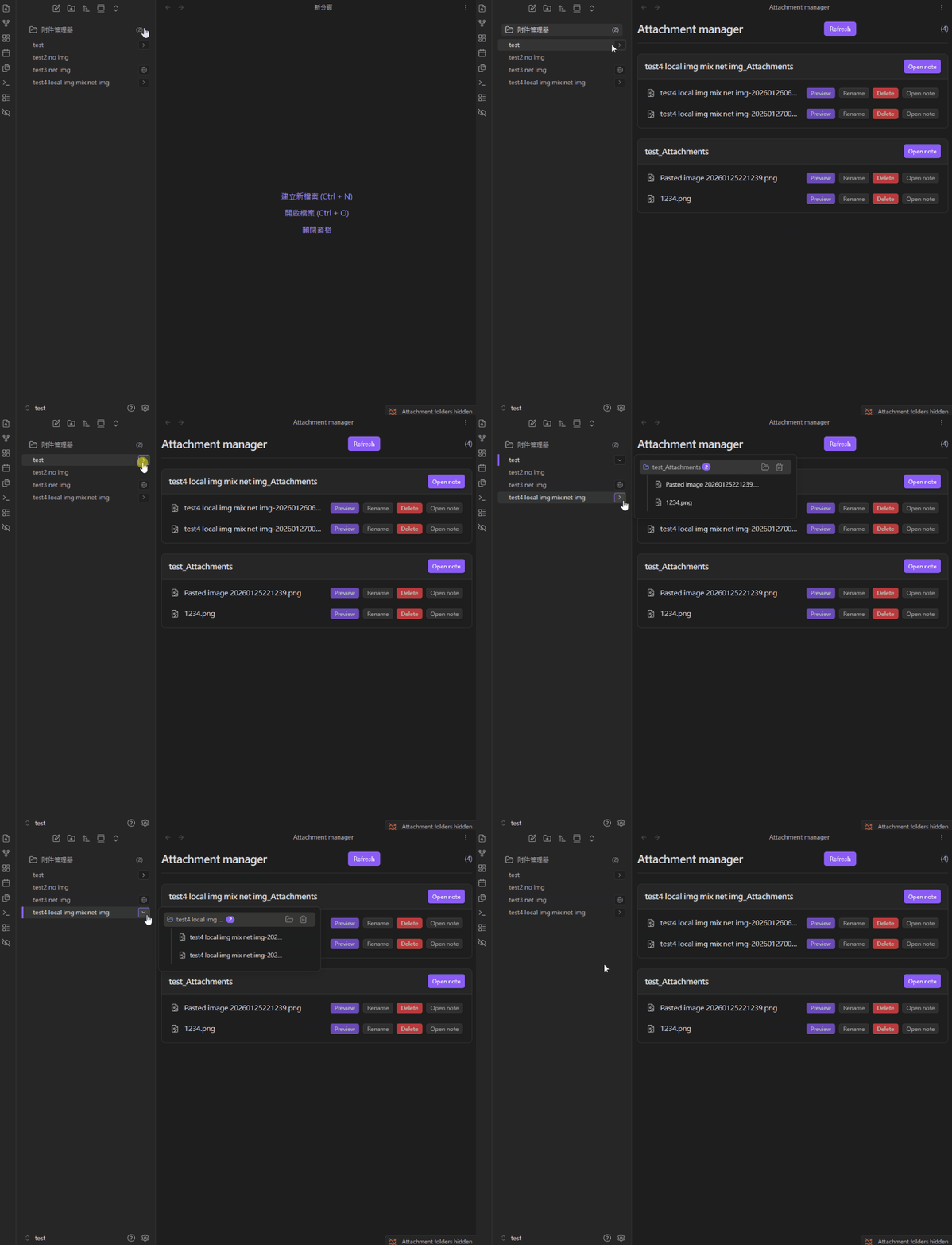
Attachment Manager: every attachment folder in the vault, with preview, rename and delete
What I learned
While enabled, it borrows one Obsidian setting: newLinkFormat becomes relative unless it is already relative or shortest, and is put back on unload.
Renaming a single attachment means reading every .md and .canvas file in the vault, just to update the links to it.
How it fits together
Simplified on purpose. The real thing has more arrows and at least one config file nobody understands.
Screenshots
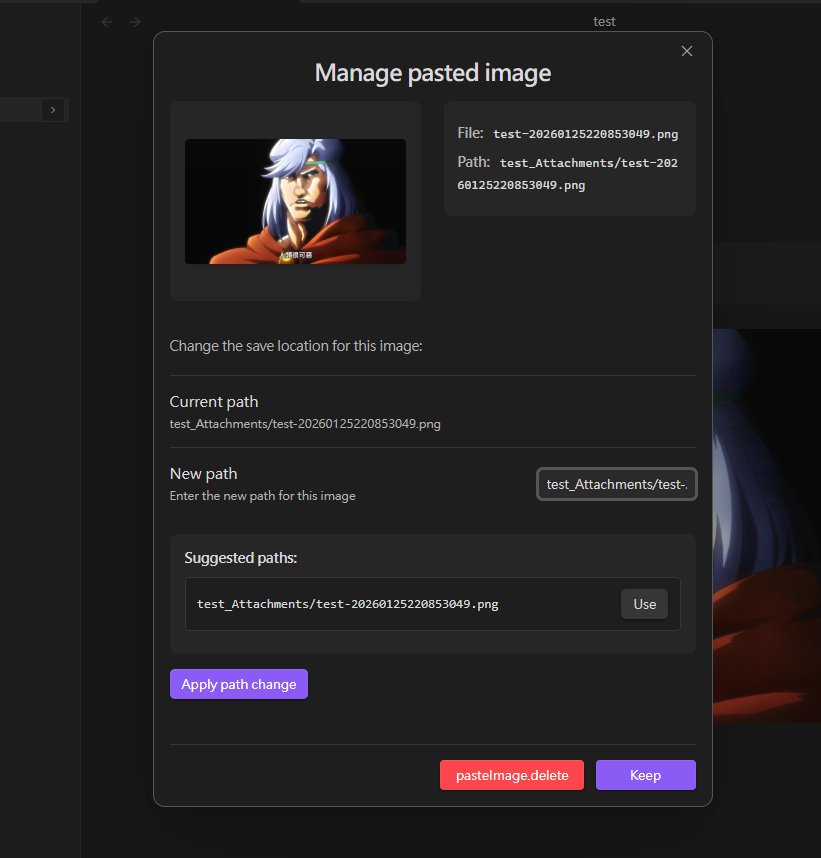
After a paste the image is already renamed and filed; keep it, delete it or move it
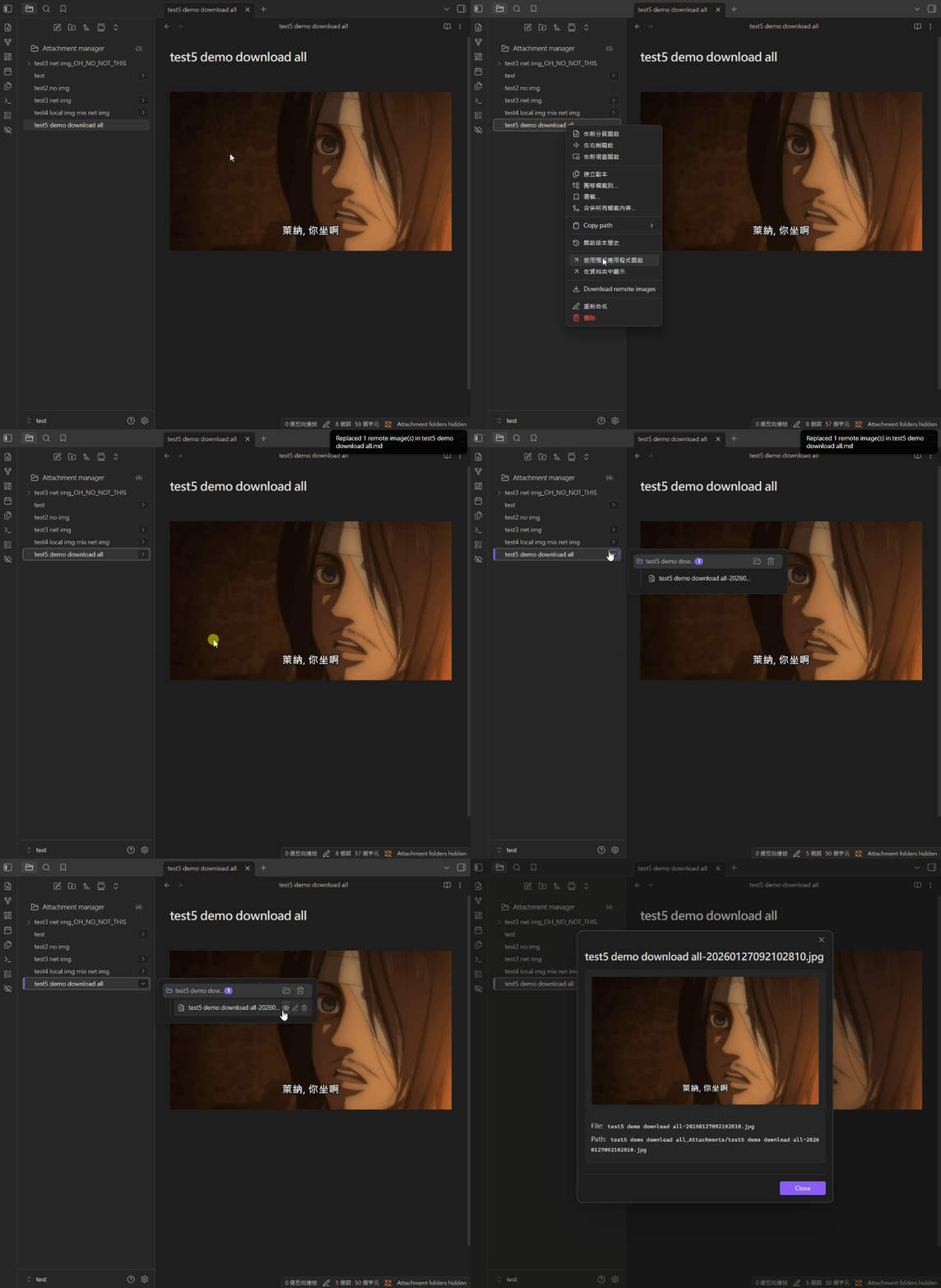
Right-click a note, pick Download remote images, and the link now points to a local file
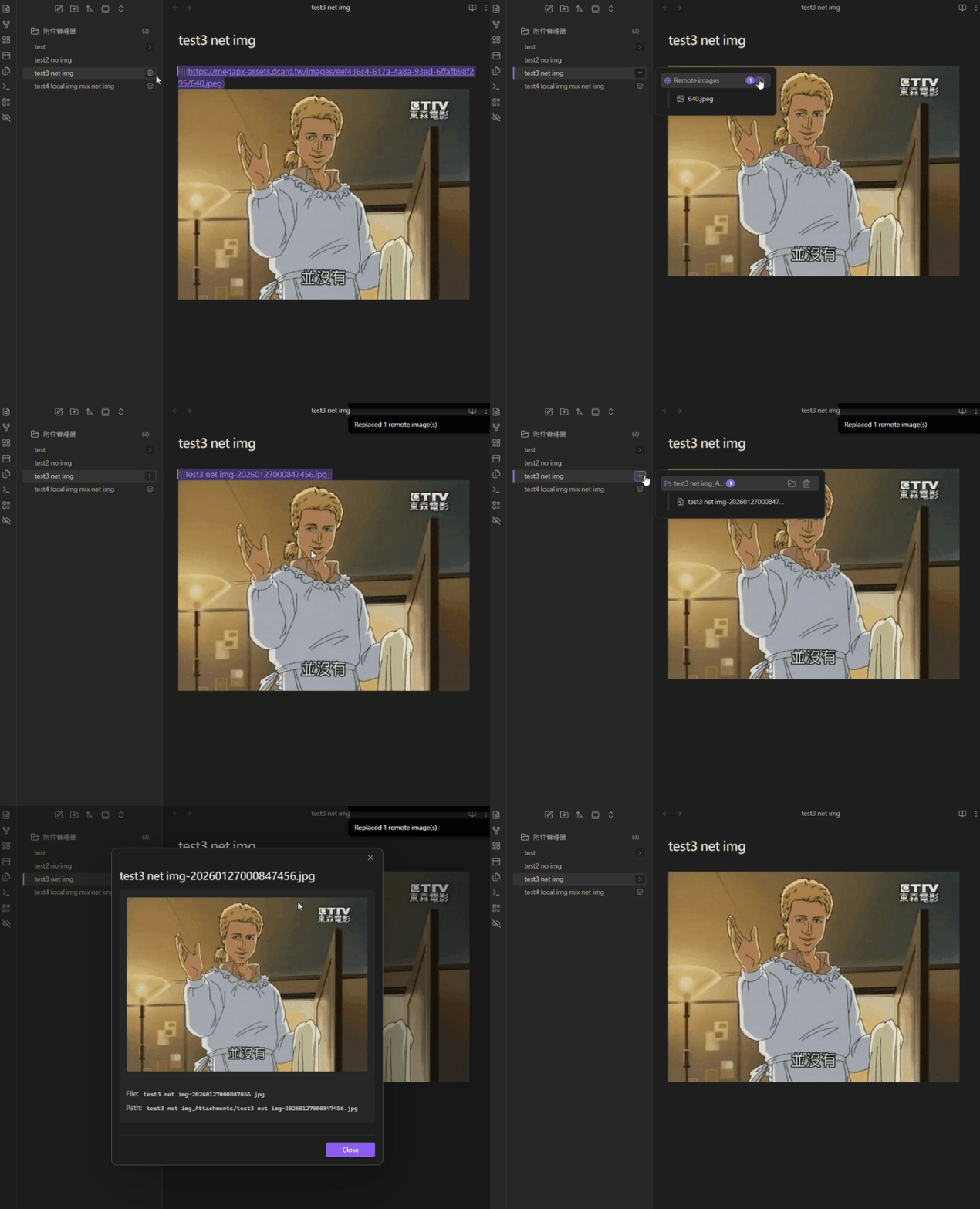
A globe icon marks notes that still use remote images; one click in the tree saves them
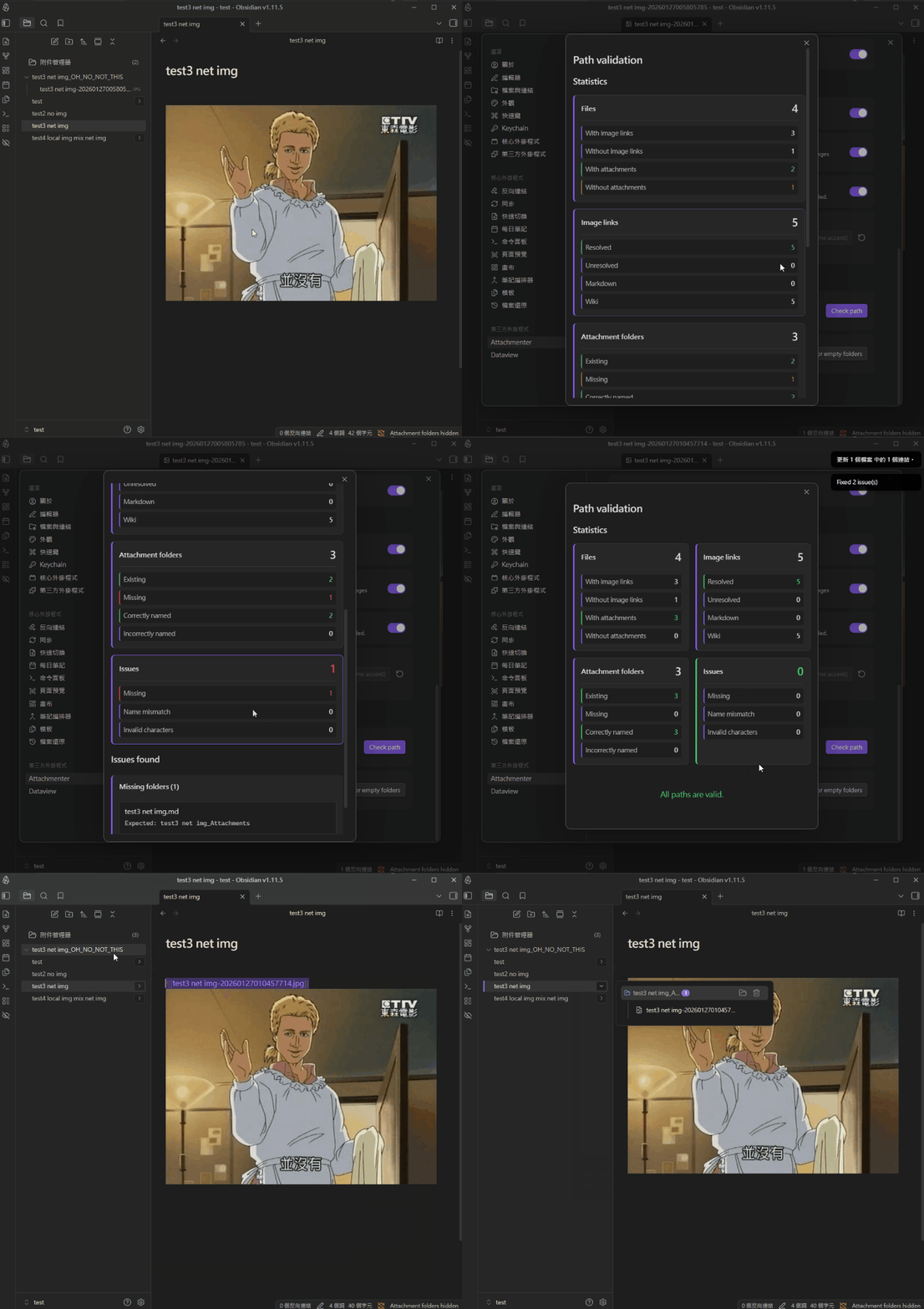
Check paths counts files and links, finds a missing folder, previews the fix, then runs it
Drag a schedule into place, draw dependencies and see the critical path. Switch to Mermaid text without losing the plan. Everything stays in your browser.
Converts and edits images, audio, video, PDFs and documents entirely in the browser. Nothing gets uploaded, mostly because there is nowhere to upload it to.