Web apps & extensions77 stars on GitHub
Streaming Player
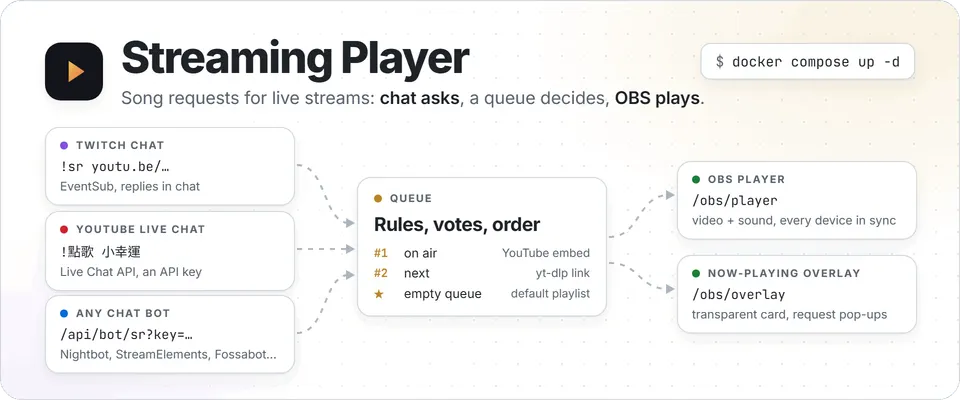
Twitch, YouTube live chat and chat bots share one song queue. A Rust backend keeps the OBS player, overlay and moderator dashboard in sync.
2023Completed
Browser Extension
Network IP Discovery Tool
One click and Chrome tells you your IP. A whole extension for something you could search for; in my defence, it is faster.
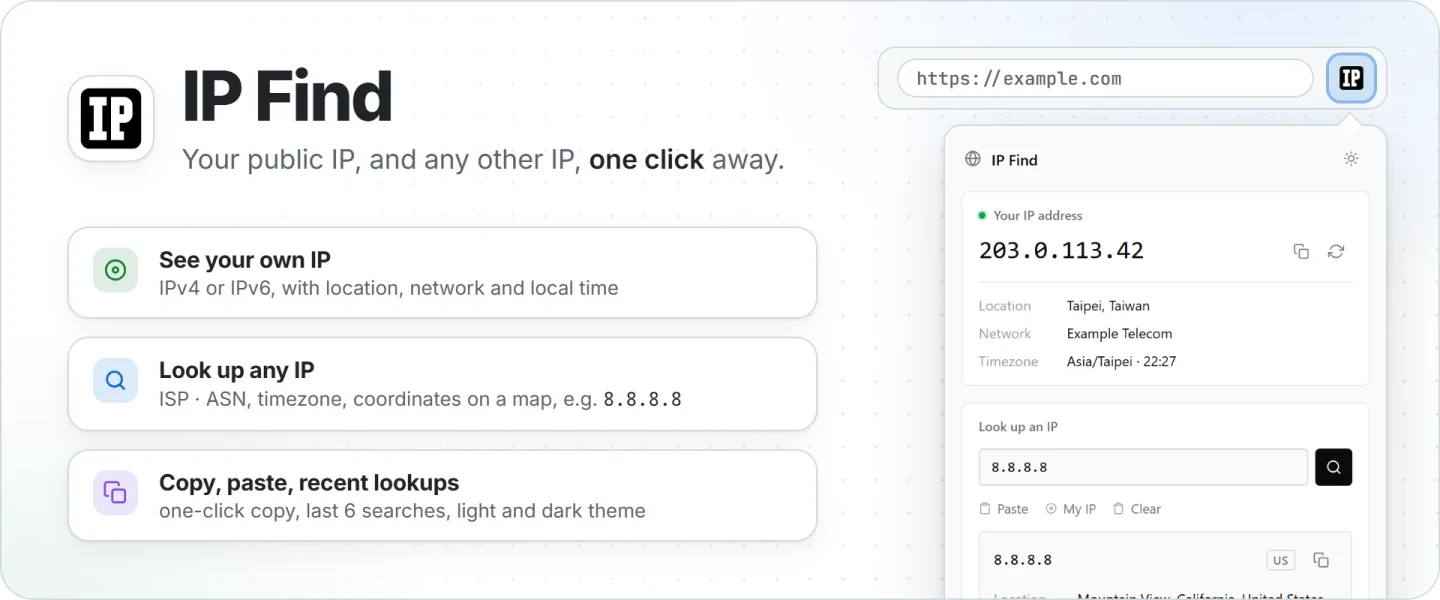
A Chrome extension that quickly identifies and displays the current network's IP address. This tool is useful for network diagnostics and understanding your current network configuration.
What it's good for
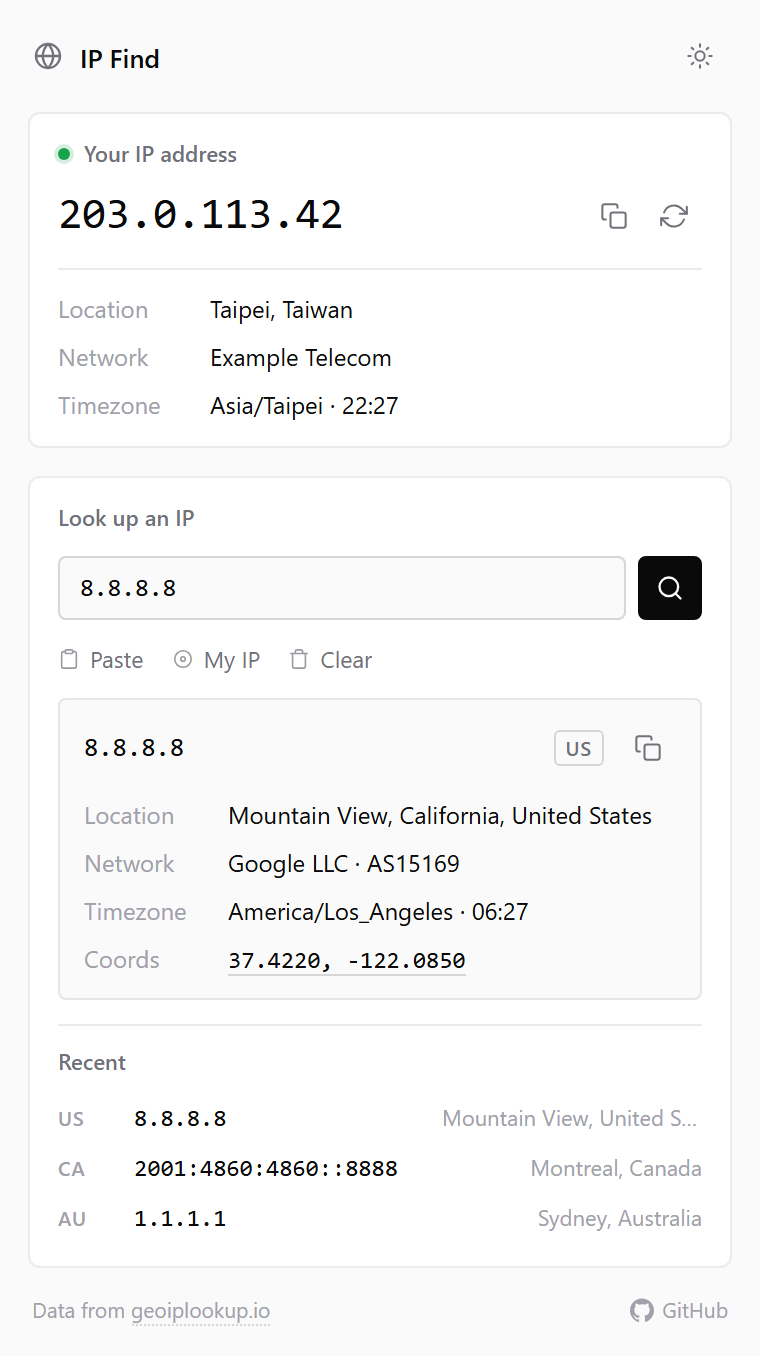
It also answers the other usual question: whose IP is this? Paste one and get its city, ISP and AS number, the time there and a map link, with the last six lookups a click away. A 192.168 address is told plainly it isn't on the map, not handed an empty card.
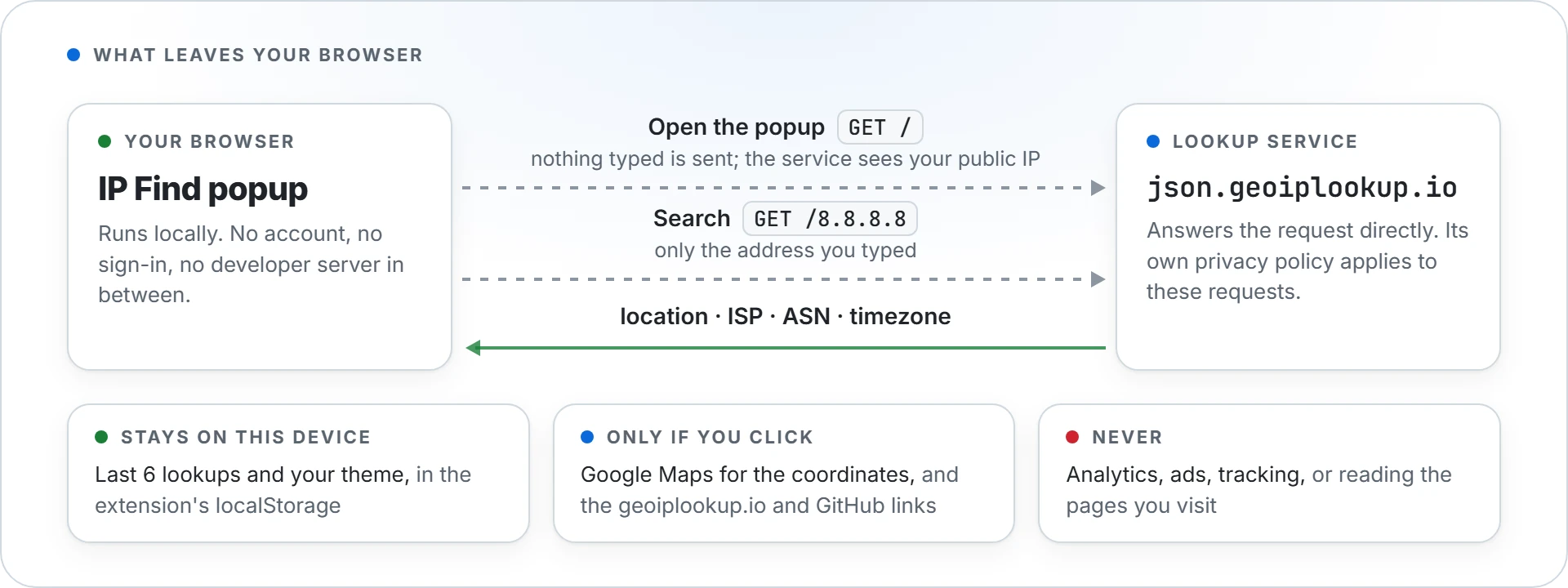
Simplified on purpose. The real thing has more arrows and at least one config file nobody understands.
geoiplookup.io ignores ?ip= and tells you about yourself instead.
Point at a box to see what it connects to.
Simplified on purpose. The real thing has more arrows and at least one config file nobody understands.
Twitch, YouTube live chat and chat bots share one song queue. A Rust backend keeps the OBS player, overlay and moderator dashboard in sync.
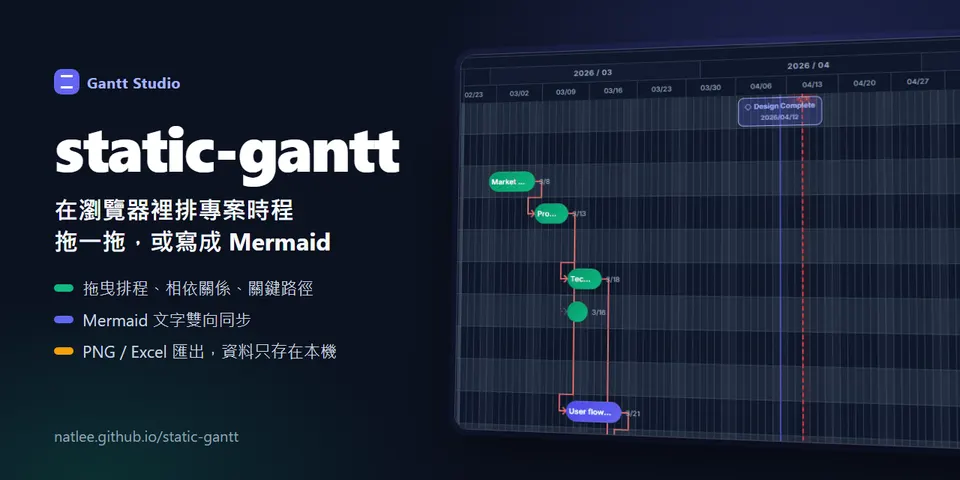
Drag a schedule into place, draw dependencies and see the critical path. Switch to Mermaid text without losing the plan. Everything stays in your browser.

Converts and edits images, audio, video, PDFs and documents entirely in the browser. Nothing gets uploaded, mostly because there is nowhere to upload it to.