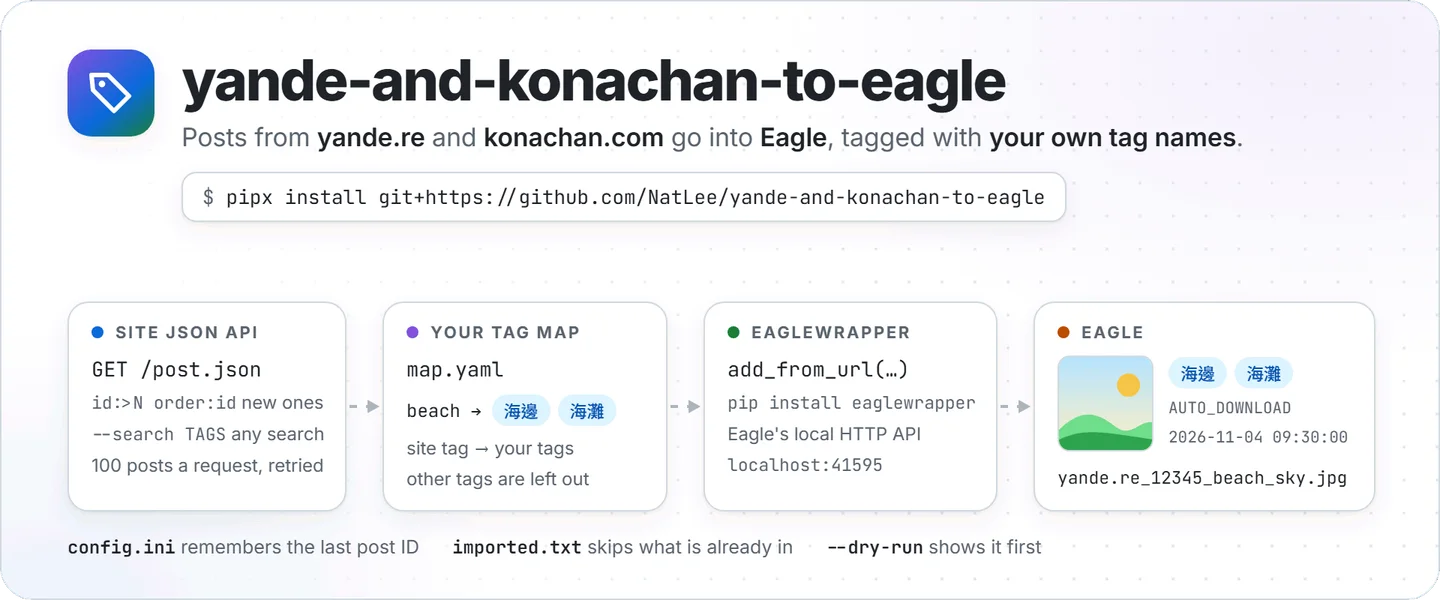
A command-line importer for yande.re and konachan.com that sends image URLs and metadata to Eagle. The 2026 version uses JSON APIs, EagleWrapper and resumable state, with configurable searches, item limits, folders and a dry-run preview.
What it's good for
Collectors end up with a library already tagged in their own words, and a search like 'beach rating:s' keeps it safe to open at work. It is also the worked example for EagleWrapper: a complete, small downloader to copy when feeding Eagle from some other site.
Diagrams
Main paths only. The edge cases stayed in the code.
Add rating:s to the search and it's safe to open at work.
Point at a box to see what it connects to.
Load config and tag mapBoth made on the first run
Given a --search?
Ask for posts after last IDOldest first, from config.ini
Run the site's own searchNewest first, any site syntax
Take the next postPages of 100, a second apart
Already in imported.txt?
Swap site tags for yoursUnmapped tags are left out
Hand the image URL to EagleEagle does the heavy lifting
Did Eagle accept it?
Add it to imported.txtSo it never lands twice
Note it as refusedRetry later with --search id:
Save the last post IDPlain runs, after every post
More posts to go?--limit can stop it early
Print the summaryRefused posts listed last
Load config and tag map(Both made on the first run) → Given a --search?
Given a --search? → no: Ask for posts after last ID → yes: Run the site's own search
Ask for posts after last ID(Oldest first, from config.ini) → Take the next post
Run the site's own search(Newest first, any site syntax) → Take the next post
Take the next post(Pages of 100, a second apart) → Already in imported.txt?
Already in imported.txt? → no: Swap site tags for yours → yes, skip: Save the last post ID
Swap site tags for yours(Unmapped tags are left out) → Hand the image URL to Eagle
Hand the image URL to Eagle(Eagle does the heavy lifting) → Did Eagle accept it?
Did Eagle accept it? → yes: Add it to imported.txt → no: Note it as refused
Add it to imported.txt(So it never lands twice) → Save the last post ID
Note it as refused(Retry later with --search id:) → Save the last post ID
Save the last post ID(Plain runs, after every post) → More posts to go?
More posts to go?(--limit can stop it early) → yes: Take the next post → no: Print the summary
Print the summary(Refused posts listed last)
Features
JSON-API searches with item limits
Custom tags and destination folders
Dry-run preview and duplicate skipping
Resumable progress and pipx installation
What I learned
Reading the JSON API, 100 posts per request, replaced loading one web page per post ID: much faster, and much lighter on the site.
In November 2026 konachan.com's Cloudflare check turned the script away; it now says so in one line and does not try to get around it.
The 2023 version dropped posts Eagle refused without a word; now they are listed at the end, ready to retry with --search id:.
How it fits together
Simplified on purpose. The real thing has more arrows and at least one config file nobody understands.
Related projects
Spin-off · Infortrend
Libraries & toolsVision & imaging7070 stars on GitHub
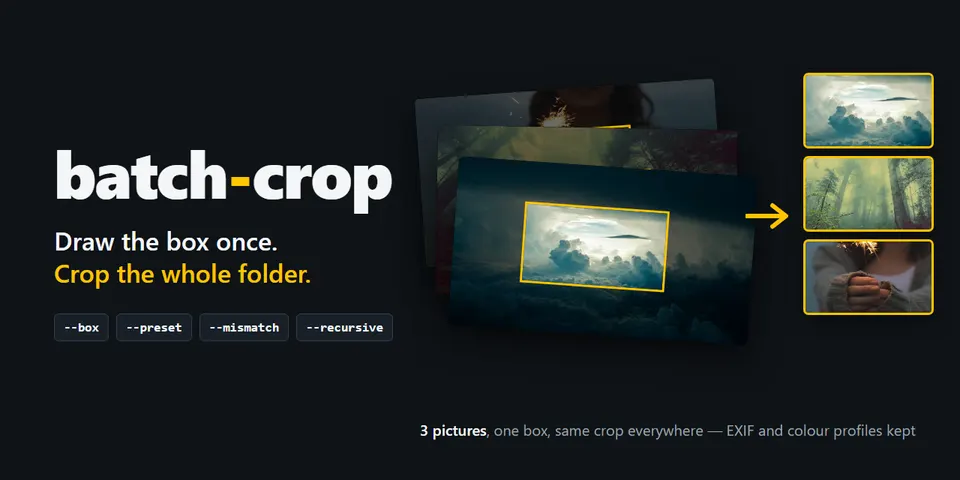
Draw a crop box once and it is applied to a whole folder of similar images. Written because I refused to crop them one by one, and apparently other people refused too.