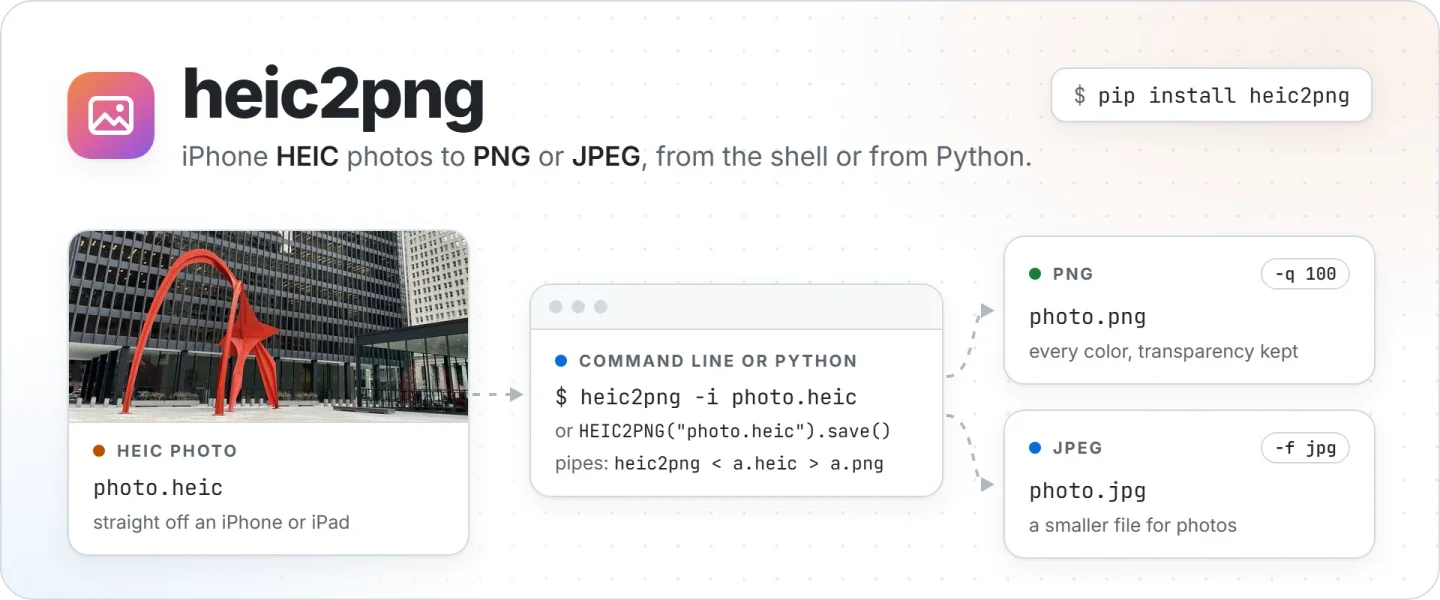
Convert iPhone HEIC photos to PNG or JPEG through Python, a CLI or shell pipes. A Pillow / pillow-heif implementation handles transparency, with explicit quality controls for PNG palette reduction and JPEG output.
What it's good for
Converts one photo, a folder (with a shell loop) or bytes already in memory, such as an upload, without temporary files. The README's quality table also ends the guessing: -q 100 keeps every colour, -f jpg gives the smallest file.
How it fits together
Simplified on purpose. The real thing has more arrows and at least one config file nobody understands.
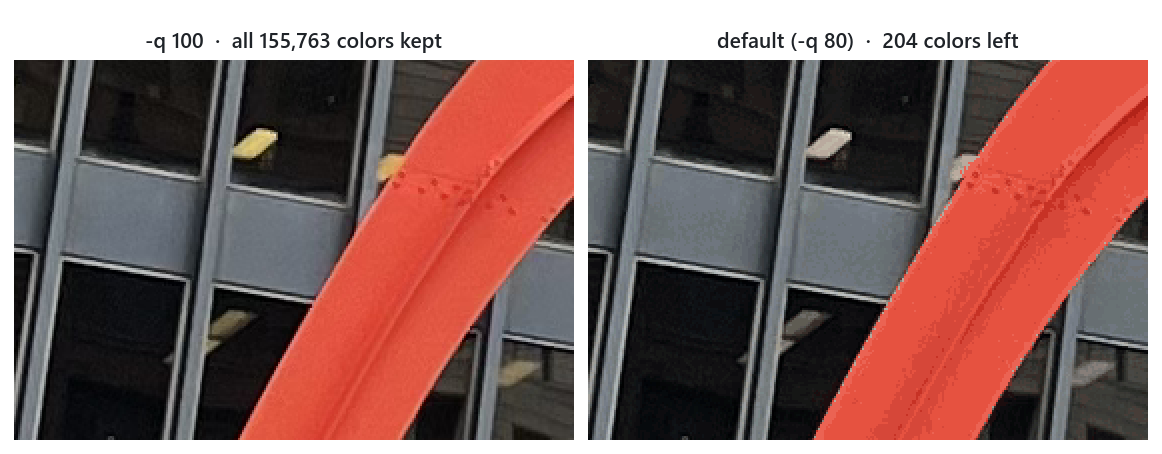
The default PNG keeps 204 of 155,763 colours. Use -q 100 if you liked the other 155,559.
iPhone photo
.heic file
stdin or BytesIO
→ -i or pipe
This oneheic2png
HEIC2PNG class
heic2png CLI
Pillow + pillow-heif
→ converts to
PNG or JPEG
Next to the input
Or stdout
Point at a box to see what it connects to.
-q 100 keeps all 155,763 colours; the default -q 80 leaves 204 and turns the lights grey
Features
PNG and JPEG output
CLI, Python API and shell-pipe input/output
Batch conversion and transparency handling
Explicit output-quality controls
What I learned
Any PNG quality below 100 means a palette of at most 256 colours: at the default -q 80 the sample photo drops from 155,763 colours to 204.
For photos, JPEG is the small option: 2.1 MB, against 6.5 MB for the default palette PNG, and smaller even than the 2.4 MB HEIC it came from.
Up to 1.2.2, -o photo.jpg got PNG data under a .jpg name; now the file name and the contents agree.
How it fits together
Simplified on purpose. The real thing has more arrows and at least one config file nobody understands.
Related projects
Spin-off · Infortrend
Libraries & toolsVision & imaging7070 stars on GitHub
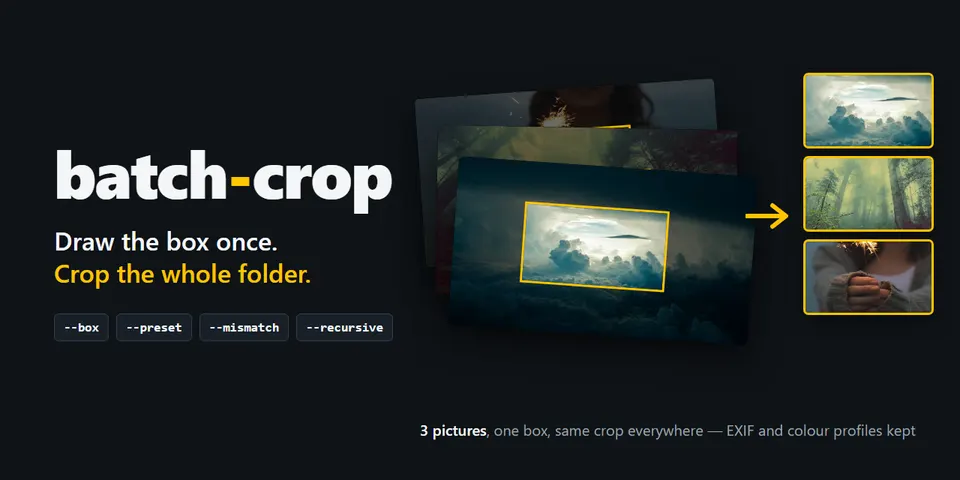
Draw a crop box once and it is applied to a whole folder of similar images. Written because I refused to crop them one by one, and apparently other people refused too.
2019Completed
Spin-off · Infortrend
Libraries & toolsVision & imaging1717 stars on GitHub