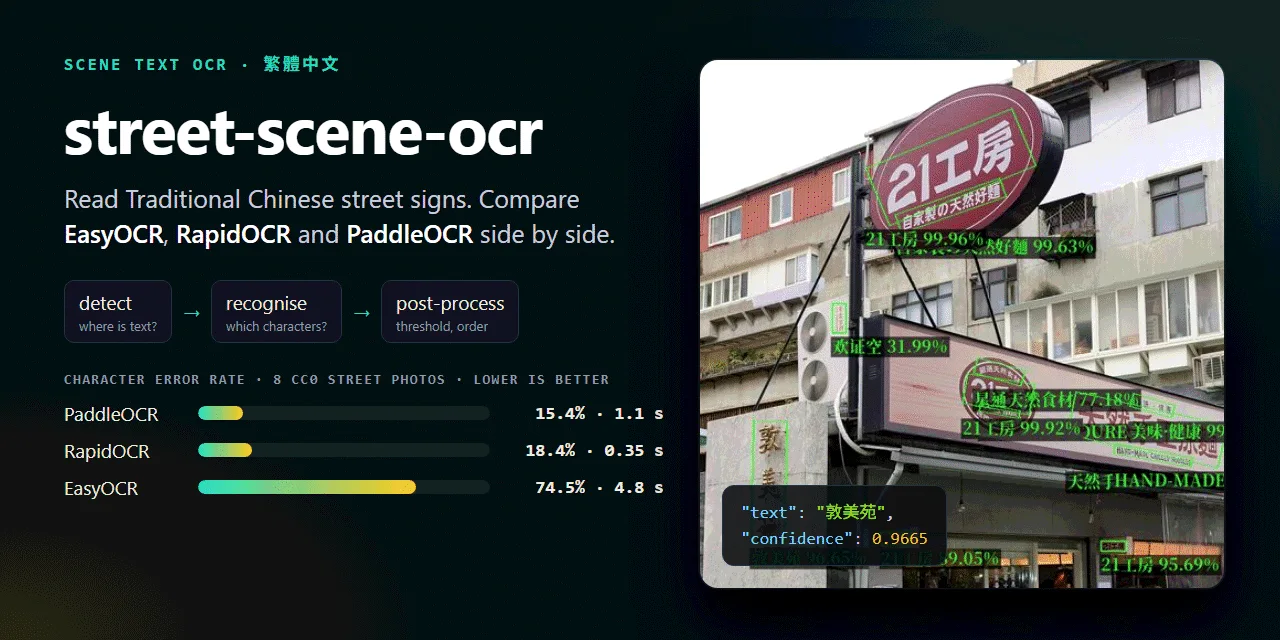
A learning project for Traditional Chinese scene-text recognition. The same photo runs through three engines behind one API and web interface. Documentation follows detection, recognition and post-processing with actual model outputs, while a small CC0 photo benchmark makes the comparison reproducible.
What it's good for
For anyone who has to read Traditional Chinese signs: one upload shows three engines' boxes, text and timings side by side, and a re-runnable CC0 benchmark says which one to start with. The choice comes from measurements, not from whichever README sounds most confident.
Diagrams
Main paths only. The edge cases stayed in the code.
The interview ended years ago. The homework got a sequel.
Point at a box to see what it connects to.
Upload a street sign photoWeb page or JSON API
Engine loaded yet?
Load the engine's modelsFirst read takes longer
Rotate, convert to RGB, shrinkLongest side at most 2560 px
Which detector?Set by the chosen engine
Map characters and their linksEasyOCR's detector
CRNN reads each lineBiLSTM, then CTC decoding
Map shrunken text-line barsBoth PP-OCR engines
PP-OCR reads each lineLight SVTR blocks, CTC decoding
Mark confident green, unsure red30% threshold, nothing dropped
Sort into reading orderRows top-down, then left-right
Convert to Traditional?
Fix Simplified forms with OpenCCFixes 賀, also breaks 台
Return JSON and annotated PNG
Upload a street sign photo(Web page or JSON API) → Engine loaded yet?
Engine loaded yet? → yes: Rotate, convert to RGB, shrink → no, first use: Load the engine's models
Load the engine's models(First read takes longer) → Rotate, convert to RGB, shrink
Rotate, convert to RGB, shrink(Longest side at most 2560 px) → Which detector?
Which detector?(Set by the chosen engine) → CRAFT: Map characters and their links → DB: Map shrunken text-line bars
Map characters and their links(EasyOCR's detector) → CRNN reads each line
CRNN reads each line(BiLSTM, then CTC decoding) → Mark confident green, unsure red
Map shrunken text-line bars(Both PP-OCR engines) → PP-OCR reads each line
PP-OCR reads each line(Light SVTR blocks, CTC decoding) → Mark confident green, unsure red
Mark confident green, unsure red(30% threshold, nothing dropped) → Sort into reading order
Sort into reading order(Rows top-down, then left-right) → Convert to Traditional?
Convert to Traditional? → yes: Fix Simplified forms with OpenCC → no: Return JSON and annotated PNG
Fix Simplified forms with OpenCC(Fixes 賀, also breaks 台) → Return JSON and annotated PNG
Return JSON and annotated PNG
Features
Side-by-side results from three OCR engines
Text boxes, recognised text and stage timings
FastAPI JSON service and web interface
CC0 photos and reproducible benchmark scripts
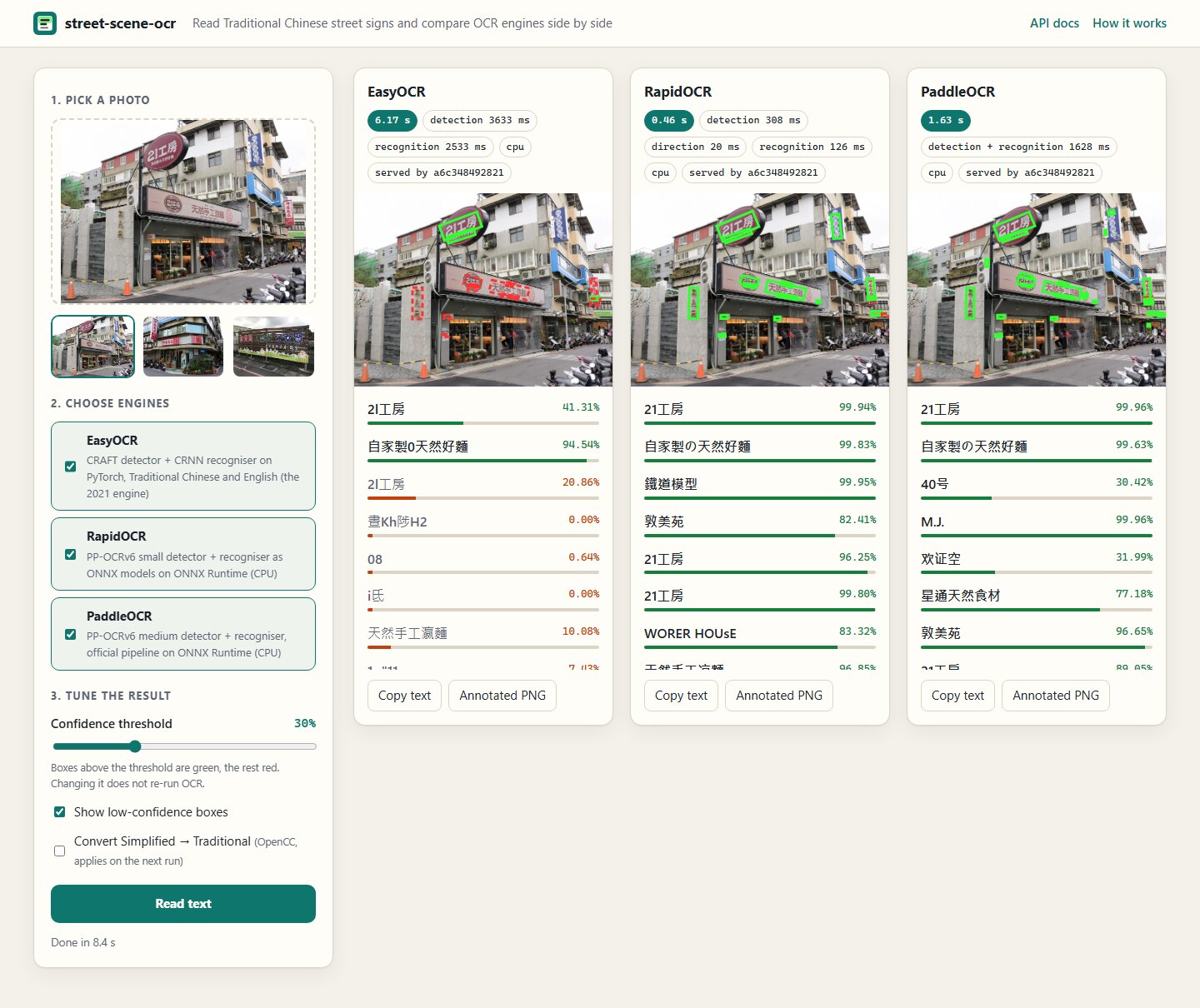
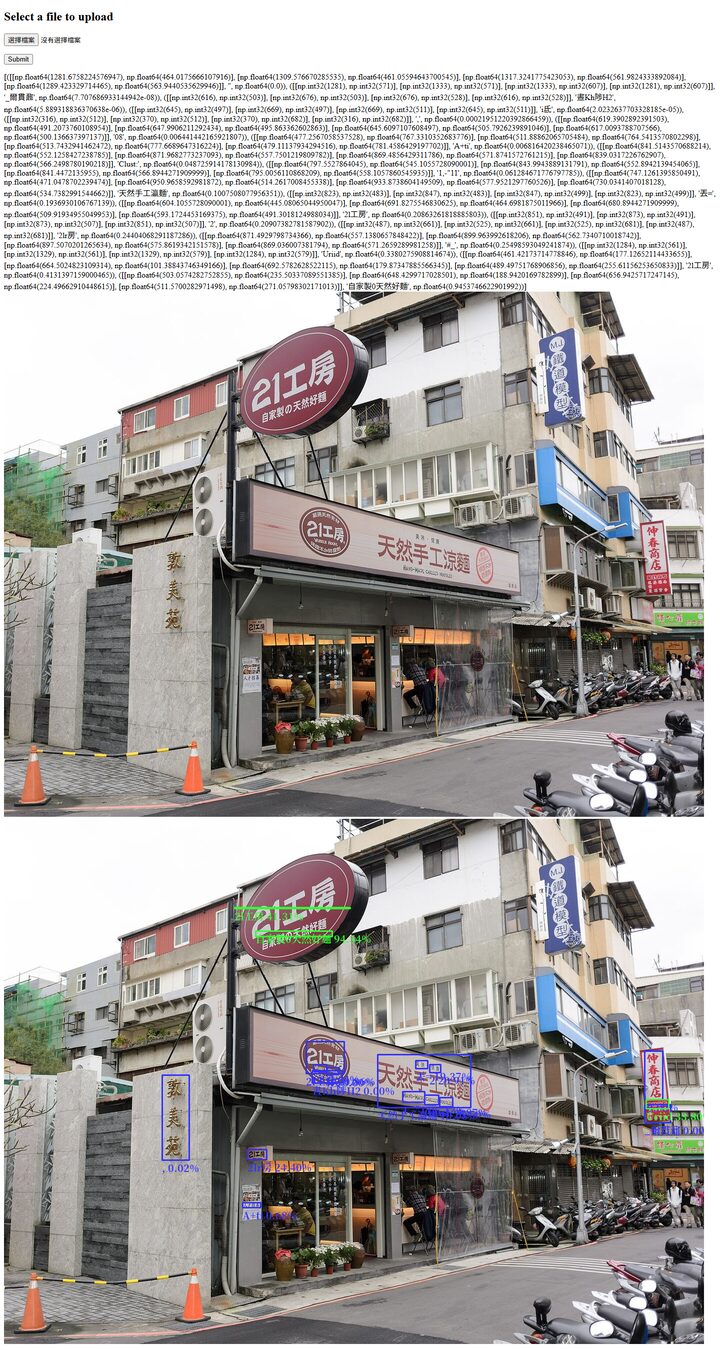
The web page: one photo through all three engines, each with its boxes, text and timings
What I learned
EasyOCR, the 2021 choice, has a 74.5% character error rate on the real sign photos; RapidOCR gets 18.4% and runs over ten times faster.
Most PP-OCR mistakes are Simplified forms of the right character. OpenCC fixes 賀 and 涼 but turns a correct 台 into 臺, so it stays off by default.
An engine's confidence says how sure it was, not whether it is right: it can be 99% sure of a wrong character.
How it fits together
Simplified on purpose. The real thing has more arrows and at least one config file nobody understands.
Screenshots
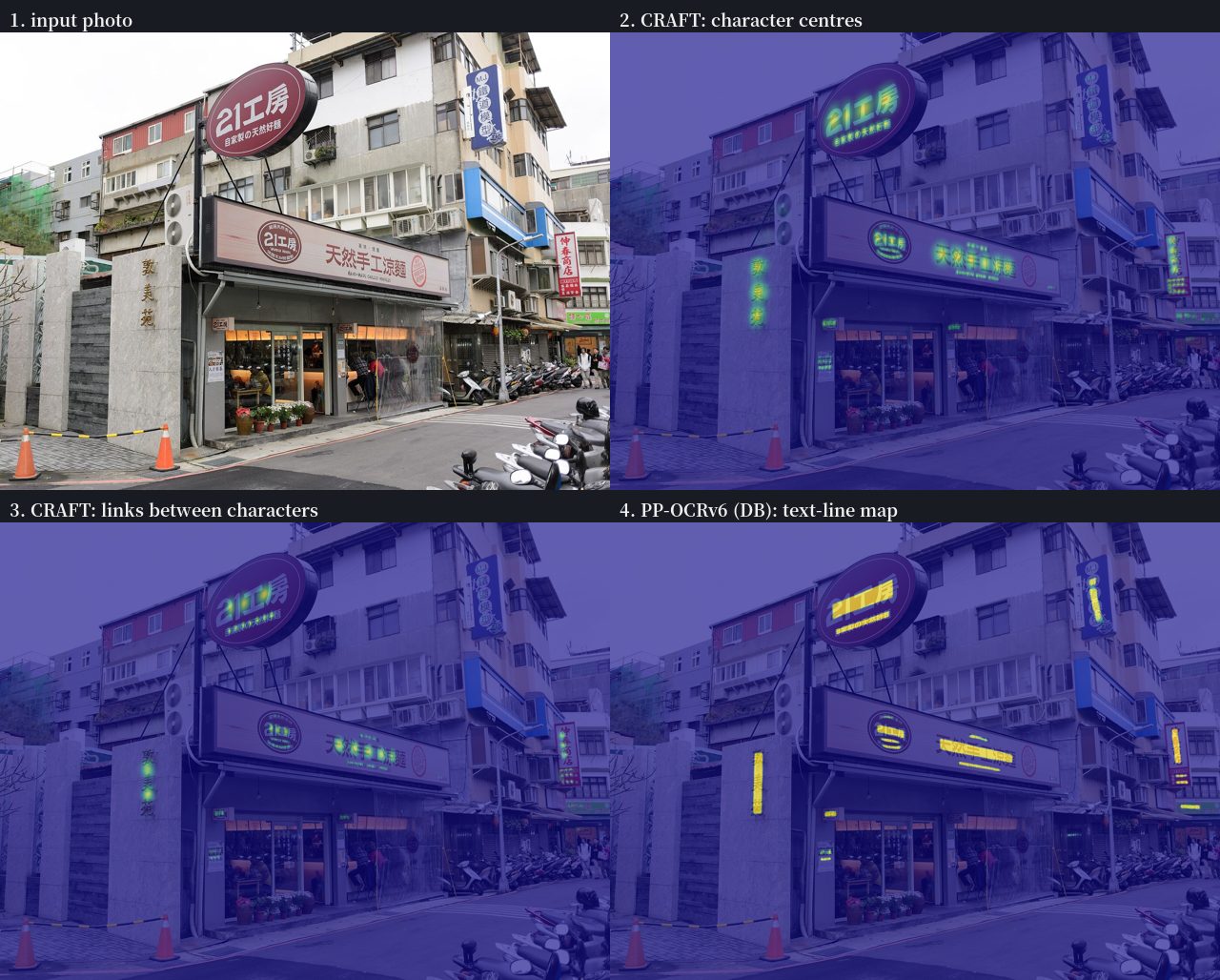
What the detectors see: CRAFT's character and link maps next to the PP-OCRv6 line map
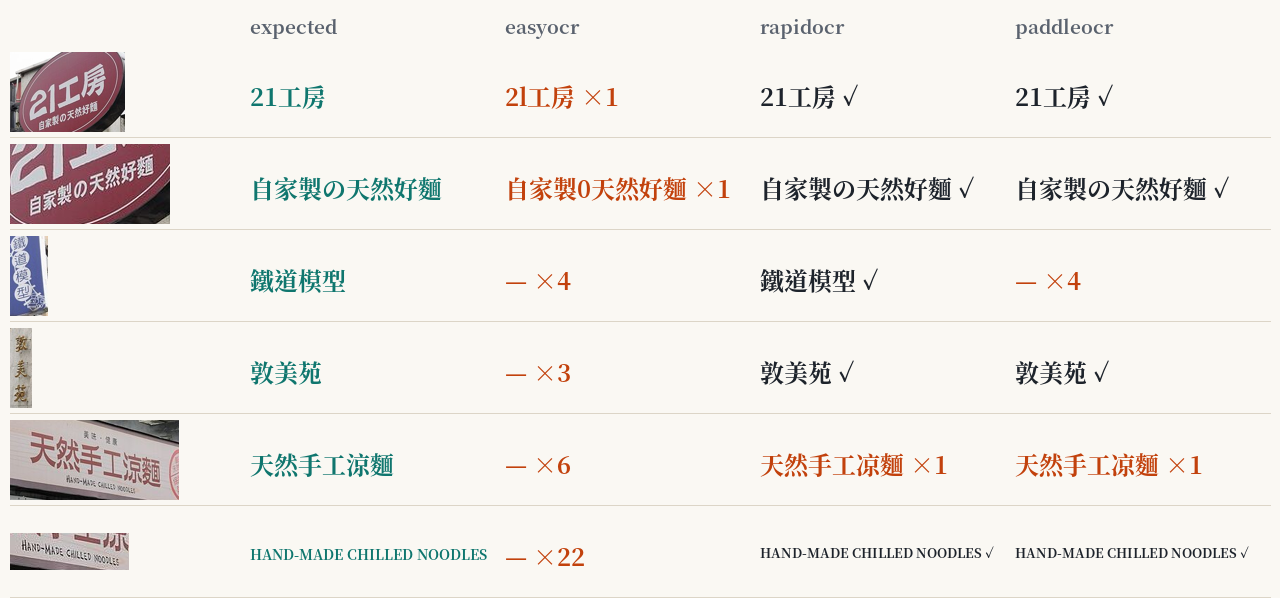
Line by line: what each engine read; EasyOCR misses the vertical signs
The 2021 take-home, run unchanged: an upload form and a wall of raw numbers
Related projects
Spin-off · Infortrend
Vision & imagingAI & machine learning11 stars on GitHub
Runs the body OpenPose model over a video and piles up where the wrists went into a heatmap. The repo name says hands; the model only ever knew about wrists.
A camera next to a digital sign tracks the people in front of it, guesses gender and age group, notices who is actually looking, and picks the ad that fits them. Most people walk straight past.