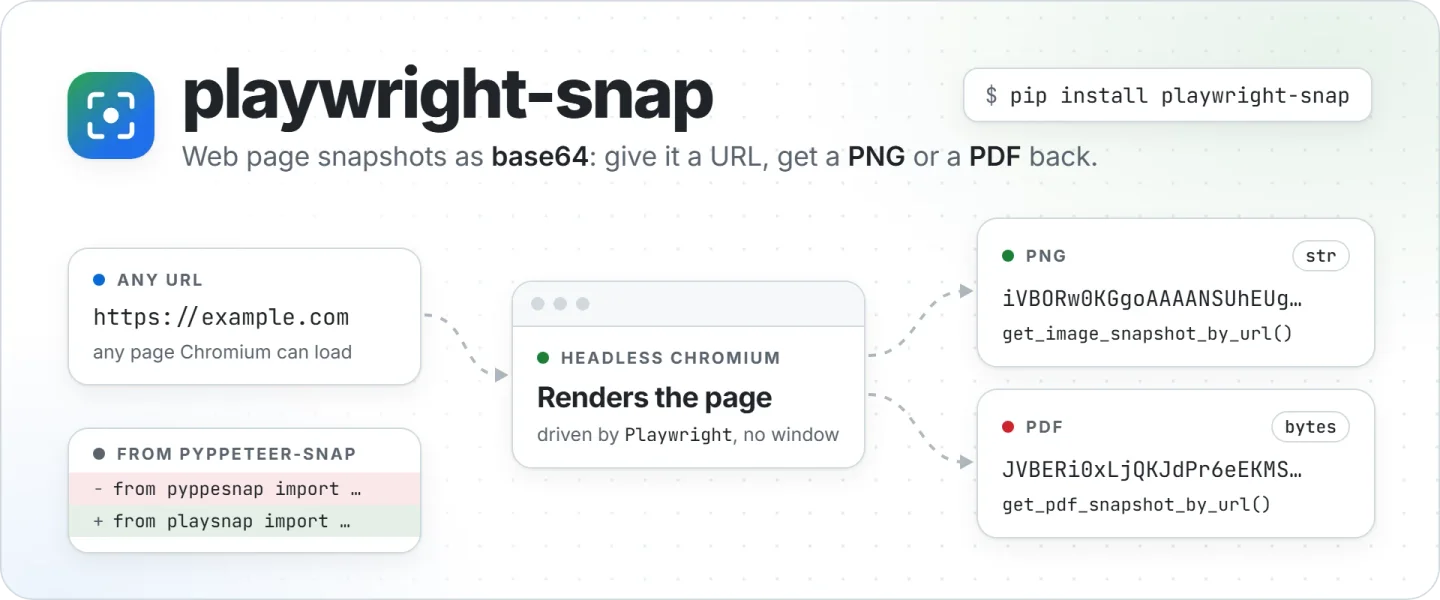
The maintained successor to pyppeteer-snap uses Playwright-driven Chromium to render JavaScript-heavy pages. It keeps the same function names, arguments and return types, with a Python API and command-line interface for PNG and PDF snapshots.
What it's good for
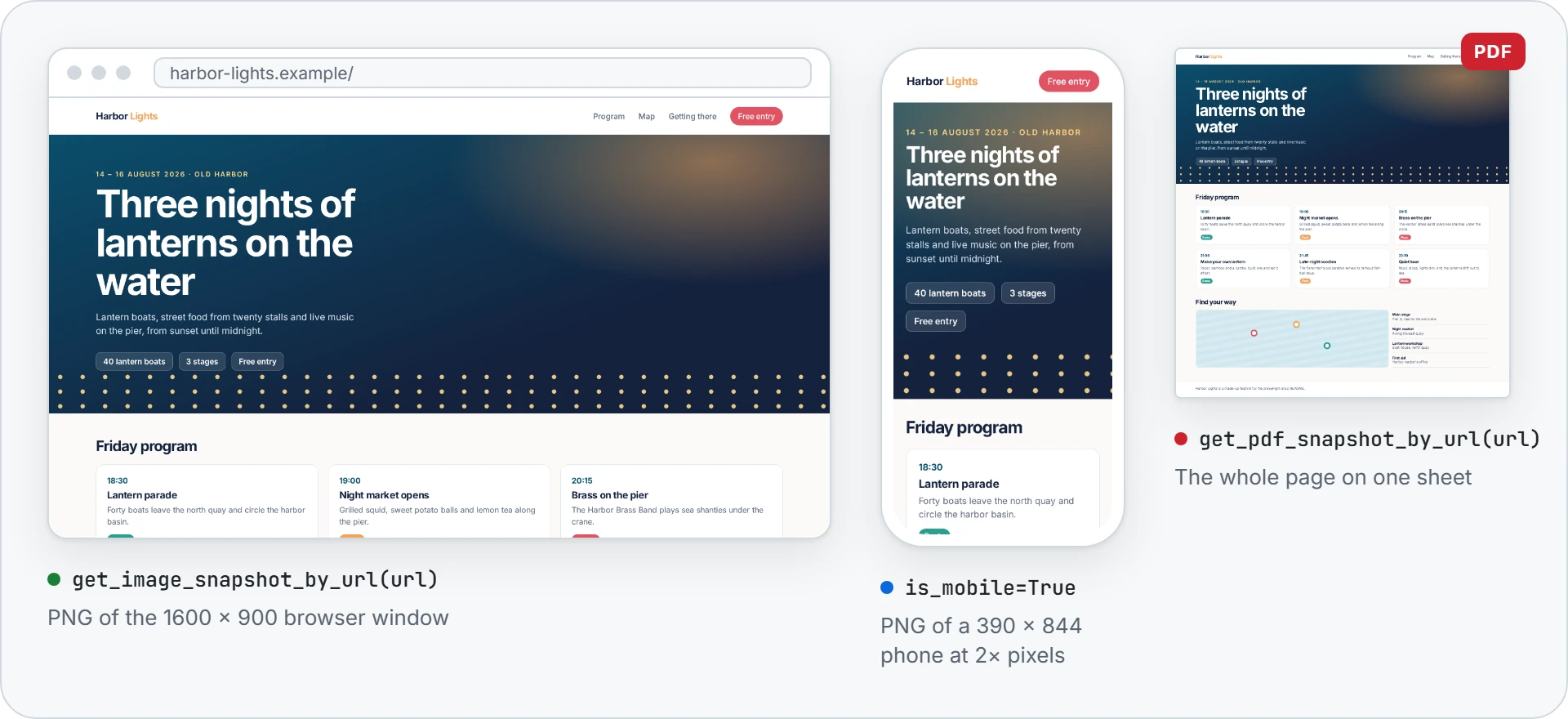
Good for jobs that snapshot many pages: SnapSession keeps one Chromium for all of them, and every page gets a fresh browser context, so one site's cookies never follow you to the next. Phone layouts and retina-sharp PNGs are one option away.
How it fits together
Simplified on purpose. The real thing has more arrows and at least one config file nobody understands.
Errors go to stderr now, not into your base64.
Caller
Python script
example/ Flask app
→ URL + options
This oneplaysnap
snap_png / snap_pdf
SnapSession
playwright-snap CLI
→ drives
Headless browser
Playwright
Chromium
→ renders
Snapshot
PNG or PDF
base64 or bytes
Point at a box to see what it connects to.
One page, three snapshots: a 1600 × 900 PNG, a phone-sized PNG and a one-sheet PDF
Features
PNG and PDF snapshots returned as base64
Playwright-driven headless Chromium
Python functions and a command-line interface
Matching pyppeteer-snap arguments and return types
What I learned
The import name can't start with 'playwright', or Playwright mistakes the package's code for its own; hence playsnap.
Fetching Chromium on the first snapshot meant a surprise 100–200 MB download mid-request; it is now installed once, up front.
Failure reasons go to stderr, so they can't end up inside the base64 you are piping somewhere.
How it fits together
Simplified on purpose. The real thing has more arrows and at least one config file nobody understands.
Related projects
Spin-off · Infortrend
Libraries & toolsVision & imaging7070 stars on GitHub
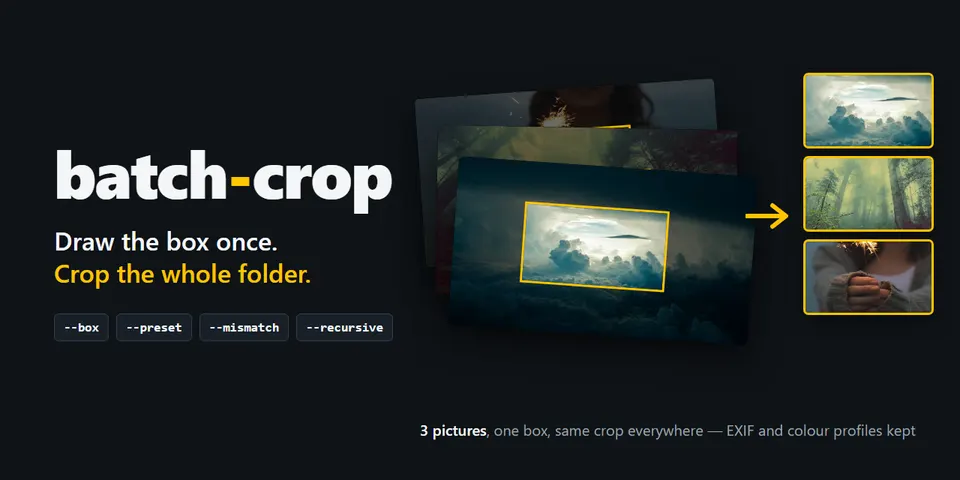
Draw a crop box once and it is applied to a whole folder of similar images. Written because I refused to crop them one by one, and apparently other people refused too.