Skip to content
Nat Lee

Keyboard shortcuts

Turn these off if they get in the way of a screen reader or voice control. The setting is saved in this browser.

1
Home
2
Work
3
Projects
4
About
5
Experience
/
Search projects
?
Show this panel

DevOps

Django Docker GUI

Docker Management Interface

A web UI for Docker images and containers, with a real terminal in the browser. Telepy's great-grandparent, in spirit.
Role
Creator & Maintainer
Period
2020 – 2021
Status
Completed
Categories
Infrastructure & backend
Stack
  • Python
  • Django
  • Docker API
  • WebSocket
  • Terminal Emulation
  • JavaScript
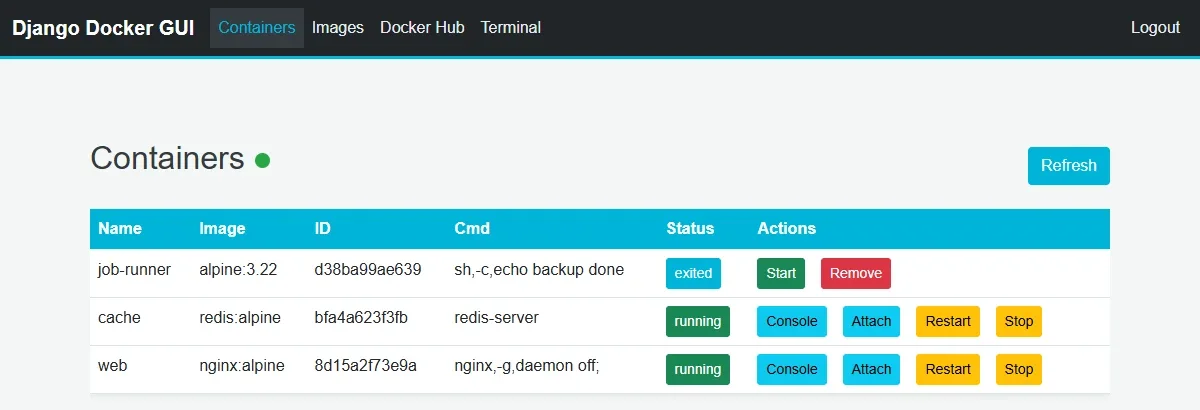
Django Docker GUI, screenshot 1

Overview

A powerful web-based interface for managing Docker containers and images, featuring a fully functional terminal emulator. This tool provides system administrators and developers with an intuitive way to manage Docker environments through a web browser.

What it's good for

Handy for one person or a small trusted team on one machine: restart, pull or open a shell from a browser tab, even in Alpine images that have no bash. Every account is a superuser by design, so hand out logins the way you'd hand out root.

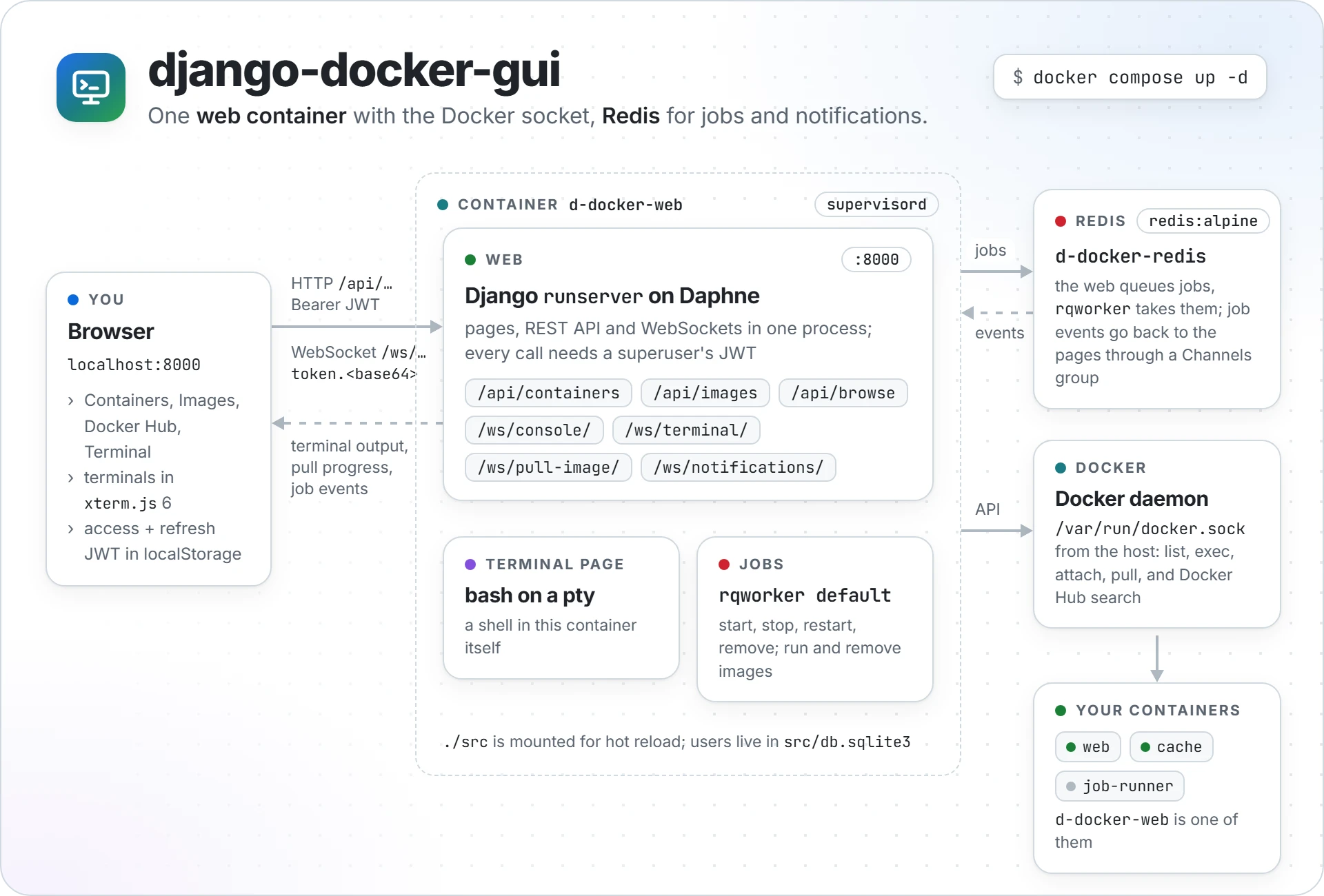
How it fits together

Simplified on purpose. The real thing has more arrows and at least one config file nobody understands.

Docker commands are easy, as long as you remember the container ID.

  1. Browser
    • plain HTML pages
    • xterm.js terminal
    → JWT, WebSockets
  2. This oned-docker-web
    • Django + Channels
    • RQ worker + Redis
    • superuser-only access
    → Docker socket
  3. Docker daemon
    • host containers
    • images
    • Docker Hub search

Point at a box to see what it connects to.

A shell in the nginx container, opened from the browser. Even 你好 comes out right.

Features

  • Web-based Docker management
  • Interactive terminal emulator
  • Container lifecycle management
  • Image repository browsing
  • Real-time logs viewing
  • Resource monitoring

The problem

  • Terminal emulation in browser
  • Real-time Docker API integration
  • Security considerations
  • Performance optimization

What I did

  • Implemented WebSocket-based terminal
  • Created secure Docker API wrapper
  • Added authentication and authorization
  • Optimized real-time data streaming
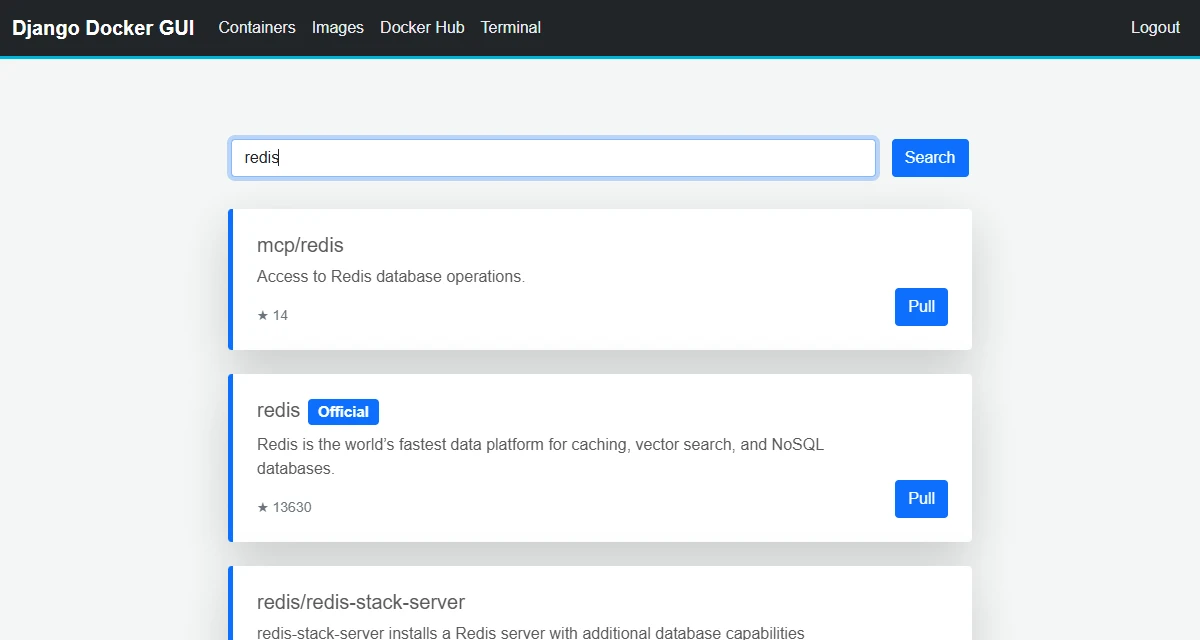
Docker Hub search for redis, with star counts, an Official badge and Pull buttons.

Results

  • Simplified Docker management workflow
  • Improved developer productivity
  • Enhanced system administration
  • Reduced command-line dependency

What I learned

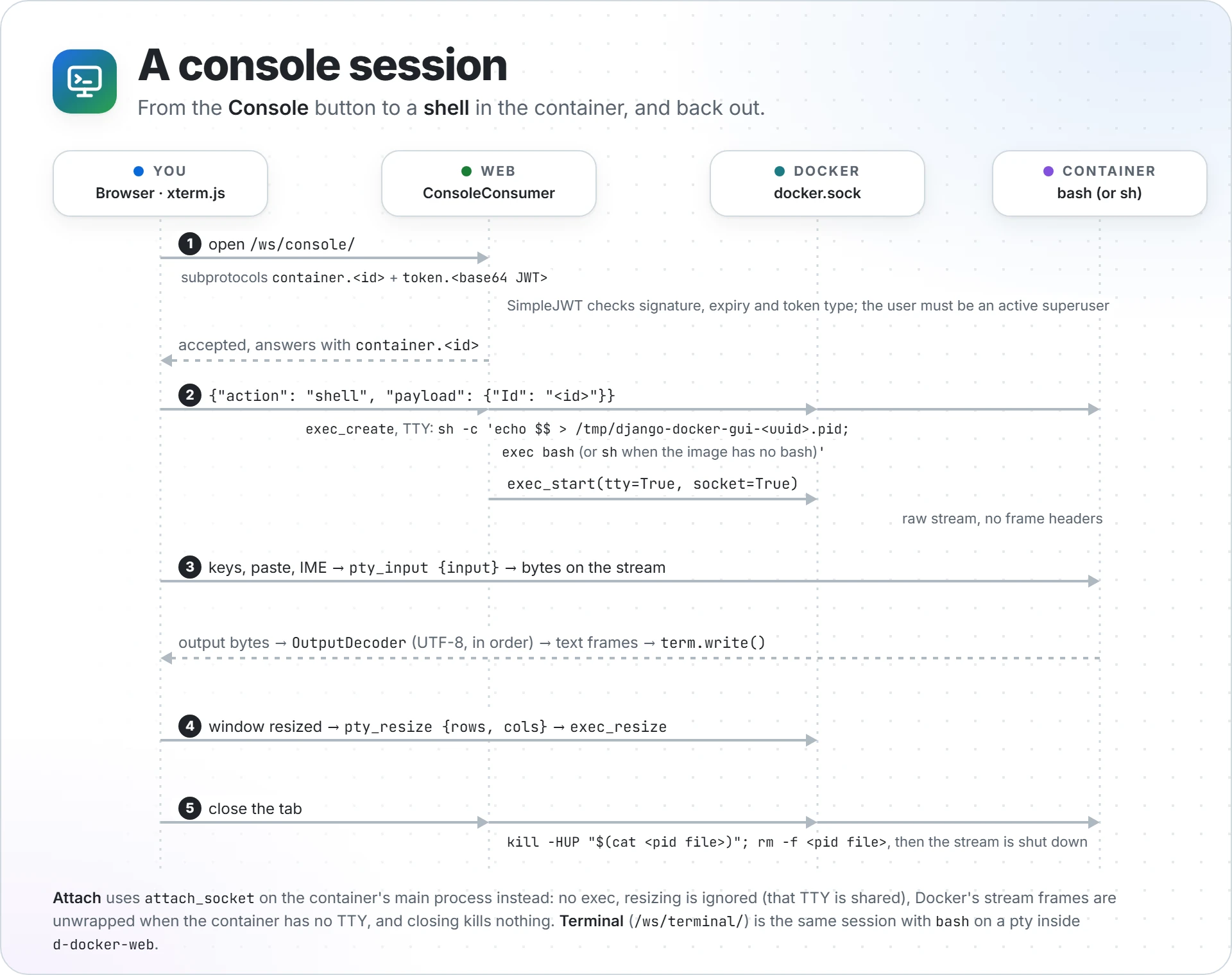
  • Docker has no call to end an exec'd shell, and one left behind keeps running, so the shell writes its PID first and closing the tab sends it kill -HUP.
  • Browsers can't add headers to WebSockets, so the login token rides along as a token.<base64> subprotocol.
  • Any Console can reach the container holding the Docker socket, so smaller roles would be theatre: only active superusers get in, checked in one file.
  • One web container holds the Docker socket; Redis carries the jobs and their events.
    One web container holds the Docker socket; Redis carries the jobs and their events.
  • One console session, from opening the WebSocket to kill -HUP when you close the tab.
    One console session, from opening the WebSocket to kill -HUP when you close the tab.
  • Infrastructure & backend1313 stars on GitHub

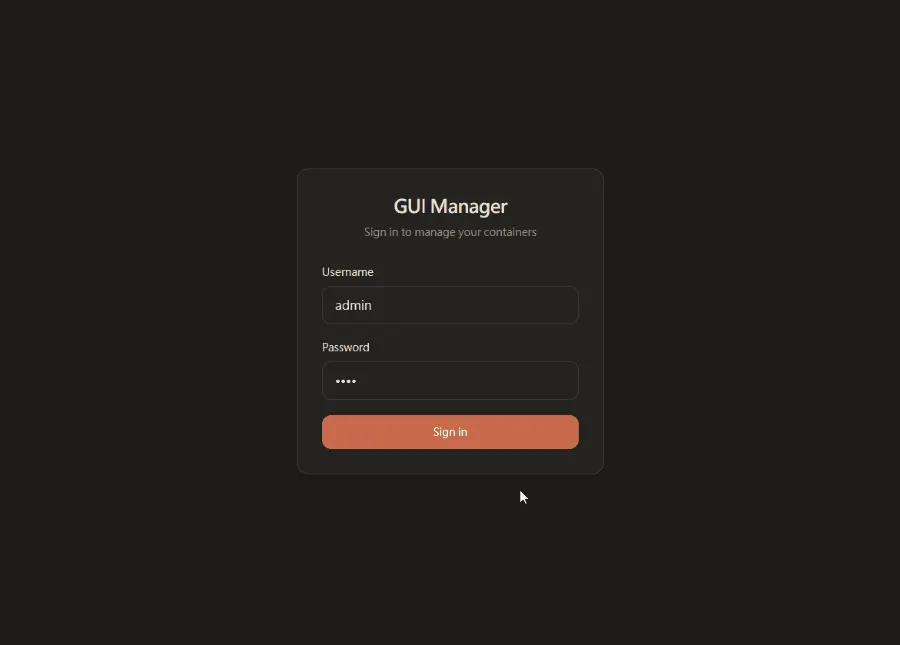
    Telepy

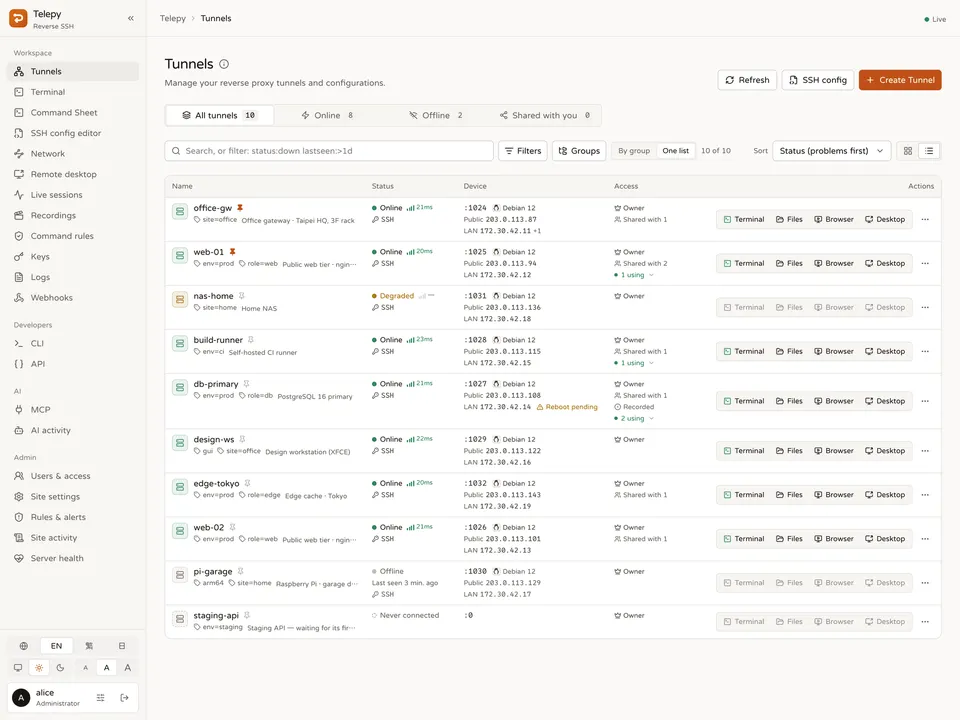
    One outbound reverse SSH tunnel per device gives you a browser terminal, files, remote desktop, a remote browser and the LAN behind it. No port forwarding, no VPN, no public IP.
    2024Active
  • Infrastructure & backend66 stars on GitHub

    Dev Dock Manager (Rust)

    One Docker dev box per user, with a web terminal, a noVNC desktop and optional GPU. The Django version, rewritten in Rust, partly to find out whether I could.
    2023Active
  • Spin-off · Contract work
    Infrastructure & backend11 stars on GitHub

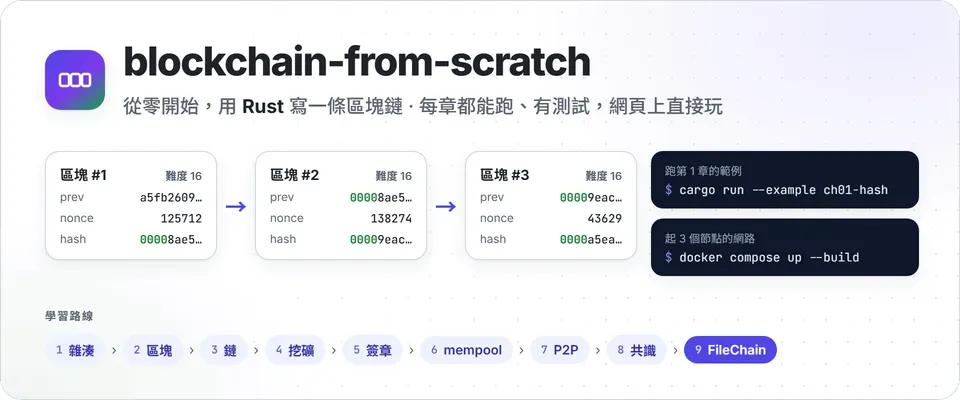
    Blockchain from Scratch

    Nine hands-on chapters, from hashing to a peer-to-peer network. The same Rust code powers interactive WebAssembly demonstrations in your browser.

    2018Completed