Skip to content
Nat Lee

Keyboard shortcuts

Turn these off if they get in the way of a screen reader or voice control. The setting is saved in this browser.

1
Home
2
Work
3
Projects
4
About
5
Experience
/
Search projects
?
Show this panel

DevOps

Dev Dock

GUI Development Container

A Docker image with a full GUI desktop for development, because some tools refuse to live in a terminal.
Role
Creator & Maintainer
Period
2020 – 2021
Status
Completed
Categories
Infrastructure & backend
Stack
  • Docker
  • Shell Scripting
  • GUI Development
  • Linux Desktop
Dev Dock, screenshot 1

Overview

A Docker-based development environment that provides a common GUI interface for development work. This containerized solution ensures consistent development environments across different systems.

What it's good for

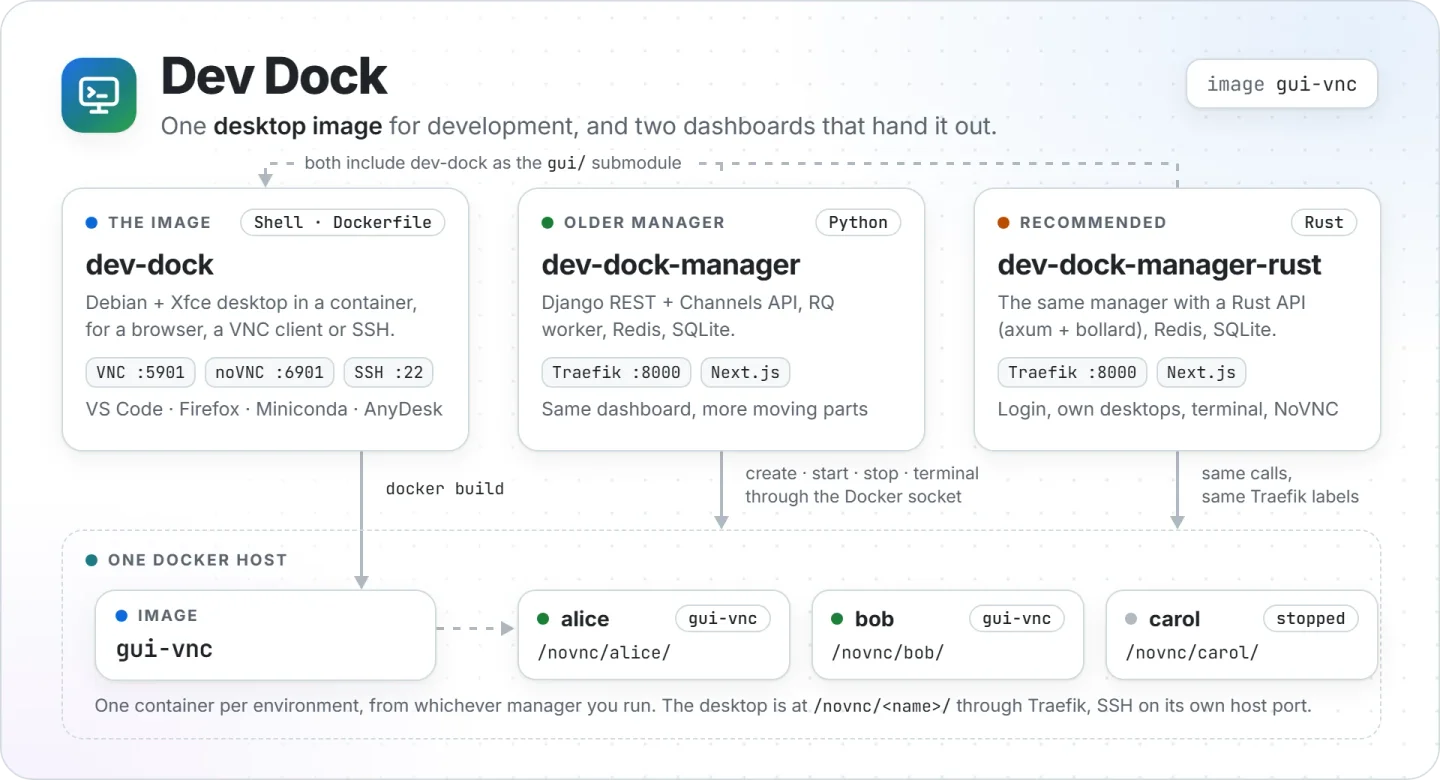
Supplies the desktops both Dev Dock managers hand out. On its own it's a Linux workstation you can start as many copies of as you like, on x86_64 or arm64, with a GPU compose file for NVIDIA machines. Xfce is the lightweight part; the image is about 5.2 GB.

How it fits together

Simplified on purpose. The real thing has more arrows and at least one config file nobody understands.

Some tools refuse to live in a terminal. This is their house.

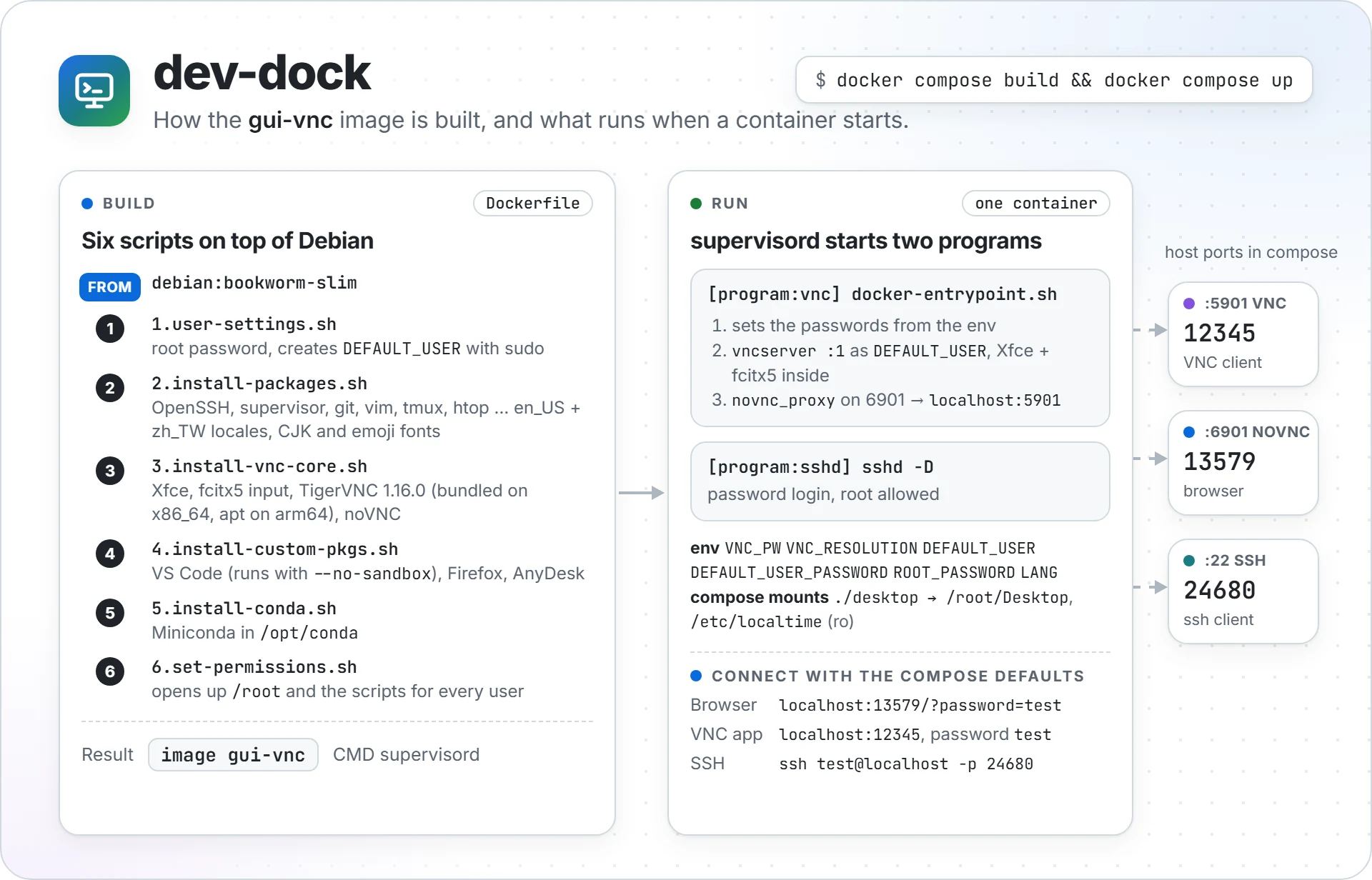
  1. Install scripts
    • debian:bookworm-slim
    • six install scripts
    → docker build
  2. This onegui-vnc image
    • Xfce + TigerVNC
    • noVNC
    • sshd under supervisord
    → published ports
  3. You

    Browser
    • noVNC
    VNC client
    SSH

Point at a box to see what it connects to.
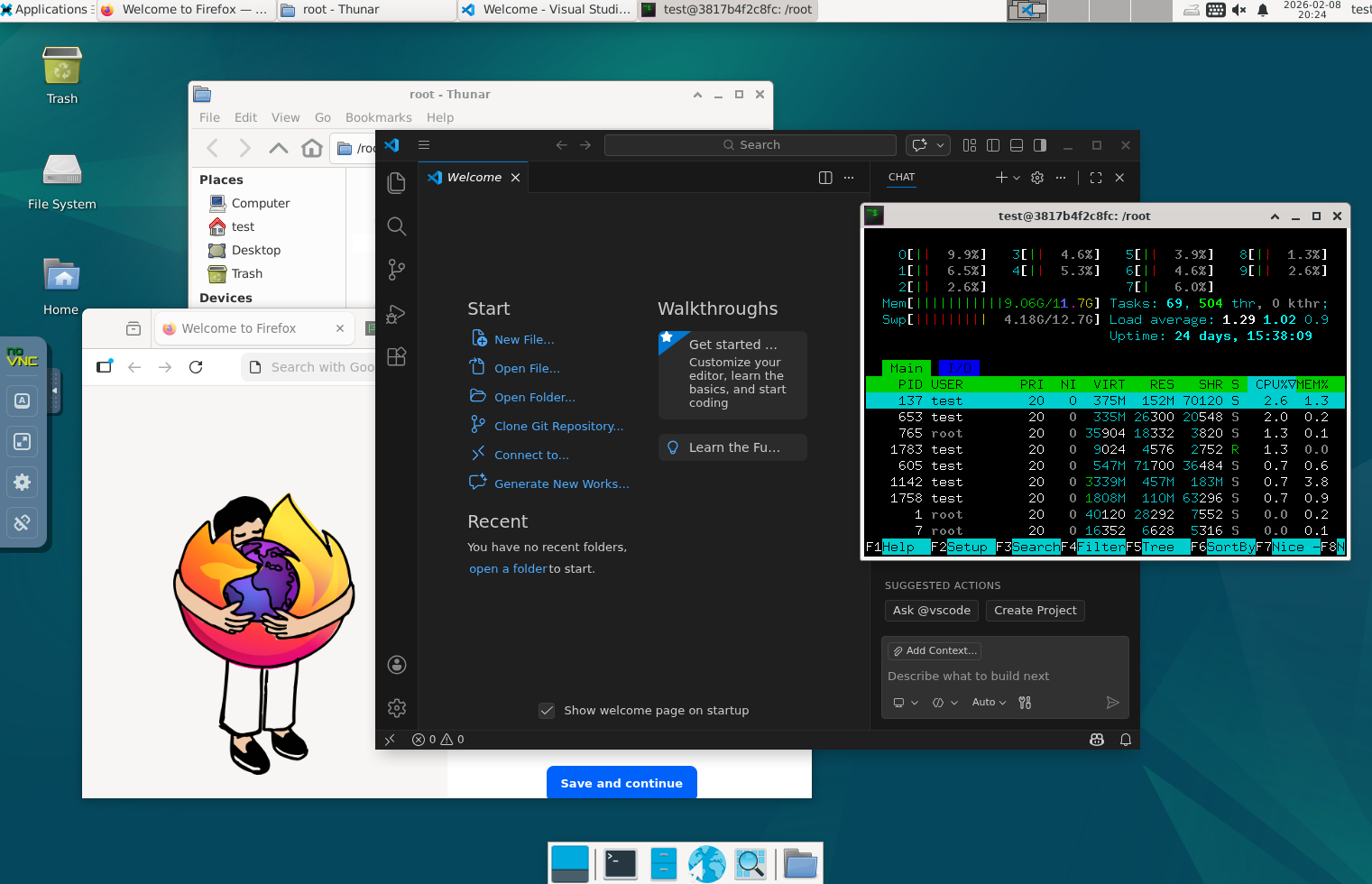
The Xfce desktop in a browser: Firefox, VS Code, a file manager and htop at once.

Features

  • Containerized GUI environment
  • Development tools pre-installed
  • Cross-platform compatibility
  • Easy deployment

The problem

  • Creating a common GUI environment for development using Docker
  • Providing VNC and noVNC access to a containerized desktop
  • Supporting NVIDIA GPUs in a containerized environment
  • Handling Chinese input method initialization

What I did

  • Integrated Xfce Desktop with VNC and noVNC support
  • Included pre-installed development tools like Mini Conda, VS Code, and Git
  • Provided Docker Compose configurations for both standard and NVIDIA GPU setups
  • Implemented customizable container settings for resolution, passwords, and users
How gui-vnc is built from six scripts, and what supervisord starts in each container.

Results

  • A fully functional GUI development container accessible via browser or VNC client
  • Support for multiple protocols including VNC (5901), noVNC (6901), and SSH (22)
  • A highly portable and consistent development environment

What I learned

  • Build on the same architecture as the host, or Firefox and VS Code fail with "Dynamic loader not found".
  • TigerVNC 1.16 dropped the classic vncserver wrapper, so the entrypoint starts Xvnc directly, the same way on both architectures.
  • A folder mounted under /root never shows on the VNC desktop, because that desktop belongs to DEFAULT_USER, not root.
  • Infrastructure & backend1313 stars on GitHub

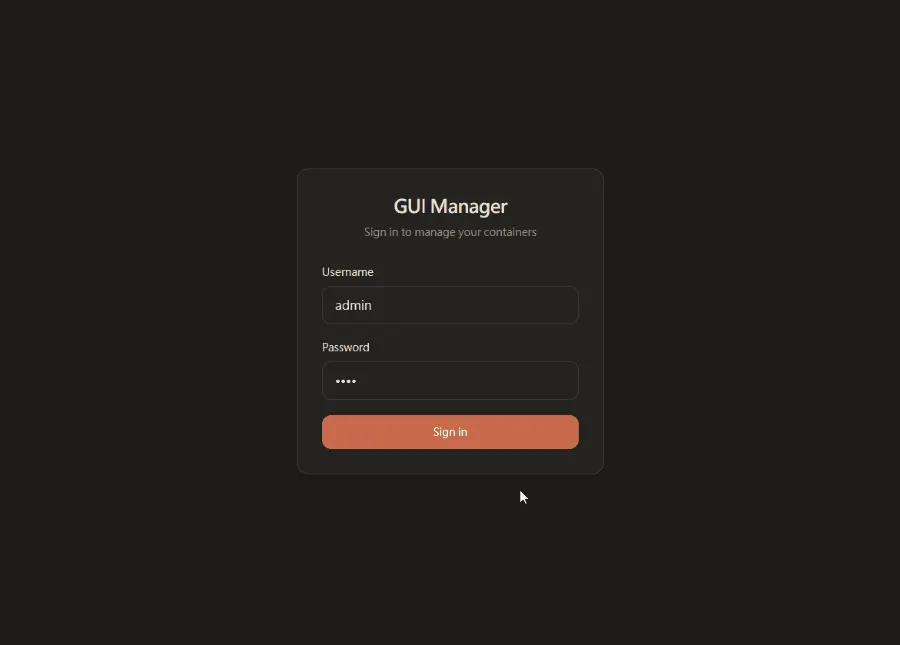
    Telepy

    One outbound reverse SSH tunnel per device gives you a browser terminal, files, remote desktop, a remote browser and the LAN behind it. No port forwarding, no VPN, no public IP.
    2024Active
  • Infrastructure & backend66 stars on GitHub

    Dev Dock Manager (Rust)

    One Docker dev box per user, with a web terminal, a noVNC desktop and optional GPU. The Django version, rewritten in Rust, partly to find out whether I could.
    2023Active
  • Spin-off · Contract work
    Infrastructure & backend11 stars on GitHub

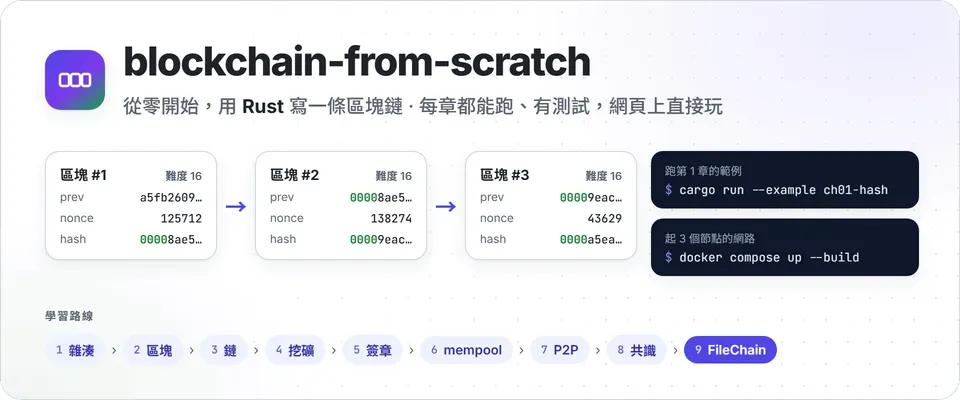
    Blockchain from Scratch

    Nine hands-on chapters, from hashing to a peer-to-peer network. The same Rust code powers interactive WebAssembly demonstrations in your browser.

    2018Completed