Skip to content
Nat Lee

Keyboard shortcuts

Turn these off if they get in the way of a screen reader or voice control. The setting is saved in this browser.

1
Home
2
Work
3
Projects
4
About
5
Experience
/
Search projects
?
Show this panel

DevOps

Dev Dock Manager

Development Environment Manager

The original Django dev-box manager: isolated Docker environments for several users on one machine. The Rust version replaced it, but this one carried the load first.
Role
Creator & Maintainer
Period
2022 – 2023
Status
Completed
Categories
Infrastructure & backend
Stack
  • Python
  • Django
  • Docker
  • Container Orchestration
  • User Management
  • Environment Isolation
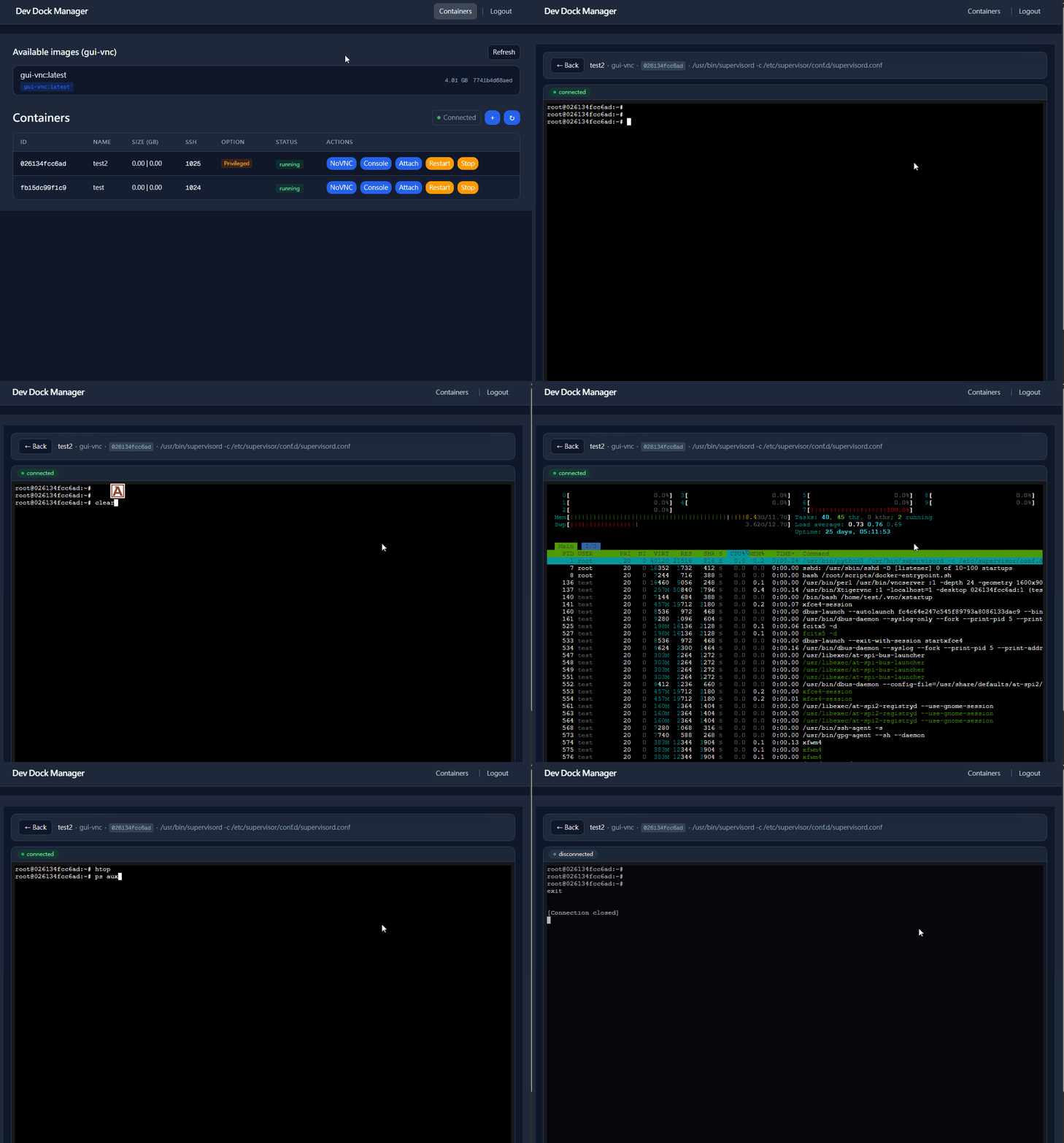
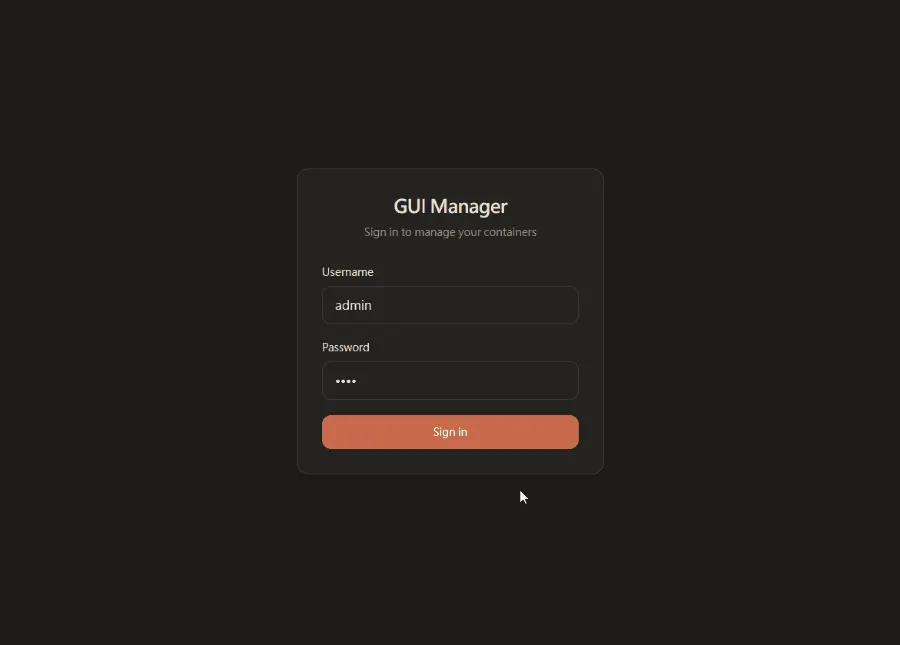
Dev Dock Manager, screenshot 1

Overview

A sophisticated development environment management system built with Django and Docker. This platform provides isolated, containerized development environments for multiple users on the same machine, complete with pre-configured tools and packages for various development workflows.

What it's good for

Lets an admin run a shared Linux box for several people from one Users page: create accounts, make admins, disable someone, reset a password. Kept for setups that want Python or the Django admin. Users see only their own desktops; anyone else's answers 404, as if it never existed.

How it fits together

Simplified on purpose. The real thing has more arrows and at least one config file nobody understands.

Other people's desktops answer 404, as if they never existed.

  1. Browser
    • login
    • web terminal
    • NoVNC desktop
    → port 8000
  2. Traefik
    • / → dashboard
    • /api, /ws → API
    → routes
  3. This oneDev Dock Manager

    Next.js dashboard
    Django + Channels API
    • RQ worker
    • Redis
    → Docker socket
  4. Desktop containers
    • gui-vnc image
    • Xfce, noVNC, SSH

Point at a box to see what it connects to.
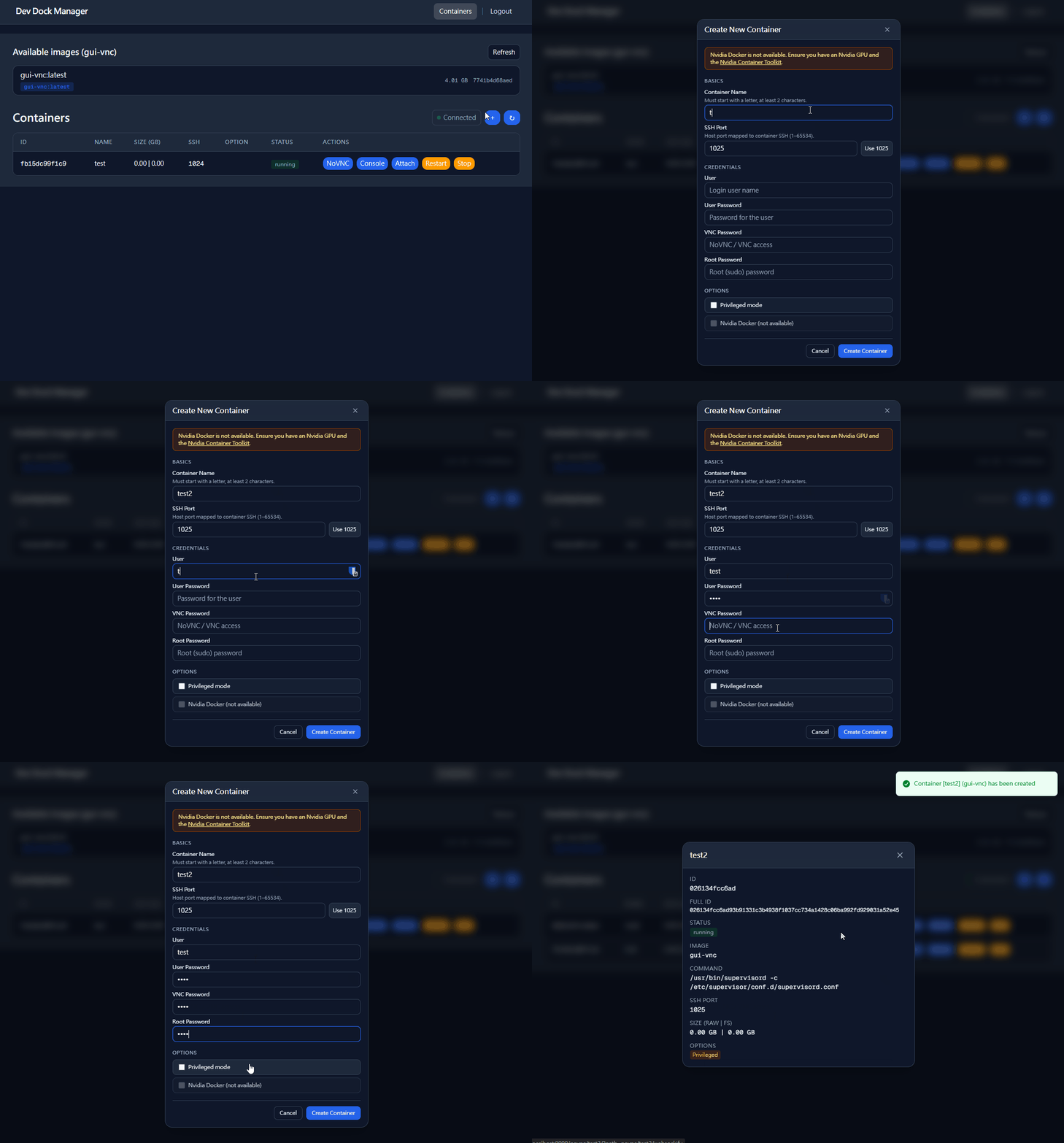
Creating a desktop: name, SSH port and passwords go in, a running container comes out.

Features

  • Multi-user environment isolation
  • Pre-configured development stacks
  • Resource allocation management
  • Environment template system
  • User access control
  • Automated environment provisioning

The problem

  • Resource isolation between users
  • Environment template management
  • Security and access control
  • Performance optimization

What I did

  • Implemented Docker-based isolation
  • Created flexible template system
  • Built comprehensive user management
  • Optimized resource allocation
The web terminal: a root shell in the container, right in a browser tab.

Results

  • Reduced environment setup time by 80%
  • Improved development team productivity
  • Enhanced security through isolation
  • Simplified onboarding process

What I learned

  • Container and image lists once took 8.4 s and 13.5 s because docker-py inspected everything on the host. Now: one list call, then only desktops you may see.
  • The backend lists only containers whose image is named exactly gui-vnc, so a pulled image needs that tag before the dashboard sees anything.
  • Desktops created before ownership labels existed have no owner, so only admins can see them.
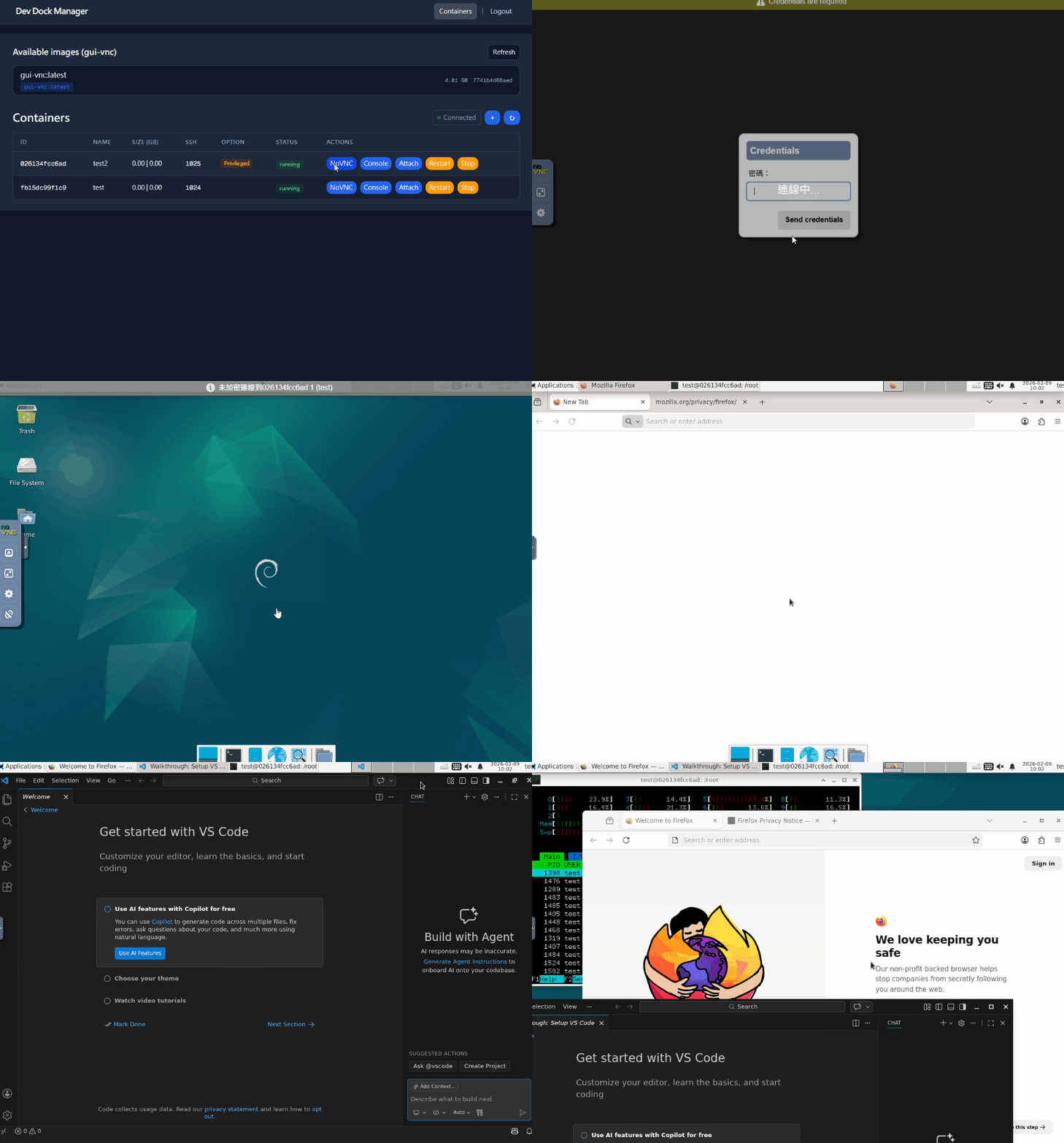
  • NoVNC: type the VNC password, then Firefox and VS Code run on the remote desktop.
    NoVNC: type the VNC password, then Firefox and VS Code run on the remote desktop.
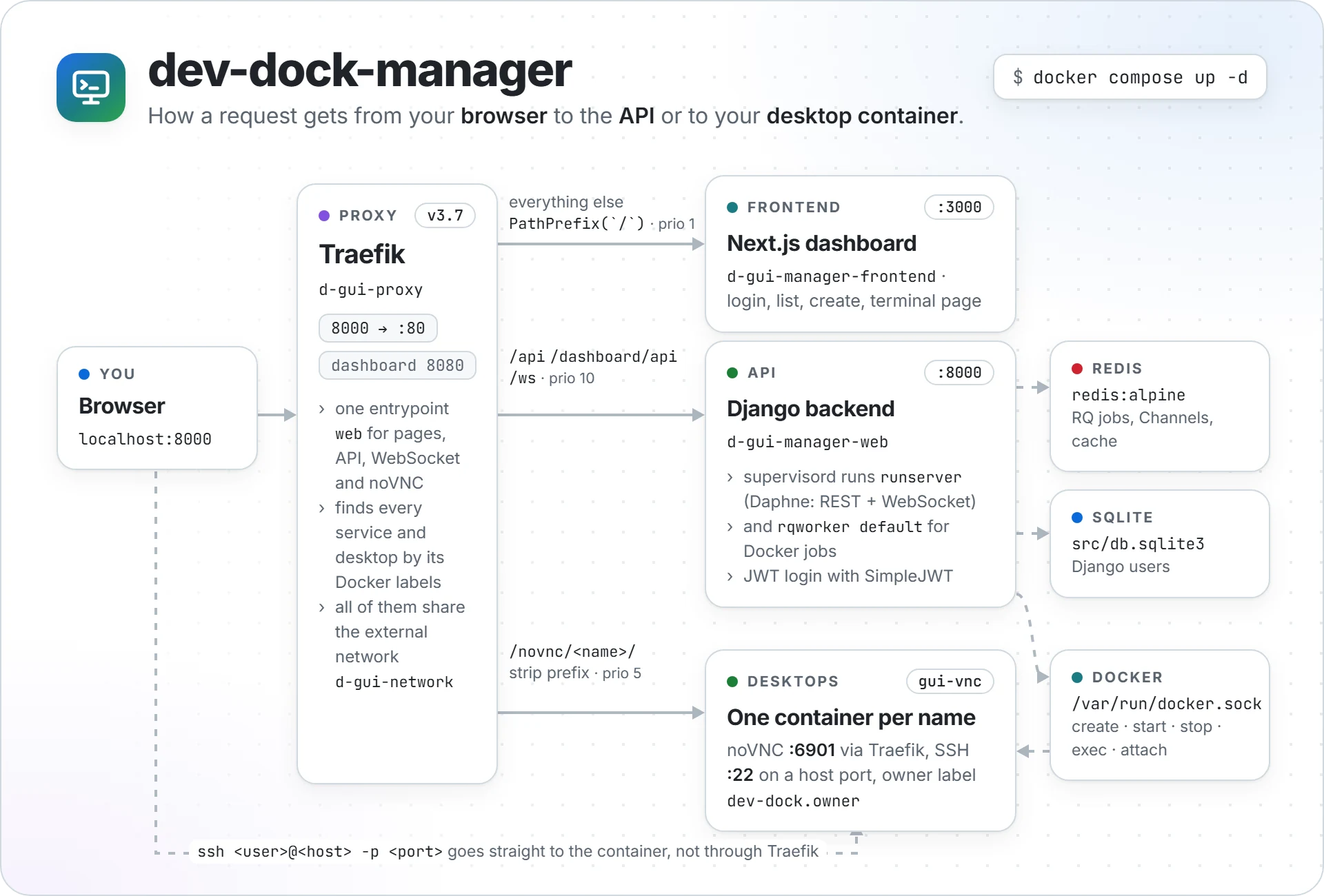
  • Traefik on port 8000 sends pages, the API and each noVNC desktop their own way.
    Traefik on port 8000 sends pages, the API and each noVNC desktop their own way.
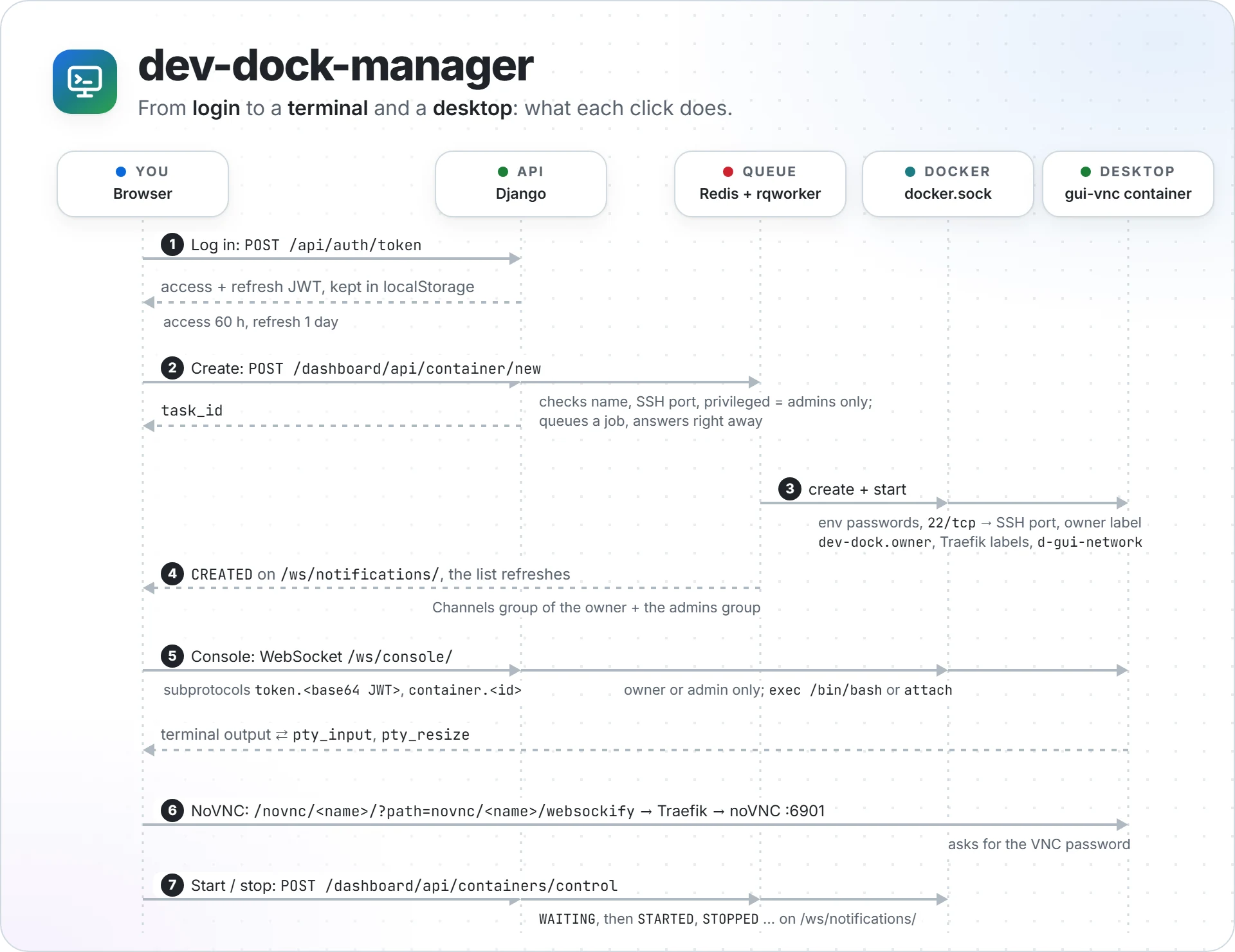
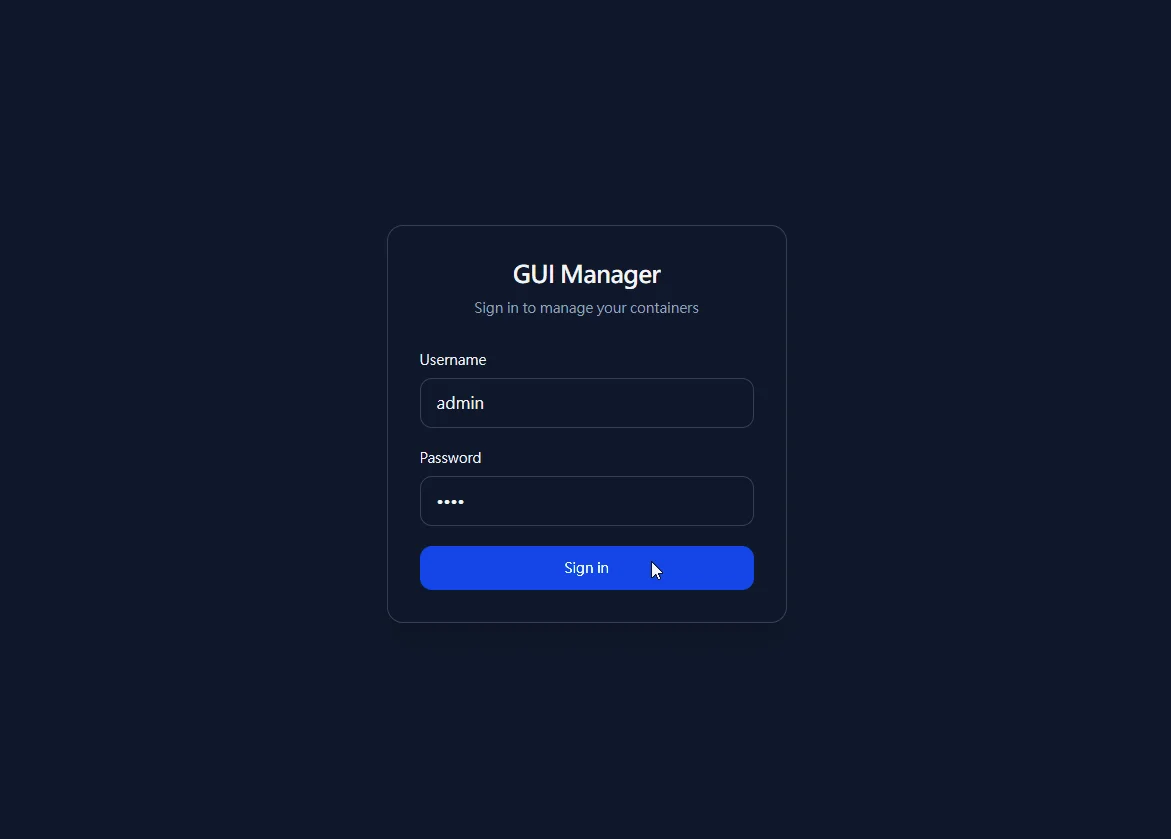
  • What each click does, from login to terminal, desktop, start and stop.
    What each click does, from login to terminal, desktop, start and stop.
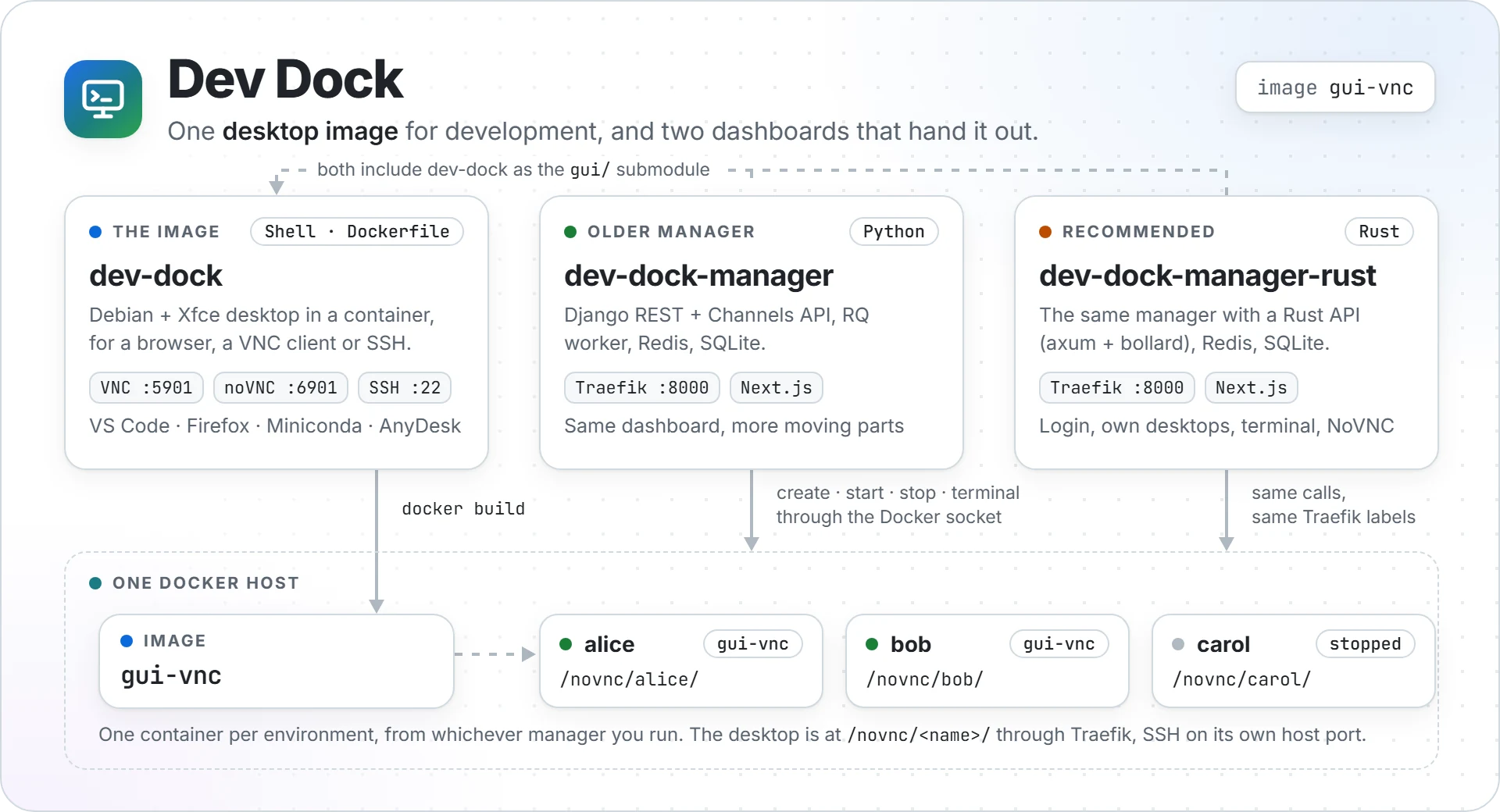
  • The Dev Dock family: one desktop image, two managers. This one has more moving parts.
    The Dev Dock family: one desktop image, two managers. This one has more moving parts.
  • Infrastructure & backend1313 stars on GitHub

    Telepy

    One outbound reverse SSH tunnel per device gives you a browser terminal, files, remote desktop, a remote browser and the LAN behind it. No port forwarding, no VPN, no public IP.
    2024Active
  • Infrastructure & backend66 stars on GitHub

    Dev Dock Manager (Rust)

    One Docker dev box per user, with a web terminal, a noVNC desktop and optional GPU. The Django version, rewritten in Rust, partly to find out whether I could.
    2023Active
  • Spin-off · Contract work
    Infrastructure & backend11 stars on GitHub

    Blockchain from Scratch

    Nine hands-on chapters, from hashing to a peer-to-peer network. The same Rust code powers interactive WebAssembly demonstrations in your browser.

    2018Completed